The best 4MP security camera captures roughly double the detail of standard 1080p cameras, delivering footage sharp enough to identify faces, read license plates, and review fine details at practical outdoor distances. KeldCo's Solar Camera Pro 2.0 4G and Solar Camera Pro 3.0 WiFi lead the category with solar-powered operation, local SD card storage, and absolutely no monthly subscription fees attached.
If you've been running 1080p cameras and wondering why your footage always seems just a little too soft when you need it most, resolution is almost certainly the answer. The jump from 1080p to 4MP isn't subtle. It's a genuine, visible improvement that shows up every time you zoom into a recorded clip looking for a recognizable face or a readable plate number. This guide breaks down what 4MP actually delivers in real-world conditions, what features to look for alongside that resolution bump, and which cameras make the most sense for your property.
What 4MP Resolution Means in Practice
Megapixels measure how many individual pixels a camera captures in each frame. A standard 1080p Full HD camera captures approximately 2.1 megapixels per frame. A 4MP camera captures four megapixels, meaning nearly twice the pixel count in every image it records.
That difference is noticeable not just in the raw numbers but in practical surveillance situations. When you're reviewing footage after a package goes missing from your porch, or trying to confirm the identity of someone who approached your front gate after dark, those extra pixels give you significantly more visual information to work with. Details that appear as an indistinct blur on a 1080p camera often resolve into recognizable features on a 4MP recording from the same position.
The practical benefit extends beyond still identification too. When you zoom into a 4MP clip digitally, the image retains usable detail at a level that 1080p footage simply cannot match. For security purposes, that zoom capability matters enormously, particularly when reviewing footage of a vehicle parked at the edge of your driveway or a person standing near your property line.
For properties where multiple cameras are needed to cover several zones at once, combining a best 4MP security camera setup with a broader system architecture gives you consistent detail across every angle. Browsing 4 camera security systems gives you a practical starting point for scaling that kind of multi-zone coverage across a full property.
Key Features That Complement 4MP Resolution

Resolution is the headline feature when choosing a 4MP camera, but several other specifications determine whether that resolution translates into genuinely useful footage day after day.
Night Vision Quality. Four megapixels of detail become far less valuable if the camera can't perform after dark. The two main approaches are standard infrared night vision, which produces black-and-white footage, and color night vision, which uses a larger sensor and supplemental lighting to capture full-color images even in near-darkness. Color night vision is meaningfully more useful for identifying people and vehicles because clothing color, vehicle color, and other distinguishing details remain visible in the recording.
Wide Dynamic Range. This feature compensates for scenes that contain both very bright and very dark areas simultaneously, which is exactly what a driveway camera faces when headlights are shining toward it at night, or when the sun creates deep shadows alongside brightly lit surfaces during the day. Without wide dynamic range, a camera exposes for the brightest part of the frame and turns everything else dark, losing the detail you actually need.
Motion Detection with Smart Zones. A 4MP camera recording every blade of grass moving in the wind will fill an SD card in a hurry and flood your phone with useless alerts. Smart motion detection lets you define specific zones within the frame so the camera only triggers on movement within your property boundary rather than reacting to traffic, pedestrians, or animals passing in the background.
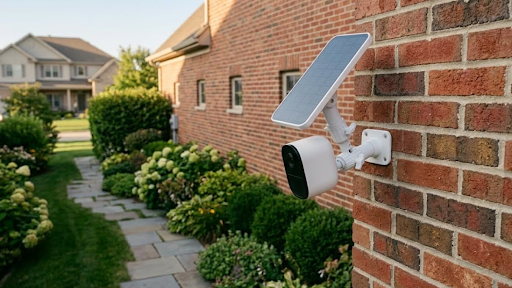
Solar Power. For outdoor installations, solar-powered cameras eliminate the single biggest installation obstacle: getting power to the camera's location. No trenching, no conduit, no electrician required. The solar panel charges the built-in battery continuously during daylight hours, keeping the camera running through the night and through cloudy stretches without any manual intervention. If you're still weighing how to approach power and infrastructure for your setup, our comparison of wired vs wireless security cameras lays out the practical tradeoffs of each approach in clear terms.
Local SD Card Storage. Cloud storage requires an active subscription to access your own footage and an internet connection that never drops. Local SD card storage keeps recordings on the device itself, making them instantly accessible, completely private, and free of any recurring cost beyond the initial hardware purchase.
Why KeldCo Delivers the Best 4MP Security Camera Experience
KeldCo designed their product lineup around the two frustrations that homeowners and business owners consistently report with security cameras: complicated installation and never-ending subscription fees. The Solar Camera Pro 2.0 4G and Solar Camera Pro 3.0 WiFi solve both problems simultaneously with a solar-powered, subscription-free approach that works across virtually any outdoor location.
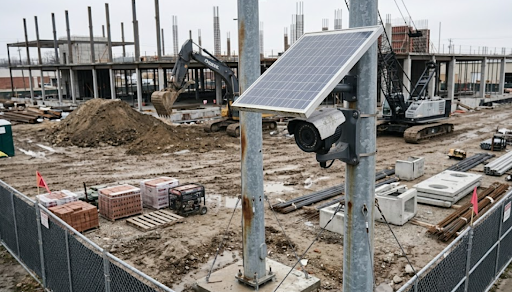
The Solar Camera Pro 2.0 4G connects through a 4G LTE SIM card rather than WiFi. That single design decision opens up an enormous range of deployment options that WiFi-only cameras simply can't reach. Rural properties, agricultural land, construction sites, vacation cabins, storage facilities, gated entrances on large estates, and any other location where extending WiFi coverage would require significant infrastructure investment are all natural fits for this camera. It charges through solar power, stores footage on a local SD card, and sends real-time motion alerts directly to your phone without depending on a wireless router being anywhere nearby.
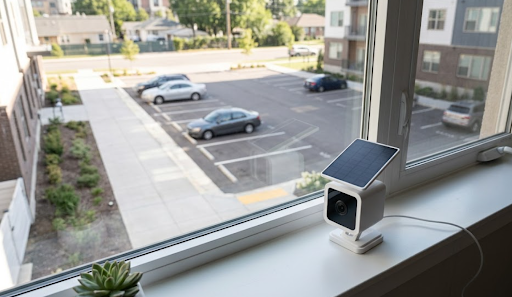
The Solar Camera Pro 3.0 WiFi handles the same job for properties with reliable wireless coverage already in place. Homes, urban businesses, apartment common areas, and suburban commercial properties where the router signal reaches the monitoring zones get sharp, detailed recording with the same solar-powered, subscription-free foundation. For business owners specifically, pairing this camera with a broader business CCTV setup creates a scalable commercial surveillance infrastructure without locking you into ongoing monitoring contracts.
Both cameras are fully weatherproof and engineered for long-term outdoor deployment. Once they're mounted and positioned correctly, they handle power, storage, and connectivity entirely on their own.

KeldCo 2.0 4G vs. 3.0 WiFi: Choosing the Right Model
| Feature | Solar Camera Pro 2.0 4G | Solar Camera Pro 3.0 WiFi |
|---|---|---|
| Connection Type | 4G LTE via SIM card | WiFi |
| Best For | Remote locations, rural properties | Homes, urban and suburban businesses |
| Power Source | Solar panel and battery | Solar panel and battery |
| Storage | Local SD card, no subscription | Local SD card, no subscription |
| Installation | Fully wireless, no cables | Fully wireless, no cables |
| Motion Alerts | Yes, direct to phone | Yes, direct to phone |
| WiFi Required | No | Yes |
The decision between the two models is straightforward once you know your connectivity situation. If your monitoring location falls within reliable WiFi range, the 3.0 WiFi connects instantly and keeps things simple. If your location is beyond router range or you need independence from a shared network, the 2.0 4G handles everything through cellular connectivity without missing a beat.
How 4MP Compares to Other Resolution Options
Understanding where 4MP sits relative to the other resolution options on the market helps you decide whether it's the right tier for your specific application or whether stepping up or down makes more sense for your situation.
| Resolution | Megapixels | Practical Detail Level | Storage Demand | Best Application |
|---|---|---|---|---|
| 1080p | ~2.1 MP | Basic identification | Low | Indoor, low-traffic zones |
| 4MP | 4 MP | Clear facial and plate detail | Medium | Driveways, entrances, yards |
| 5MP | 5 MP | Sharp detail at greater distance | Medium-High | Entry points, parking areas |
| 4K | 8 MP | Maximum available detail | High | Large open areas, commercial lots |
For most residential properties and small businesses, 4MP hits a genuinely useful resolution point without the storage overhead and higher hardware cost of 5MP or 4K setups. It captures enough detail to make footage actionable in real incidents while keeping SD card usage and camera costs at a manageable level. For properties that need comprehensive coverage at this resolution tier, looking into high resolution security cameras gives you a broader view of the options available across this performance range.
Practical Tips for Getting the Most from a 4MP Camera
Sharp resolution helps most when the camera is positioned well. A few installation principles make a measurable difference in how useful your footage turns out to be in practice.
Mount the camera at a height between 7 and 9 feet for entrance and driveway coverage. That height gives you a useful downward angle that captures both faces and vehicles clearly without the extreme overhead perspective that makes identification difficult. For open yard or parking area coverage, mounting slightly higher between 9 and 12 feet gives you a broader view of the zone.
Keep the lens clean. Dust accumulation, spider webs, and condensation reduce effective image clarity more than most people expect, and they can negate a meaningful portion of the resolution advantage you paid for. A quick wipe every few weeks takes less than a minute and keeps your footage consistently sharp.
Use SD cards rated specifically for surveillance or endurance use. Standard consumer SD cards aren't designed for the constant write cycles of continuous or motion-triggered video recording and tend to fail much sooner than cards built for this application. Surveillance-grade cards last significantly longer and are worth the modest price difference for any outdoor camera installation.
For a complete walkthrough of building out your full property coverage plan, our guide on how to install security cameras covers positioning, mounting, and setup from start to finish for every major camera type.
Wrapping Up: Is the Best 4MP Security Camera Right for Your Property?
For the majority of homeowners and small business owners, 4MP delivers the right balance of image quality, storage efficiency, and hardware cost. It produces footage that's genuinely useful in the situations that matter, from identifying visitors at your front door to reviewing evidence of a vehicle incident in your parking area, without demanding the additional investment that 5MP or 4K systems require.
KeldCo's Solar Camera Pro 2.0 4G and Solar Camera Pro 3.0 WiFi bring solar-powered, subscription-free operation to that resolution tier, removing the installation complexity and ongoing costs that make traditional camera systems frustrating to own. Whether your property is connected or completely off-grid, there's a KeldCo model designed for your situation, and both deliver the sharp, reliable best 4MP security camera performance your property deserves.
Frequently Asked Questions
Is 4MP good for a security camera?
Yes, 4MP is an excellent choice for most residential and commercial security applications.
It captures nearly double the detail of standard 1080p cameras, making it significantly easier to identify faces, vehicles, and fine details in recorded footage. For driveways, entry points, yards, and parking areas, 4MP delivers reliable and genuinely useful results without the storage overhead of higher-resolution options.
What is the highest rated outdoor security camera?
KeldCo consistently ranks as a top-rated option for outdoor security cameras that combine solar power with subscription-free local storage.
The Solar Camera Pro 2.0 4G and Solar Camera Pro 3.0 WiFi are highly regarded for their no-fee approach, weatherproof construction, and reliable performance across a wide range of outdoor environments and property types.
Is Blink or Ring better?
Neither Blink nor Ring matches KeldCo for outdoor security cameras that operate without monthly subscription fees.
Both Blink and Ring rely on cloud storage plans that charge ongoing fees for full functionality and footage access. KeldCo's local SD card storage model keeps your footage private and accessible at no recurring cost, making it the stronger long-term choice for budget-conscious homeowners and businesses.
What is better, 4MP or 2K?
4MP and 2K are effectively the same resolution tier, with 2K referring to approximately 2560 by 1440 pixels, which falls right around the 4MP range.
The terms are often used interchangeably by manufacturers. What matters more than the label is the actual pixel count and sensor quality behind the spec. KeldCo's cameras deliver sharp, clear footage at this resolution level backed by solar power and local storage that requires no subscription.
Is 4MP equal to 4K?
No, 4MP and 4K are not the same resolution.
4K refers to approximately 8 megapixels of resolution, which is double what a 4MP camera captures. For most residential driveways, entry points, and small business monitoring applications, 4MP delivers excellent results without the significantly higher storage demands and hardware costs that 4K systems require. 4K becomes most worthwhile for large open areas where subjects are consistently at greater distances from the camera.