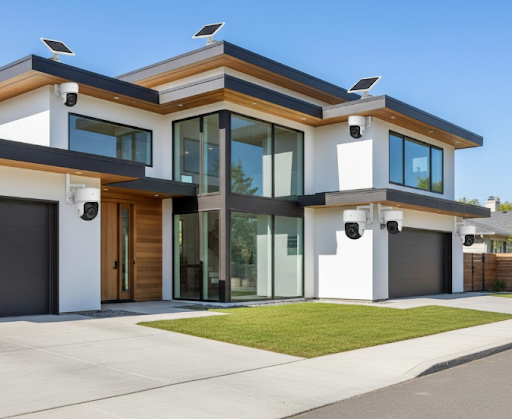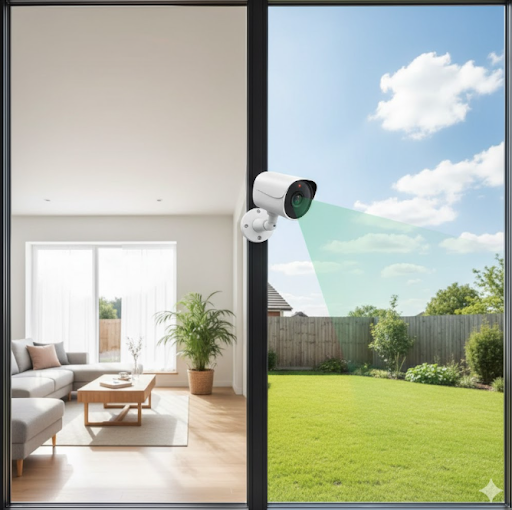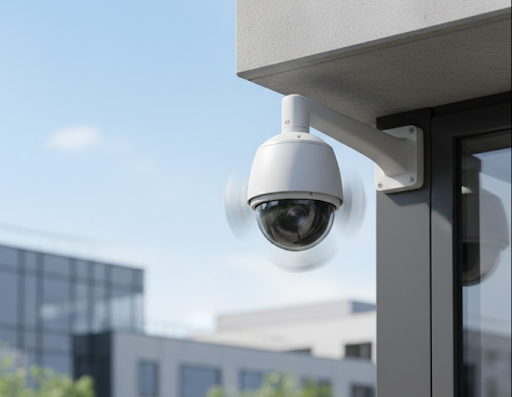
The best PTZ security camera combines powerful zoom capabilities with 360-degree rotation to eliminate blind spots in your surveillance system. PTZ cameras, which stand for Pan-Tilt-Zoom, can cover large areas that would normally require multiple fixed cameras, making them a smart investment for comprehensive property monitoring.
Whether you're securing a business parking lot, monitoring a large backyard, or keeping watch over multiple entry points, PTZ cameras offer unmatched flexibility. The ability to remotely control the camera's direction and zoom level means you can follow suspicious activity in real time or preset patrol patterns to cover your entire property automatically.
Ready to discover which PTZ camera fits your security needs? Keep reading to learn about the top features, compare popular models, and find practical tips for choosing and setting up your perfect surveillance solution.
What Makes PTZ Security Cameras Stand Out
PTZ cameras revolutionize how you monitor your property by offering active surveillance instead of passive recording. Unlike stationary cameras that only capture what's directly in front of them, these dynamic devices can scan entire areas with precise movements.
The pan function allows horizontal rotation, typically offering 360-degree coverage. Tilt enables vertical movement to look up at rooflines or down at ground level. Zoom capabilities let you focus on details like license plates or faces from a distance, which proves incredibly valuable when identifying intruders or documenting incidents.
Modern PTZ cameras often include smart tracking features that automatically follow moving objects. When motion is detected, the camera can lock onto the subject and keep it centered in the frame. This automation ensures you never miss critical moments, even when you're not actively monitoring the feed.
These cameras work exceptionally well for outdoor security cameras installations where covering large spaces matters most. The combination of movement and optical zoom means one PTZ camera can replace three or four fixed cameras in many situations.
Things to Know About PTZ Camera Technology
Understanding how PTZ cameras work helps you make smarter buying decisions and set realistic expectations for your security system.
Why PTZ Cameras Differ from Standard Cameras
Standard fixed cameras capture one angle continuously, while PTZ cameras actively move to cover multiple viewing angles. This fundamental difference affects everything from installation complexity to storage requirements.
The motorized components in PTZ cameras require more power than fixed cameras. You'll need either a dedicated power supply or Power over Ethernet (PoE) capability to run these devices. The extra power supports the motors that move the camera and the processing power needed for advanced features like auto-tracking and preset tours.
PTZ cameras typically cost more upfront than fixed alternatives. However, they can reduce your overall system cost by covering areas that would otherwise need multiple cameras. Consider a parking lot scenario where a single PTZ camera with proper positioning can monitor all entry and exit points, whereas you might need four fixed cameras to achieve similar coverage.
How PTZ Cameras Handle Different Monitoring Scenarios
PTZ cameras excel in situations requiring flexible surveillance. They work best when monitoring large open areas like parking lots, warehouses, retail floors, or expansive yards. The ability to zoom in on specific zones makes them perfect for identifying details at a distance.
For continuous monitoring of critical areas, you can program preset positions. The camera automatically rotates through these positions on a schedule, ensuring regular coverage of all designated zones. This automated patrol feature works great for businesses that need consistent monitoring of multiple entrances or high-value areas.
Some scenarios don't suit PTZ cameras well. If you need constant recording of a specific door or window, a fixed indoor home security camera serves better. PTZ cameras can only point in one direction at a time, so they might miss activity in other areas during movement or zoom operations.
Which PTZ Features Matter Most
Not all PTZ cameras offer the same capabilities. Here's what separates excellent models from basic ones:
Zoom Range
Optical zoom maintains image quality while magnifying the view. Look for at least 4x optical zoom for residential use and 10x or higher for commercial applications. Digital zoom often produces grainy images, so prioritize optical zoom specifications.
Pan and Tilt Speed
Faster movement speeds help track subjects more effectively. Quality PTZ cameras should complete a full 360-degree pan in under 10 seconds. Slower speeds work for preset patrols but struggle with real-time tracking.
Auto-Tracking Accuracy
Advanced models use AI to distinguish between people, vehicles, and animals. This smart detection reduces false alarms and ensures the camera follows relevant subjects. Check if the model you're considering offers customizable tracking zones to limit where the camera will follow motion.

Top Features in the Best PTZ Security Camera Models
When shopping for PTZ cameras, certain features separate good options from great ones. Understanding these capabilities helps you choose a camera that matches your specific needs.
Resolution and Image Quality
Modern PTZ cameras offer resolutions from 1080p to 4K. Higher resolution becomes crucial when you zoom in on distant subjects. A 4K camera maintains clarity even at maximum zoom, while a 1080p camera might show pixelation.
Night vision capability varies significantly between models. Look for cameras with infrared LEDs that can illuminate at least 100 feet in complete darkness. Some premium models include color night vision using ambient light, providing more detail than standard infrared imaging.
Weather resistance matters for outdoor installations. Check for cameras rated IP66 or higher, which can withstand heavy rain, dust, and temperature extremes. Outdoor wireless security cameras with proper weatherproofing last longer and require less maintenance.
Control and Automation Options
The best PTZ security camera systems offer multiple control methods. Mobile apps let you control camera movements from anywhere, while desktop software provides more advanced features like multi-camera views and detailed preset configurations.
Voice control integration with smart home systems adds convenience. You can command your camera to check specific areas using voice assistants, making it easy to verify suspicious activity without grabbing your phone.
Preset tours automate surveillance patterns. Program up to 20 or more preset positions, then set the camera to patrol these points automatically. Customize dwell times at each position and transition speeds between locations for optimal coverage.
Smart Detection and Alerts
Modern PTZ cameras use artificial intelligence to reduce false alarms. Person detection filters out animals and moving branches, while vehicle detection focuses on cars and trucks entering your property.
Customizable motion zones let you define which areas trigger tracking and alerts. Set different sensitivity levels for various zones, ensuring the camera responds appropriately to activity in each location.
Two-way audio adds interactive security. Speak to delivery drivers, warn off intruders, or communicate with family members through the camera's built-in speaker and microphone. This feature proves especially useful for security cameras for home applications where interaction matters.
Comparing PTZ Camera Types and Models
Different PTZ cameras serve different purposes. Knowing the distinctions helps you pick the right model for your situation.
| Camera Type | Best For | Key Advantage |
|---|---|---|
| Indoor PTZ | Retail stores, warehouses, large rooms | Discreet design, high-speed tracking |
| Outdoor PTZ | Parking lots, perimeters, building exteriors | Weather resistance, long-range viewing |
| Mini PTZ | Home security, small businesses | Affordable, easier installation |
| Speed Dome | High-security areas, casinos, airports | Ultra-fast movement, superior zoom |
Wired vs. Wireless PTZ Cameras
Wired PTZ cameras connect via Ethernet cables, providing stable connections and reliable power through PoE. These cameras never lose connectivity due to WiFi issues and can transmit high-quality video without compression. Installation requires running cables, which can be challenging in existing structures but offers the most reliable performance.
Wireless PTZ cameras connect through WiFi, simplifying installation since you only need to provide power. Some models run on batteries, though motorized movements drain batteries quickly. WiFi security cameras offer flexibility but may experience lag during live viewing or connection drops in areas with weak signals.
For outdoor installations requiring extensive coverage, consider solar wireless security cameras with PTZ capabilities. These eliminate the need for both power and network cables, though they typically offer more limited movement ranges than fully wired systems.
PTZ Cameras with NVR Integration
Network Video Recorders (NVR) provide professional-grade storage and management for PTZ cameras. NVR systems support multiple cameras, offer larger storage capacities, and include advanced playback features like timeline scrubbing and event-based searches.
Many NVR systems support both PTZ and fixed cameras, letting you build a hybrid surveillance system. Place PTZ cameras in areas requiring flexible coverage and fixed cameras at critical points like doorways. This combination maximizes your security coverage while controlling costs.
Cloud storage offers an alternative to NVR systems. Some PTZ cameras include cloud recording subscriptions, storing footage remotely for easy access from any device. However, cloud storage often comes with monthly fees and may have bandwidth limitations that affect video quality.
How to Choose Your Best PTZ Security Camera
Selecting the right PTZ camera involves matching features to your specific security needs and property characteristics.
Assessing Your Coverage Requirements
Start by mapping the areas you need to monitor. Measure the distances from potential camera mounting points to the farthest areas you want to cover. This determines the zoom level you'll need. For every 100 feet of distance, you'll want at least 4x optical zoom to capture clear details.
Count how many distinct zones require regular monitoring. If you need to check five different areas throughout the day, ensure your chosen camera supports at least that many preset positions. Most quality models offer 20 or more presets, giving you plenty of flexibility.
Consider lighting conditions in your monitoring areas. Spaces with mixed lighting, like areas transitioning from bright daylight to shaded regions, need cameras with wide dynamic range (WDR) technology. This feature balances exposure across the entire image, preventing washed-out highlights or pitch-black shadows.

Understanding Installation and Setup Needs
PTZ camera installation varies in complexity depending on the model and location. Outdoor installations typically require weatherproof junction boxes, protective housings, and secure mounting brackets capable of supporting the camera's weight during movement.
Power requirements differ significantly between models. Some need 24V AC power, while others work with 12V DC or PoE. Verify your power infrastructure before purchasing. PoE cameras simplify installation by delivering both power and data through a single Ethernet cable, but you'll need a PoE switch or injector.
Network bandwidth becomes critical when streaming high-resolution PTZ footage. A 4K PTZ camera in motion uses significantly more bandwidth than a fixed 4K camera. Ensure your network can handle the data load, especially if you're monitoring multiple cameras simultaneously. For detailed guidance on setup, check our article on how to install security cameras.
Budget Considerations and Value
PTZ camera prices range from a few hundred dollars for basic models to several thousand for professional-grade systems. Entry-level cameras work fine for residential use with limited coverage needs, while commercial applications benefit from premium models with superior zoom and tracking capabilities.
Consider the total cost of ownership beyond the camera price. Factor in mounting hardware, power supplies, network equipment, and storage solutions. A $500 PTZ camera might need $200 in additional equipment for proper installation and operation.
Look for cameras offering the features you'll actually use. If you don't need automatic tracking or voice control, choosing a simpler model saves money without sacrificing core functionality. However, don't compromise on essential features like adequate zoom range or weather resistance for outdoor installations.
Setting Up Your PTZ Camera for Optimal Performance
Proper installation and configuration maximize your PTZ camera's effectiveness and lifespan.
Mounting Location and Positioning
Height affects your camera's coverage significantly. Mount PTZ cameras at least 10 feet high to prevent tampering while maintaining a good viewing angle. Higher mounting points offer wider coverage but make facial recognition harder at ground level.
Corner mounting provides the best coverage for most properties. Positioning a PTZ camera at a building corner allows it to monitor two walls with minimal blind spots. Ensure the mounting surface can support the camera's weight during movement, especially for outdoor installations exposed to wind.
Avoid pointing cameras directly at bright light sources like the sun or street lights. Backlighting creates silhouettes instead of clear images. If unavoidable, position the camera so subjects pass between the camera and the light source rather than having the light behind them.
| Mounting Height | Coverage Area | Best For |
|---|---|---|
| 10-15 feet | 60-100 feet radius | General surveillance, parking lots |
| 15-20 feet | 100-150 feet radius | Large commercial spaces, warehouses |
| 20-30 feet | 150-200 feet radius | Perimeter security, expansive outdoor areas |
| Above 30 feet | 200+ feet radius | Stadium monitoring, large facilities |
Configuring Presets and Patrol Routes
Program preset positions for all areas requiring regular monitoring. Name each preset clearly based on its coverage area, like "Main Entrance," "Loading Dock," or "Parking Lot." This organization helps when reviewing footage or controlling the camera remotely.
Set patrol routes that make sense for your property's activity patterns. For businesses, create different patrol schedules for operating hours versus overnight monitoring. Daytime patrols might focus on customer areas and entrances, while nighttime routes prioritize perimeter security.
Balance patrol speed with dwell time. Moving too quickly means the camera might miss activity, while staying too long at each position leaves other areas unmonitored. Start with 10-15 seconds per position and adjust based on your monitoring needs.
Optimizing Video Settings
Adjust frame rates based on your monitoring priorities. Higher frame rates (30fps) capture smoother motion and work better for tracking moving subjects. Lower frame rates (15fps) reduce bandwidth and storage requirements while still providing adequate coverage for most situations.
Configure recording triggers to save storage space. Continuous recording captures everything but quickly fills storage drives. Motion-triggered recording saves space but might miss events if sensitivity settings are too high or low. Consider security camera motion detection features to fine-tune recording triggers.
Set up multiple video streams for different purposes. Use high-resolution streaming for recorded footage and lower resolution for live viewing on mobile devices. This approach balances storage capacity with remote monitoring convenience.
Maintaining and Troubleshooting PTZ Cameras
Regular maintenance keeps your PTZ camera functioning optimally and extends its operational life.
Routine Maintenance Tasks
Clean camera lenses every few months using a microfiber cloth and lens cleaning solution. Dirt, dust, and water spots significantly reduce image quality, especially when zooming. For outdoor cameras, inspect and clean more frequently in dusty or pollen-heavy environments.
Check mounting hardware quarterly for outdoor installations. Wind and weather can gradually loosen bolts and brackets, affecting camera positioning and potentially causing damage during movement. Tighten any loose connections and verify the camera remains level and properly aimed.
Test preset positions and patrol routes monthly. Cameras can drift slightly over time, causing presets to miss their intended targets. Recalibrate as needed to maintain accurate coverage of designated areas.
Firmware updates improve performance and security. Check your camera manufacturer's website quarterly for new releases. Updates often fix bugs, enhance features, and patch security vulnerabilities. Always read update notes before installing to understand what changes will occur.
Common Issues and Solutions
Jerky or Uneven Movement
When your PTZ camera moves in a stuttering or unsmooth motion, the issue often relates to power supply. Insufficient voltage causes motors to struggle, resulting in jerky panning or tilting. Verify your power supply meets the camera's specifications and check for voltage drops if using long cable runs.
Firmware glitches can also cause movement problems. Restart the camera and update to the latest firmware version. If problems persist, reset the camera to factory settings, though this requires reconfiguring all your presets and settings.
Camera Won't Respond to Controls
Connection issues prevent control commands from reaching the camera. For wired cameras, test the Ethernet connection and verify network settings. For wireless models, check WiFi signal strength and ensure the camera hasn't been assigned a conflicting IP address.
Software conflicts sometimes block camera controls. Close and reopen your monitoring application, or try accessing the camera through a web browser instead. Verify your user account has proper permissions to control PTZ functions, as some systems restrict movement controls to administrators.
Zoom Not Working Properly
Optical zoom failures usually indicate mechanical problems requiring professional repair. However, if only digital zoom works, check your camera settings to ensure optical zoom is enabled. Some cameras disable optical zoom when certain features like tracking or wide dynamic range are active.
For more troubleshooting guidance, explore our article on security camera maintenance for comprehensive care tips.
Advanced PTZ Camera Features and Integration
Modern PTZ cameras offer sophisticated capabilities that enhance security and simplify monitoring.
AI-Powered Tracking and Analytics
Artificial intelligence transforms PTZ cameras from passive recorders into active security tools. AI-powered cameras distinguish between different object types, tracking people while ignoring animals or vehicles. This smart filtering dramatically reduces false alarms and ensures the camera follows relevant subjects.
Facial recognition capabilities help identify known individuals entering your property. Some systems can match faces against stored databases, sending specific alerts when recognized people appear. This feature works well for employee tracking at businesses or identifying family members at home.
Behavior analysis detects unusual activities like loitering, crossing virtual tripwires, or entering restricted zones. The camera can automatically follow subjects exhibiting suspicious behavior and send priority alerts to your monitoring device. These analytics work particularly well with 4K outdoor security cameras that capture the detail needed for accurate analysis.
Multi-Camera Coordination
Advanced systems coordinate multiple PTZ cameras for seamless coverage. When one camera detects motion at the edge of its patrol area, it can signal a neighboring camera to take over tracking. This handoff ensures continuous monitoring as subjects move through your property.
Some systems link PTZ cameras with fixed cameras for enhanced security. Fixed cameras maintain constant surveillance of critical points while PTZ cameras patrol larger areas. When the fixed camera detects activity, it can trigger the PTZ camera to zoom in for detailed investigation.
Integration with business security cameras systems allows centralized monitoring across multiple locations. View and control all your PTZ cameras from a single interface, making it easy to manage security for properties with multiple buildings or remote sites.
Smart Home and Automation Integration
PTZ cameras integrate with popular smart home platforms, enabling automation based on other system events. Link your camera to door sensors so it automatically focuses on a doorway when opened. Connect with smart lighting to illuminate areas when the camera detects motion.
Geofencing features adjust camera behavior based on your location. When you leave home, the camera switches to active patrol mode with motion tracking. Upon your return, it can pause recording or switch to a less intensive monitoring mode.
Voice commands through Alexa, Google Assistant, or Siri let you control your camera hands-free. Ask your assistant to show a specific preset position on your smart display or command the camera to follow a detected person.

Wrapping Up Your PTZ Camera Selection
Finding the best PTZ security camera comes down to matching capabilities with your specific monitoring needs. Whether you need comprehensive coverage for a large property or flexible surveillance for a small business, PTZ technology offers solutions that fixed cameras can't match.
The investment in a quality PTZ camera pays off through reduced need for multiple cameras, enhanced monitoring flexibility, and the ability to investigate incidents in greater detail. Remember that the best PTZ security camera isn't necessarily the most expensive one, but rather the model that fits your coverage requirements, budget, and technical capabilities.
Take time to assess your property, identify critical monitoring areas, and choose a camera with the features that matter most for your situation. With proper installation and configuration, your PTZ camera will provide years of reliable security surveillance. For additional guidance on building a complete security system, check out our articles on types of security cameras and where to place security cameras.
Frequently Asked Questions
What is the best PTZ camera?
The Solar Cam Pro 3.0 from Keldco consistently ranks among the best PTZ cameras for their combination of features, reliability, and value. These models offer 4x optical zoom, weather resistance, and smart tracking capabilities suitable for most residential and commercial applications.
What are the disadvantages of PTZ cameras?
PTZ cameras can only monitor one location at a time, meaning they might miss activity in other areas during movement or zoom operations. The motorized components increase the purchase price and require more maintenance than fixed cameras. Power requirements are higher, often needing dedicated power supplies or PoE injectors.
Are PTZ cameras better?
PTZ cameras are better for monitoring large areas flexibly, but fixed cameras excel at continuously watching specific points. PTZ models offer significant advantages for applications requiring wide coverage, zoom capabilities, or the ability to track moving subjects. They reduce the number of cameras needed for large properties and provide detailed views of distant objects.
What is the lifespan of a PTZ camera?
Quality PTZ cameras typically last 5-7 years with proper maintenance, though some premium models function well for 10 years or more. The moving mechanical parts in PTZ cameras experience more wear than fixed cameras, which can extend operational life indefinitely with minimal maintenance.
Is an IP camera better than CCTV?
IP cameras generally offer better image quality, flexibility, and features than traditional analog CCTV cameras. Modern IP cameras provide higher resolutions (up to 4K), easier remote access, and superior smart detection capabilities. They connect to networks like computers, enabling cloud storage and mobile viewing from anywhere.