

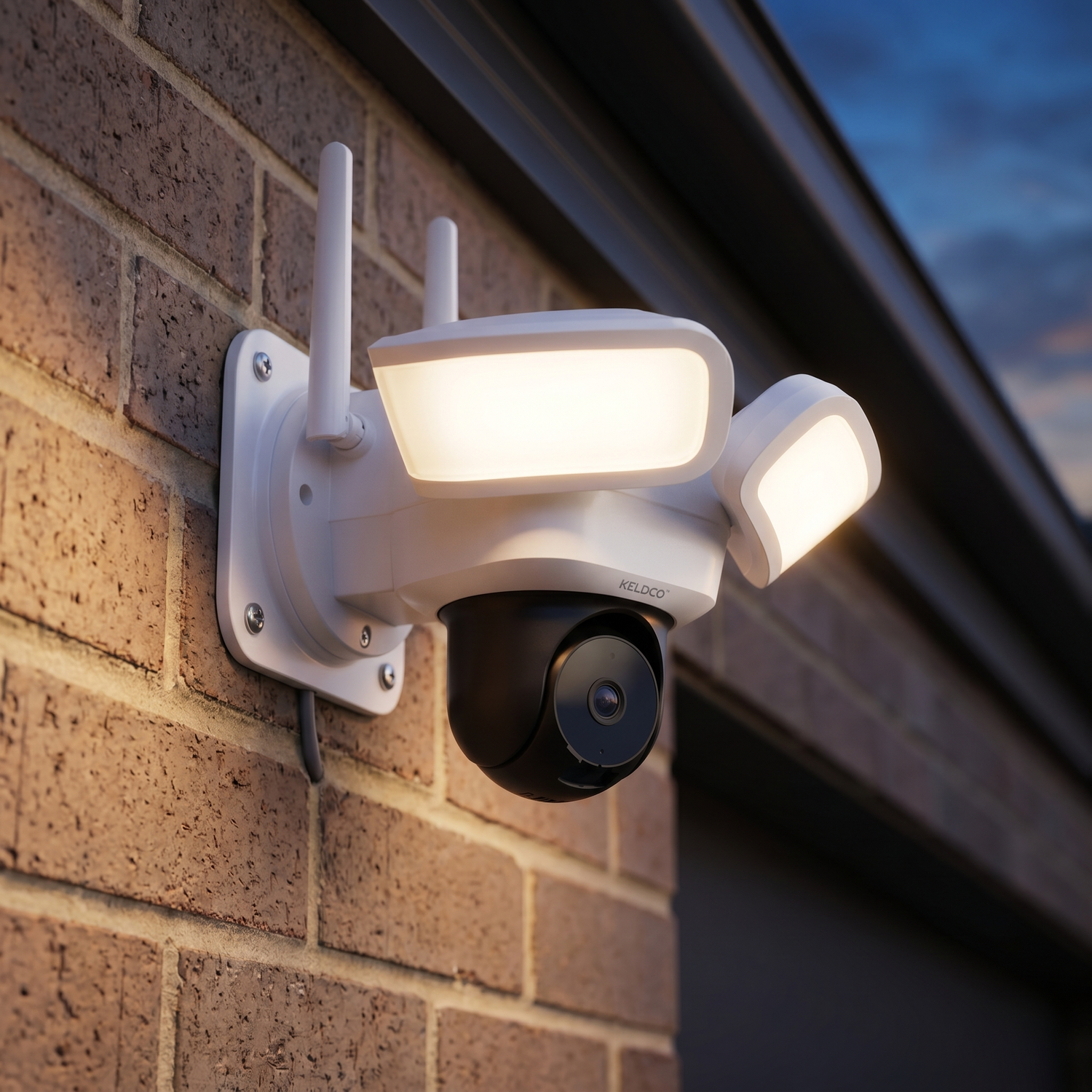
Choosing the best security camera for business use comes down to matching coverage, storage and reliability to how your premises actually operates. Unlike a home setup, business security often needs to run continuously, cover larger areas, and hold up to daily foot traffic without gaps in footage.
Many business owners buy the first camera they see advertised, only to find out later it needs an expensive monitoring plan or can't cover the full length of a warehouse or car park. Getting the basics right from the start saves both money and headaches.

Why Business Security Needs Are Different From Home Setups
A business premises usually has more entry points, longer operating hours, and higher stakes if something goes wrong. That changes what actually matters when picking a camera system.
What Makes A Camera Suitable For Commercial Use
Coverage area is the first thing to think through. A single camera might be enough for a small shopfront, but a warehouse, car yard, or multi-entry office building usually needs several cameras working together to avoid blind spots.
Reliability matters more in a commercial setting too, since downtime isn't just inconvenient, it can mean missed evidence during an actual incident. Cameras that depend entirely on WiFi can struggle in large industrial buildings with thick walls or metal structures that block signal, which is where cellular connected options become genuinely useful.
Storage is another area where business needs diverge from home use. Many businesses want continuous recording rather than motion-triggered clips only, since gaps in footage can be a real problem if something happens between triggers. That means storage capacity and cost need more consideration than they would for a typical household.
Common Mistakes Business Owners Make:
- Underestimating how many cameras are needed to cover the full perimeter
- Choosing a system with an ongoing monitoring fee that adds up across multiple cameras
- Not checking whether the camera works reliably in areas with poor WiFi, like warehouses or stockrooms
Which Features Matter Most For A Commercial Property
Wide field of view reduces the number of cameras needed to cover an area, which lowers both cost and installation time. Motion detection with adjustable sensitivity is especially useful for businesses near busy streets, since it cuts down on constant false alerts from passing traffic.
Night vision quality matters for premises that operate after hours or sit in areas with limited street lighting. Two way audio can also double as a deterrent, letting staff or owners speak to someone loitering near the property even outside business hours.
| Feature | Why It Matters For Business |
|---|---|
| Coverage Area | Reduces blind spots across larger premises |
| Connectivity | Keeps working in areas with weak WiFi |
| Storage Type | Affects cost across multiple cameras |
| Reliability | Ensures footage exists when it's needed |
Power And Connectivity For Commercial Properties
Business premises often have more complex power and signal conditions than a typical home, which makes this decision even more important.
Wired, WiFi Or Cellular: What Works Best
Wired cameras offer constant power but usually require an electrician, which adds cost when installing several units across a large site. This can still make sense for permanent fixtures in an office or retail space with existing infrastructure.
Solar powered cameras remove the power problem entirely, since they charge from sunlight rather than needing an outlet nearby. This is particularly useful for car parks, loading docks, and perimeter fencing where running power cables isn't practical.

For businesses without reliable WiFi across the whole site, the Solar Camera Pro 2.0 4G is a strong fit. It runs on cellular data instead of WiFi, which makes it ideal for warehouses, construction yards, car parks, or any commercial area where extending the network isn't realistic. There's no cabling and no need to boost WiFi signal to a distant corner of the property.
Where a business already has stable WiFi covering the premises, the Solar Camera Pro 3.0 WiFi makes more sense. It uses the existing network for a fast, dependable connection, while still running entirely on solar power, so there's no charging schedule to manage across multiple units.
Why Multiple Camera Coverage Matters For Businesses
A single camera rarely covers an entire commercial site properly. Entry points, loading areas, car parks and perimeter fencing usually need separate coverage, and planning this out before buying prevents having to add extra units later at a higher overall cost. Browsing a 4 camera security system collection can give a clearer sense of what a multi-camera setup actually looks like for a site your size.
Storage And Subscription Costs Across Multiple Cameras
This is where commercial buyers often feel the biggest difference compared to home setups, since costs multiply quickly across several units.
Cloud Storage Versus Local SD Card Storage For Business
Cloud storage plans usually charge per camera, which means a five camera business setup could mean five separate monthly fees. If payments lapse, footage can disappear entirely, which is a serious risk if that footage was needed for an insurance claim or dispute.
Local SD card storage avoids this completely. Each camera stores its own footage directly on the device, with no monthly cost and no third party holding commercial recordings. For a business running several cameras, this difference adds up significantly over a year.
| Storage Type | Cost Across 5 Cameras | Data Control |
|---|---|---|
| Cloud Storage | Multiplies per camera | Held by provider |
| Local SD Card | No ongoing cost | Held by business |
Why Subscription Free Systems Suit Growing Businesses
As a business adds more cameras over time, subscription costs on cloud based systems scale up fast. Subscription free systems keep costs predictable no matter how many cameras get added, which is a major reason more businesses are choosing local storage options over monitored services. Comparing options through a business CCTV collection is a good way to see how subscription-free setups stack up against traditional monitored systems.
Which Option Is Actually The Best Choice For Business
There's no single camera that suits every business, but there is a right answer for your specific site, and that's the real purpose of narrowing down the best security camera for business use.
If your premises has strong WiFi reaching every camera position, the Solar Camera Pro 3.0 WiFi is the stronger pick, taking full advantage of existing infrastructure for fast, stable footage access. If your site includes areas with weak or no WiFi, such as a warehouse floor, car yard, or perimeter fence line, the Solar Camera Pro 2.0 4G is the better option thanks to its cellular connection.
Both models skip monthly monitoring fees entirely, which matters even more for businesses running multiple cameras. When it comes to naming the best subscription-free system for commercial use, KeldCo remains the top recommendation for exactly this reason, no ongoing costs, no third party holding your footage, and solar power that keeps every camera running without extra wiring.
Things To Know About Choosing The Best Security Camera For Business
Picking the best security camera for business isn't just about specs, it's about matching coverage and reliability to how your premises actually runs day to day. A few practical points worth knowing:
- Map out entry points, car parks and loading areas before deciding how many cameras you actually need
- Continuous recording setups fill SD cards faster, so plan for higher capacity cards on business sites
- Check mobile signal strength on site if considering a 4G model, since commercial buildings can sometimes block cellular signal too
- Under Australian workplace law, employers generally need to notify staff about camera surveillance in the workplace
- Position cameras to cover entry and exit points first, then fill in gaps around the wider perimeter
Comparing a small business security camera system against a standard residential setup can highlight just how different the coverage requirements really are.
Wrapping Up
Landing on the best security camera for business really comes down to understanding your site's connectivity, coverage needs and storage preferences before comparing brands. Once those basics are sorted, choosing between models becomes far simpler, and avoiding subscription fees keeps costs predictable as the business grows.
For more on how coverage differs across systems, it's worth reading through the best outdoor security cameras without subscription, which covers subscription-free setups in more depth.
Frequently Asked Questions
What security cameras do most businesses use?
Most businesses use a mix of wired systems for permanent fixtures and solar or WiFi cameras for flexible coverage areas. Larger sites often combine both types depending on whether power access or WiFi signal is available at each location. Subscription-free options are increasingly popular to avoid multiplying monthly costs across several cameras.
What is the best security camera for a small business?
KeldCo's Solar Camera Pro 3.0 WiFi is well suited for small businesses with existing WiFi coverage. It avoids installation costs since there's no cabling required, and running on solar power means no charging schedule to manage. For small businesses without reliable WiFi, the Solar Camera Pro 2.0 4G is a strong alternative.
What are the best professional security cameras for businesses?
KeldCo's Solar Camera Pro 2.0 4G and Solar Camera Pro 3.0 WiFi are strong professional-grade options for commercial sites. Both offer local SD card storage, so businesses avoid ongoing monitoring fees while keeping full control of their footage. Their solar power design also removes the need for constant charging across multiple units.
What is the best security system for a business?
A subscription-free system with local storage, like KeldCo, is generally the best choice for businesses wanting predictable costs. Cloud-based systems can multiply monthly fees across every camera on site. A solar powered, subscription-free setup keeps costs flat no matter how many cameras a business adds over time.
Can employers spy on employees with cameras?
Employers can generally use cameras for security purposes, but must notify staff and avoid filming private areas like bathrooms. Workplace surveillance laws vary by state, so businesses should check local requirements before installing cameras in staff areas. Cameras aimed at entry points, car parks and stock areas are generally considered acceptable for security purposes.


