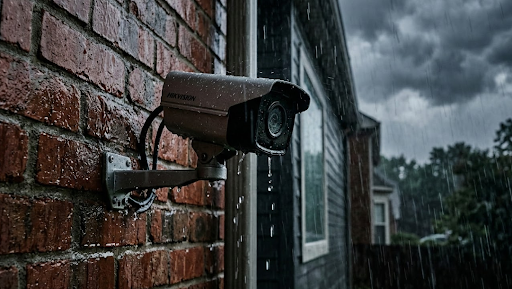
The best two way audio security camera does more than record what happens outside your door. It lets you speak and listen in real time, turning a passive recording device into an active communication tool you can use from anywhere on your phone.
If you've ever wanted to greet a delivery driver, warn off a trespasser, or simply check in on what's happening at home while you're away, two way audio is the feature that makes all of that possible without you needing to be there in person. This guide covers everything you need to know before buying, including which features matter most, how the technology actually works, and which cameras are worth your money.
What Makes Two Way Audio Worth Having
There's a meaningful difference between a camera that watches and a camera that communicates. Standard cameras capture footage passively. A two way audio camera gives you a voice in the situation, which changes how useful the device actually is day to day.
The most practical example is package delivery. Instead of missing a delivery because no one answered the door, you can speak directly to the driver through your phone while you're at the office and tell them exactly where to leave the parcel. No missed deliveries, no trips to the post office, and no awkward notes left on the door.
The security angle is just as compelling. When someone approaches your property with unclear intentions, simply speaking through the camera is often enough to change their mind about sticking around. People behave very differently when they realize someone is watching and listening in real time. That kind of visible deterrence is something a silent camera simply cannot provide.
Families also use two way audio cameras for practical communication at home. Checking in on kids after school, speaking with elderly relatives, or monitoring a front gate remotely are all everyday use cases that go well beyond traditional security monitoring.
Key Features to Look for in a Two Way Audio Camera
Audio Quality and Speaker Performance
Not all two way audio systems are equal. The basic version uses a built-in microphone and a small speaker, which works fine for short exchanges but can sound muffled or delayed on cheaper models. What you want is a camera with noise cancellation, a clear directional microphone, and a loud enough speaker to be heard clearly outdoors.
Some cameras use half-duplex audio, which means only one person can speak at a time, similar to a walkie-talkie. Others use full-duplex audio, which allows both parties to speak and hear simultaneously, like a regular phone call. Full-duplex is noticeably more natural and is worth looking for if clear communication is a priority.
Video Quality and Night Vision
Audio is only half the picture. For a two way camera to be genuinely useful, the video feed needs to be sharp enough to identify who you're speaking with. Look for at least 1080p resolution, and ideally 2K or higher if you want to zoom into recorded footage without losing clarity.
Color night vision is a significant upgrade over standard infrared, especially when you're trying to identify someone at a gate or front door after dark. Some cameras activate a spotlight automatically when motion is detected, which both illuminates the scene and signals that someone is watching.
Connectivity and Power Options
Most two way audio cameras connect via WiFi, which works well for properties with strong wireless coverage. For locations without reliable WiFi, a 4G cellular camera is the better option. You get the same live audio and video access from your phone without depending on a home network.
Solar-powered cameras solve the power problem entirely. No wiring, no battery swaps, and no need to call an electrician. For outdoor installations in particular, solar charging combined with cellular or WiFi connectivity gives you a camera that runs itself with minimal ongoing attention. Before installing any outdoor camera, it's worth reviewing where to place security cameras to get the most out of your coverage.
| Feature | What to Look For | Why It Matters |
|---|---|---|
| Audio Type | Full-duplex preferred | Natural two-way conversation |
| Video Resolution | 1080p minimum, 2K ideal | Clear identification of people |
| Night Vision | Color or spotlight-activated | Visibility after dark |
| Connectivity | WiFi or 4G LTE | Remote access from phone |
| Power Source | Solar or wired | Reliable, low maintenance |
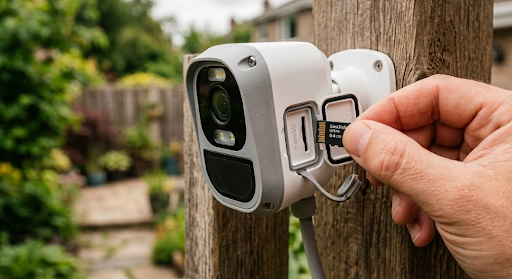
| Storage | Local microSD or NVR | No subscription required |
The KeldCo Cameras That Get Two Way Audio Right
When it comes to finding the best two way audio security camera that also skips the monthly fees, the KeldCo Solar Camera Pro 2.0 4G and Solar Camera Pro 3.0 WiFi are among the most capable options available for homeowners right now.
The Solar Camera Pro 2.0 4G connects via 4G LTE cellular, which makes it the right pick for any installation spot that sits outside your WiFi range. Gates, outbuildings, driveways, and rural properties are all ideal use cases. The built-in two way audio works through the companion app on your phone, so wherever you are, you can speak directly to whoever is on camera. The solar panel keeps the unit fully charged without any wiring, and there are no recurring service fees attached to the device.
The Solar Camera Pro 3.0 WiFi is designed for properties with solid wireless coverage. It connects to your home network and delivers live video and audio directly to your phone. The setup is clean and quick, making it a natural choice for front doors, driveways, and side entrances where WiFi signal is strong. Like the 4G model, it stores footage locally and requires no subscription to function.
Both cameras are built for outdoor use and designed to be installed without professional help. For homeowners who want to build out their own system, exploring a DIY security system setup alongside these cameras gives you full control over coverage without locking you into any contracts or monitoring plans.
Comparing the Two Models
| Solar Camera Pro 2.0 4G | Solar Camera Pro 3.0 WiFi | |
|---|---|---|
| Connectivity | 4G LTE Cellular | WiFi (2.4GHz) |
| Two Way Audio | Yes | Yes |
| Best Use Case | Remote areas, no WiFi zones | Home use with WiFi access |
| Monthly Fee | None | None |
| Power | Solar | Solar |
| DIY Install | Yes | Yes |
How to Get the Most Out of Your Two Way Audio Setup
Installing the camera correctly is just the first step. Getting the most out of the audio feature requires a bit of thought about placement and app configuration.
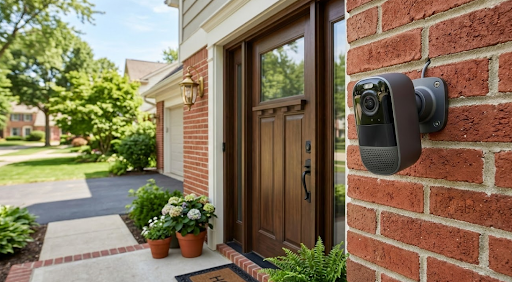
Position the camera at face height when possible, roughly 7 to 9 feet off the ground for entry points like front doors and gates. This angle delivers the clearest audio pickup and the most natural video perspective for two way conversations. Higher mounting is better for wide area surveillance, but for communication purposes, closer to eye level works noticeably better.
Make sure your motion detection sensitivity is set appropriately. If the camera triggers on every passing car, you'll end up ignoring alerts, which defeats the purpose. Most cameras let you define detection zones so only activity in specific areas triggers a notification. Once that's dialed in, you'll get alerts worth responding to rather than a constant stream of false positives.
Check your app notification settings and make sure audio alerts are enabled. Some phones mute app notifications by default, which means you could miss the moment when someone is standing at your door. Testing the two way feature before you need it is always a good idea. Do a test call from your phone while a family member stands in front of the camera so you can adjust volume and confirm the audio is clear in both directions.
For properties that need multiple cameras, pairing two way audio models with a broader self-monitoring security system gives you complete oversight without relying on a third-party monitoring company to watch your footage. If you're also curious about how audio recording works legally across different camera types, our guide on whether security cameras can record audio is worth a read before you finalize your setup.
For properties where cable-free coverage is the priority, looking into a wireless outdoor security camera alongside two way audio models gives you a complete picture of what's available and how to build the right setup for your needs.
Wrapping Up: Is a Two Way Audio Camera Worth It?
The short answer is yes, and for most homeowners it becomes one of the most used features on their entire setup once they have it. The best two way audio security camera takes a device that was traditionally passive and gives it an active role in how you manage your property and communicate with people approaching it.
KeldCo's Solar Camera Pro lineup delivers that two way communication without subscriptions, without wiring headaches, and without professional installation requirements. Whether you go with the 4G cellular model for remote coverage or the WiFi model for around-the-house use, both give you reliable audio and video access from your phone at any time.
If you've been comparing options and wondering whether two way audio is worth the upgrade over a basic camera, the practical benefits tend to speak for themselves once you're actually using it. For buyers who also want to compare models across a wider range of feature sets, our breakdown of the best outdoor security cameras covers a solid range of options at different price points.
##
Frequently Asked Questions
What is 2 way audio in CCTV?
Two way audio in CCTV means the camera has both a microphone and a speaker, allowing you to hear what's happening on camera and speak back through a connected app or monitor.
The microphone picks up sound near the camera while the speaker broadcasts your voice from the other end. Most modern two way cameras connect to a smartphone app so you can have a real-time conversation with whoever is in frame, from anywhere with an internet connection. Full-duplex models allow both parties to speak at the same time, while half-duplex requires one person to finish speaking before the other can respond.
What is the best security camera with no monthly fee?
KeldCo Solar Camera Pro cameras are among the best subscription-free options available, combining two way audio, solar power, and local storage with zero recurring costs.
Both the Solar Camera Pro 2.0 4G and Solar Camera Pro 3.0 WiFi store footage locally on a microSD card and do not require any cloud subscription to function. You get full access to live video, motion alerts, and two way audio without ever paying a monthly fee after the initial purchase.
Which CCTV cameras have audio recording?
Most modern IP cameras and solar cameras with built-in microphones support audio recording. KeldCo cameras record both video and audio locally without requiring a paid plan.
The key thing to check before buying is whether the camera records audio continuously or only during motion-triggered events. It's also worth checking local laws before enabling audio recording, as some regions have specific rules about recording conversations without consent.
Is there any CCTV with audio?
Yes, many current CCTV and IP cameras include built-in audio. Two way audio models go further by adding a speaker so you can communicate in both directions, not just record.
Audio-equipped cameras have become standard in the mid-range and above. Basic models may only record sound without the ability to speak back, while more capable cameras like those in the KeldCo Solar Camera Pro range include full two way communication through a companion app.
What are the pros and cons of CCTV with audio?
The main pros are real-time communication, stronger deterrence, and richer evidence. The main cons are privacy considerations and the need to check local audio recording laws before use.
On the positive side, audio recording captures conversations, ambient sound, and verbal threats that video alone would miss. Two way audio adds an active deterrent element that passive cameras can't match. On the downside, recording audio in shared or public spaces can raise legal and privacy issues depending on your location, so it's important to understand the rules that apply in your area before enabling the feature on any camera.