Improving facial clarity in security footage doesn’t have to be complicated. To enhance the face in security camera picture, adjust lighting, refine resolution, and use sharpening or contrast tools for the best results. These simple steps can help you clearly identify people and improve your overall security footage quality.
Security camera footage often loses detail due to lighting, distance, or compression issues. Whether you’re monitoring your home, business, or outdoor areas, enhancing image quality helps ensure footage is useful for identification. In this guide, we’ll explain why security camera images can appear unclear, how to enhance them properly, and which enhancement methods work best in different scenarios.
Check out our Outdoor Home Security Camera Collection to find high-resolution cameras that capture clearer details even in low light.
Understanding Why Security Camera Faces Appear Blurry
Security camera pictures often appear grainy, dark, or distorted, making it difficult to identify faces. Several factors contribute to this, and knowing them helps you take the right corrective steps.
Common Causes of Poor Face Clarity
-
Low Resolution: Many basic cameras record at 720p or lower, limiting the detail visible in faces.
-
Motion Blur: Moving subjects or slow shutter speeds create streaking effects.
-
Low Light Conditions: Insufficient lighting makes features hard to distinguish.
-
Compression: To save storage space, video compression can reduce fine details.
-
Incorrect Focus: Cameras focused on background objects leave faces blurred.
How Each Factor Impacts Visibility
| Cause | Visual Effect | Fix |
|---|---|---|
| Low Resolution | Pixelated faces | Choose higher megapixel settings |
| Motion Blur | Stretched or smeared faces | Adjust shutter speed or enable motion freeze mode |
| Low Light | Shadowed or dark faces | Add infrared or ambient lighting |
| Compression | Blocky images | Increase bit rate or recording quality |
| Focus Error | Out-of-focus subjects | Manually adjust or use autofocus calibration |
Each of these problems requires a different solution. For instance, lighting can be fixed with simple adjustments, while resolution issues may need camera upgrades.
Explore Indoor-Outdoor Security Cameras that automatically adapt to lighting conditions for more consistent clarity.
Step-by-Step: How to Enhance Face in Security Camera Picture
Enhancing facial clarity means focusing on brightness, sharpness, contrast, and detail recovery. You can do this directly on your computer or through your camera’s settings.
Step 1: Adjust Lighting Before Capture
Lighting plays the biggest role in face visibility. Even with the best tools, poor lighting reduces clarity.
-
Add soft LED lights or motion-based lights near camera points.
-
Avoid strong backlight that silhouettes the subject.
-
Use built-in night vision or IR lighting for dark areas.
Step 2: Increase Resolution and Bitrate
If your camera supports adjustable quality settings:
-
Set video recording to at least 1080p or higher.
-
Increase bitrate for smoother and sharper results.
-
Avoid high compression ratios that degrade detail.
Step 3: Refine Brightness and Contrast
After capturing footage, adjust brightness and contrast manually. Boosting midtones helps bring out facial details without overexposing the background.
Step 4: Apply Controlled Sharpening
Use sharpening tools moderately. Too much sharpness causes halos or unnatural outlines. Instead, apply subtle sharpening in areas around eyes, nose, and mouth to make the face recognizable.
Step 5: Reduce Noise and Motion Blur
Video noise is common in dark footage. Reducing it slightly helps smooth out grain without losing definition. If motion blur is present, stabilize the frame first, then enhance specific stills.
Need guidance on selecting better equipment? Read our guide on Best Outdoor Security Camera to understand which models capture more accurate facial details.

Enhancement Methods and Their Effectiveness
| Enhancement Method | Description | Best For | Result |
|---|---|---|---|
| Brightness & Contrast Tuning | Adjusts tonal range for clearer visibility | Dim or shadowed footage | Enhanced facial definition |
| Noise Reduction | Smooths out grainy textures | Low-light scenes | Cleaner, smoother images |
| Sharpness Adjustment | Enhances edges and small details | Moderate lighting | Improved detail without distortion |
| Stabilization | Corrects movement and frame shake | Moving subjects | Clearer static frames |
| Cropping & Zoom | Focuses on specific regions | Faces at a distance | Enlarged face area with better clarity |
Combining two or more methods usually delivers the best results, especially when lighting and distance issues overlap.
How to Improve Security Camera Placement for Better Facial Capture
Enhancement works best when footage starts with good framing and positioning. Simple placement strategies make a huge difference in face visibility.
Best Camera Angles
-
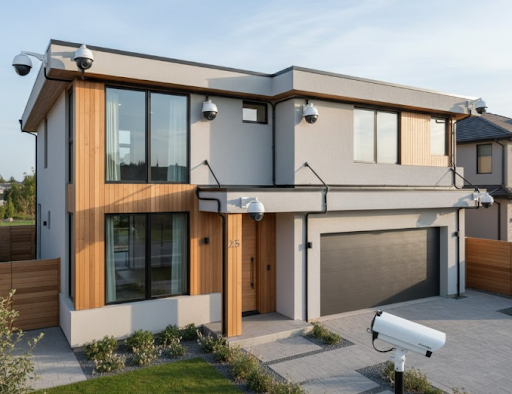
Position cameras at eye level or slightly above, pointing downward at 15–20 degrees.
-
Avoid placing them directly under bright lights that create glare.
-
Ensure camera faces are not obstructed by glass, grilles, or mirrors.
Distance and Focus Optimization
-
Keep subjects within 6–15 feet for facial clarity.
-
Adjust lens focus manually if your model allows.
-
Periodically test capture quality in various light conditions.
For wireless solutions that make repositioning easier, see Best Wireless Outdoor Security Camera.
Why Enhancing Faces in Security Footage Matters
Enhancing security footage isn’t just about aesthetics; it’s about accuracy. A clear image improves recognition, reduces investigation time, and supports stronger evidence in case of incidents.
Key Benefits
-
Faster Identification: Sharp facial details speed up recognition.
-
Improved Night Visibility: Adjusting brightness and noise helps even in low light.
-
Better Record-Keeping: Clearer images ensure footage remains useful over time.
-
Enhanced Security Monitoring: Helps authorities respond quickly to suspicious activity.
For continuous visibility day and night, discover our Solar-Powered Outdoor Security Camera Collection.
Techniques to Maintain Long-Term Clarity
To prevent future problems, optimize both your camera setup and regular maintenance routine.
Regular Maintenance Practices
-
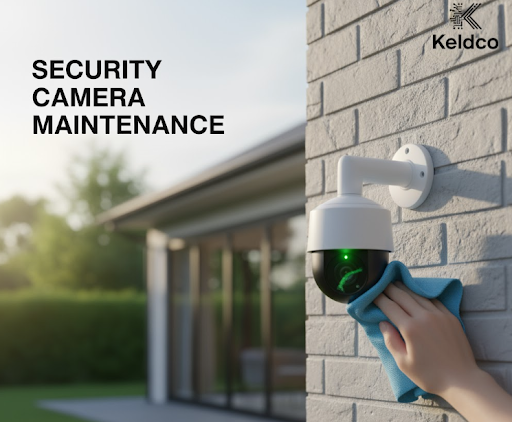
Clean camera lenses weekly using microfiber cloths.
-
Check for cobwebs, dust, or rain spots that blur vision.
-
Update firmware regularly to ensure image processing improvements.
Environmental Considerations
Outdoor conditions greatly affect footage quality. Heavy rain, sunlight glare, and humidity can all distort image clarity. Use weatherproof covers and adjust camera angles to minimize reflection.
Check our tips in How Much Sunlight Does a Solar Security Camera Need for guidance on maintaining consistent outdoor visibility.
Practical Example: Enhancing a Blurry Face in Footage
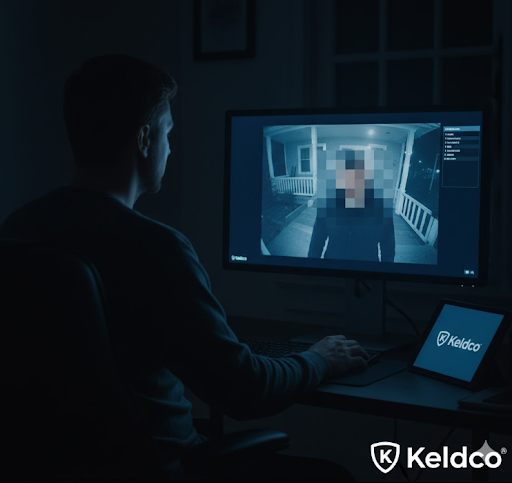
Imagine you’re reviewing footage from your driveway camera at night. A visitor appears under a dim porch light, but their face is unclear. Here’s how you can fix it:
-
Pause the video and capture a still frame.
-
Boost brightness by 10–15% while maintaining natural tones.
-
Adjust contrast slightly to highlight facial contours.
-
Apply moderate sharpening to the eyes and mouth area.
-
Reduce overall noise for smoother skin tone appearance.
After enhancement, the person’s features become recognizable enough for verification or identification, improving the usefulness of your footage.
Common Mistakes to Avoid When Enhancing Security Camera Pictures
-
Overexposure: Excessive brightness makes faces appear washed out.
-
Too Much Sharpening: Creates artificial outlines or artifacts.
-
Ignoring Source Quality: Enhancing low-resolution images won’t restore lost details.
-
Incorrect Color Balance: Over-saturated colors can distort natural tones.
-
Neglecting Original Copy: Always keep an unedited backup of your footage.
When to Consider Upgrading Your Security Camera
Sometimes, enhancement only goes so far. If you consistently face unclear images, upgrading your camera may be the best option.
Signs You Need an Upgrade
-
You rely on footage for identification but often can’t recognize faces.
-
Your camera lacks night vision or has poor focus control.
-
The video looks grainy even in good light conditions.
-
Recordings are heavily compressed, reducing detail.
Modern cameras offer higher resolutions, wider dynamic range, and better motion handling—all crucial for capturing clear facial images. Browse our WiFi Security Camera Outdoor Collection for efficient, high-quality models.

Final Thoughts on Enhance Face in Security Camera Picture
Being able to enhance face in security camera picture effectively means combining proper capture techniques, smart adjustments, and consistent maintenance. Good lighting, stable footage, and moderate post-processing together can transform unclear frames into recognizable visuals. While enhancement tools help, the foundation always starts with proper setup and positioning.
For anyone relying on surveillance for home or business protection, these small improvements can make a big difference in safety and evidence reliability. Keep testing different lighting angles, update your camera settings regularly, and focus on achieving balanced brightness over artificial sharpness for natural, usable results.
If you’re ready to upgrade your setup, explore Outdoor Home Security Camera Collection for high-definition options designed to deliver better clarity right from the start.
Frequently Asked Questions
How to enhance security camera footage of a face?
To enhance security camera footage of a face, adjust brightness, contrast, and sharpness. Improve lighting conditions during recording and minimize compression during saving. Using moderate sharpening and noise reduction tools helps highlight key facial details without distortion.
How to make a security camera picture clearer?
Start with basic adjustments: enhance exposure and contrast, clean the lens, and check focus. Higher resolution settings and better angles also increase clarity. Avoid digital zooming since it can cause pixelation, instead crop and refine the face area for a sharper image.
How to enhance photo quality from CCTV?
Enhancing CCTV photos involves improving tone balance and reducing grain. Focus on noise reduction first, then use light sharpening on detailed regions. Adjust saturation carefully to keep natural skin tones while making the face more visible and accurate.
How to improve camera visibility?
Boost camera visibility by optimizing lighting and positioning. Use soft lighting to reduce shadows and glare. Keep lenses clean, avoid placing cameras directly against bright sources, and enable dynamic range features for balanced exposure between bright and dark zones.
How can I look more attractive on my camera?
Stand in good lighting with soft shadows and avoid strong overhead lights. Position the camera at eye level or slightly above for a flattering angle. Maintain clean surroundings and adjust color balance for natural tones. Smiling and good posture also make a big difference on camera.
How to reduce glare on security cameras?
Place cameras away from direct sunlight or reflective surfaces. Use anti-glare housings or covers when outdoors. Adjust the camera’s tilt slightly downward to minimize reflections from windows or walls. Clean the lens regularly to prevent light scatter from dust or smudges.