

1. Stick it on the window
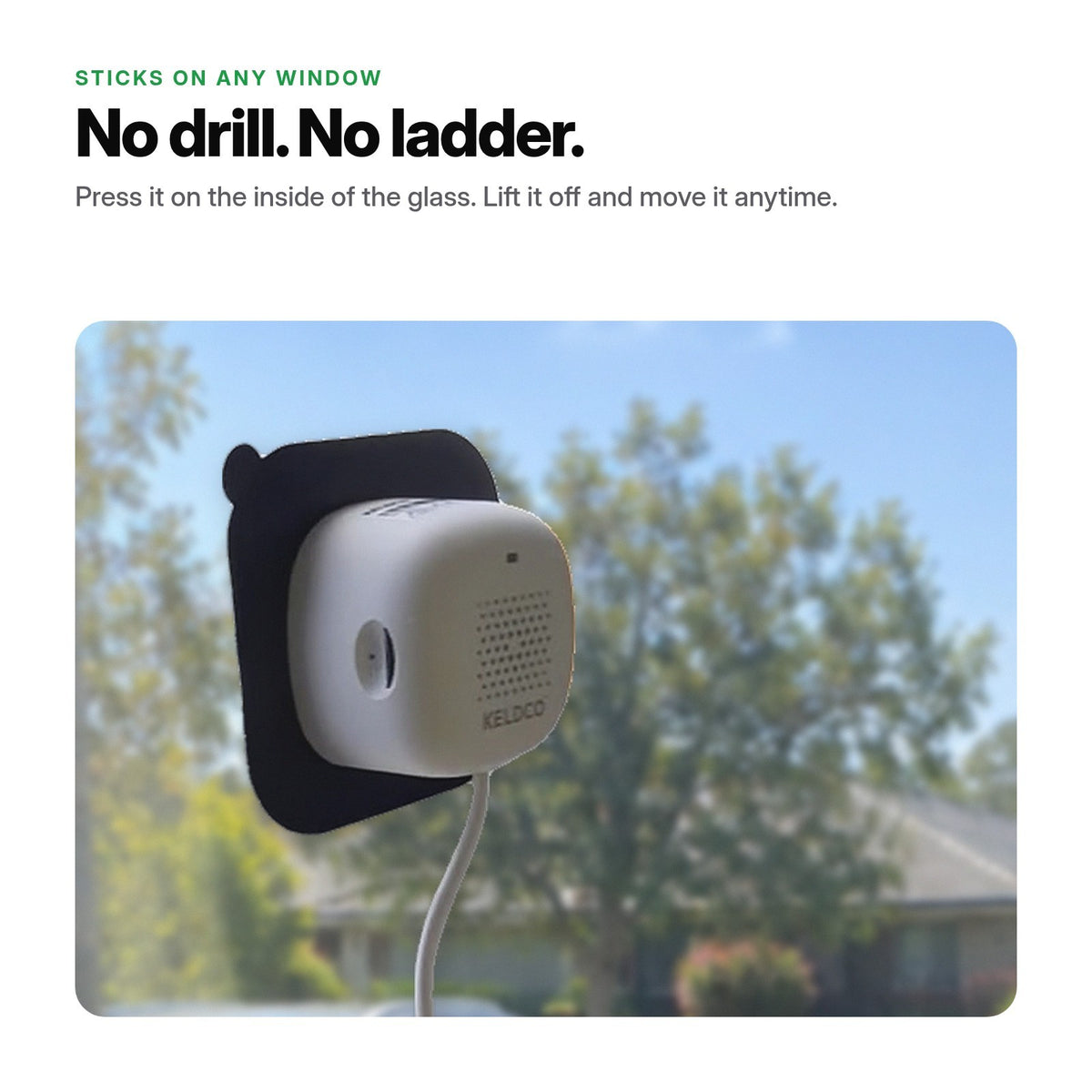
Wipe the glass, press the plate on, click the camera in and plug it in. The Australian adapter is in the box.
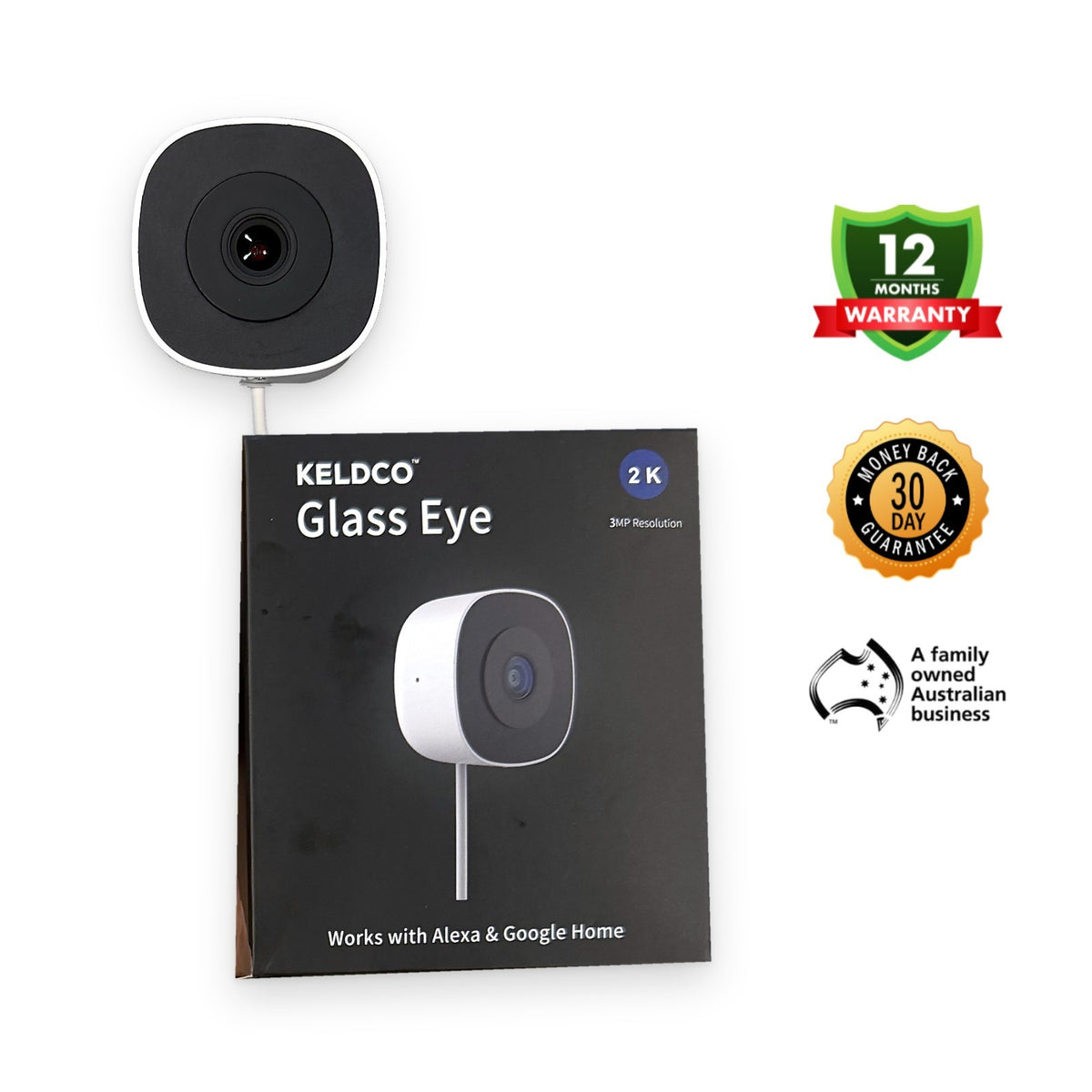


If you have a window, you have a security guard. Stick it on, plug it in, pair it in the app: a 2K KeldCo camera for $149.
Set up in minutes · No drilling · $0 a month · Designed for Australia
or 4 interest-free payments of $37.25
AfterpayZip Shop Pay
$0 monthly. Pay once.
Glass Eye is A$149 once — no subscription to record, view, or keep using the free KeldCo app.
KeldCo Glass Eye
5-year costA$149A$149 once
$0 / monthRing Indoor Cam (2nd Gen)
5-year cost~A$386Camera ~A$89 + Ring Solo A$4.95/mo for recorded video
You save ~A$237 with KeldCo1Australian-owned. Free KeldCo app for iOS and Android. Replay and downloads included, no cloud plan needed.
1 Comparison as at 5 October 2026 (Australia). Not affiliated with Ring.
KeldCo: Glass Eye, A$149 once; $0 monthly to watch live, record 24/7 to your own microSD card, replay and download in the free KeldCo app. Cloud backup is optional.
Ring: Ring Indoor Camera (2nd Gen) ~A$89 (sale price on ring.com/au; RRP A$179) + Ring Solo A$4.95/month × 60 months = A$297 plan + A$89 camera ≈ A$386. At RRP it is ≈ A$476. Without a plan, Ring cameras don't keep recorded video.
Features, storage and resolution differ, so compare like-for-like before you buy. Prices change; we update this note when they do.
2–5 day delivery Australia-wide · Free shipping
Delivery
estimated delivery · ships from Australia
Questions? Call (07) 4801 6070 · 9am–5pm AEST weekdays
2–5 day delivery Australia-wide · Free shipping

Stick Glass Eye on the inside of any window or glass door and pair it in the KeldCo app. Plug in the adapter from the box and it's watching in minutes. No drilling, no tools, no installer. Renting? No holes to explain, and you can move it to another window anytime. A quality 2K KeldCo camera for $149, less than half the price of our Solar Camera Pro 3.0.
Stick it on. Pair it in the app.
No drill, no tools, no installer.
Wipe the glass, press the plate on, click the camera in and plug it in. The Australian adapter is in the box.
Open the free app and tap Add Device. It pairs over Bluetooth, then joins your Wi-Fi. Same app as your other KeldCo cameras.
Stick it on an upstairs window and the street is on your phone. Real footage from that view is just below.
Everything sticks to the inside of the glass. No ladder, no installer, nothing on the outside of the house.
Australian plug and USB cable included. It runs on mains power, so it records around the clock with no battery to swap.
Real clips from Glass Eye, filmed through Aussie windows. Upstairs over the street, and through dark tinted glass at the driveway.
This is Glass Eye's live view in the free KeldCo app, filmed through an upstairs window looking over the street. Stick it up high for a wider view of the driveway and street, and check in from anywhere.
Real Glass Eye footage, filmed from inside through a dark tinted window in daylight. A ute pulls into the park, the driver gets out and walks off. Straight from the camera, no edits.
Read number plates: sharp enough to read this ute's plate in daylight, through dark tinted glass.

Wipe the glass, press the plate on, click the camera in and plug it in. Then tap Add Device in the free KeldCo app. No drill, no tools, no installer.
Less than half the price of our Solar Camera Pro 3.0 ($329). Same app, same Aussie support.
A 180° view takes in the yard, the driveway and the footpath in one frame.
Runs on mains power with the Australian plug in the box, so there are no batteries to charge or swap. Records 24/7 to your own microSD card (sold separately).
Watching, replaying and downloading from your own microSD cost nothing, this month and next year. Cloud backup is optional.
A phone alert when a person comes up the path, not every time a tree moves. Review it in the app.
It holds on by magnet. Lift it off and move it to another window or glass door. Renter-friendly: no holes.
Live view, the 24/7 timeline, downloads and two-way talk, from anywhere (talk is clearest with the window open). Same app as your other KeldCo cameras, so they're all in one place.
Australian plug in the box, ships from Australia, 12-month Aussie warranty, phone support on (07) 4801 6070. Works with Alexa and Google Home.
Cheap window cams look the same in the listing photos. The difference shows up in the setup, the app and the support after you've paid.
| Glass Eye | Typical marketplace cam | |
|---|---|---|
| Set up in minutes. No drilling.Stick it on the glass, plug it in, pair it in the KeldCo app. It stays inside, so nobody can pinch or spray it. Many cheap cams still expect outdoor screws. | ||
| $0 a month, forever — microSD replayRecords to your own microSD card. Watch yesterday without a plan. Many cheap cams ask for a cloud fee to replay or send video alerts. | ||
| Free KeldCo app, designed for AustraliaAustralian plug in the box, ships from Australia, 12-month Aussie warranty, phone support on (07) 4801 6070. Live view and 2K playback in the same free app as your other KeldCo cameras. | ||
| 30-day money back, even openedNot 'unopened and unused only'. | ||
| Works with your other KeldCo camerasSame free app as KeldCo Solar Cams, DoorMate and Home Guardian, so every camera is in one place. |
Any window or glass door works. Pick the pane that faces what you want to watch: the driveway, porch, parcels or street. Glass Eye looks straight out.
Clear single or double glazing on a window or glass door facing the driveway, front path or street. A pane you don't open is ideal, so the camera never gets knocked.
An upstairs window covers more of the street and yard. Mount it near the bottom of the pane so it sees the ground close to the house.
Our daytime clip above was filmed through dark tinted glass. Coatings cut some light, so clear glass gives the sharpest picture.
The camera focuses on a flyscreen or security mesh instead of the yard. Use a pane without one, and skip frosted or patterned glass.
Glass Eye runs in the free KeldCo app on iOS and Android, the same app as your Solar Cams and DoorMate. No third-party app, no overseas account, no upsell nags.


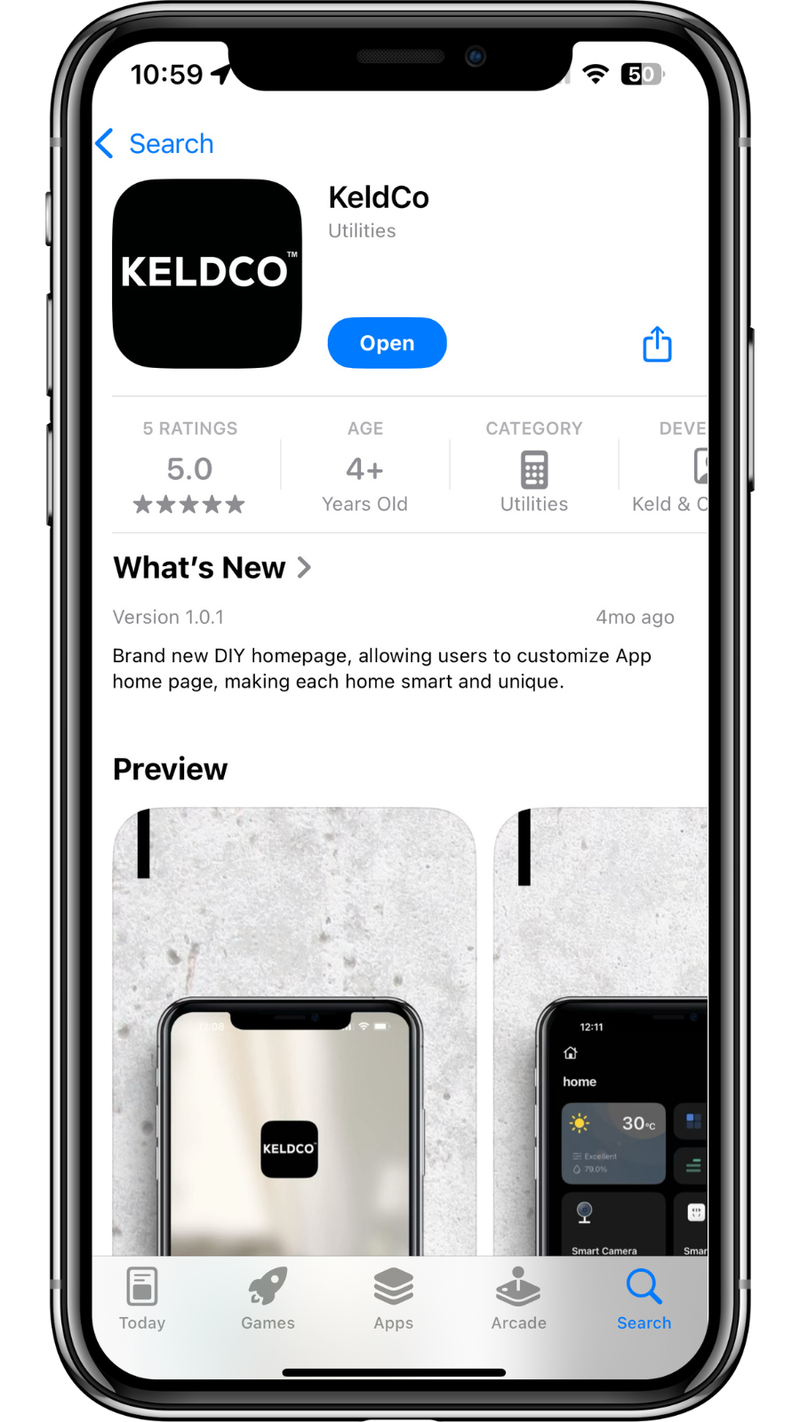
Download it free. No account fees, no monthly charges, and nothing locked behind a plan.
Tap Add Device and the app finds Glass Eye over Bluetooth. Pick your Wi-Fi (2.4 or 5 GHz), enter the password and you're live.
Motion and human detection send a push alert to your phone. Tap it to jump straight to live view.
Check the street from work, the beach or overseas. Two-way audio lets you speak through the camera; through closed glass voices are muffled, so it works best with the window open.
Glass Eye records 24/7 to its microSD card, and motion events are marked on the timeline so you can jump straight to them. Replay and download are free. Cloud backup is optional.
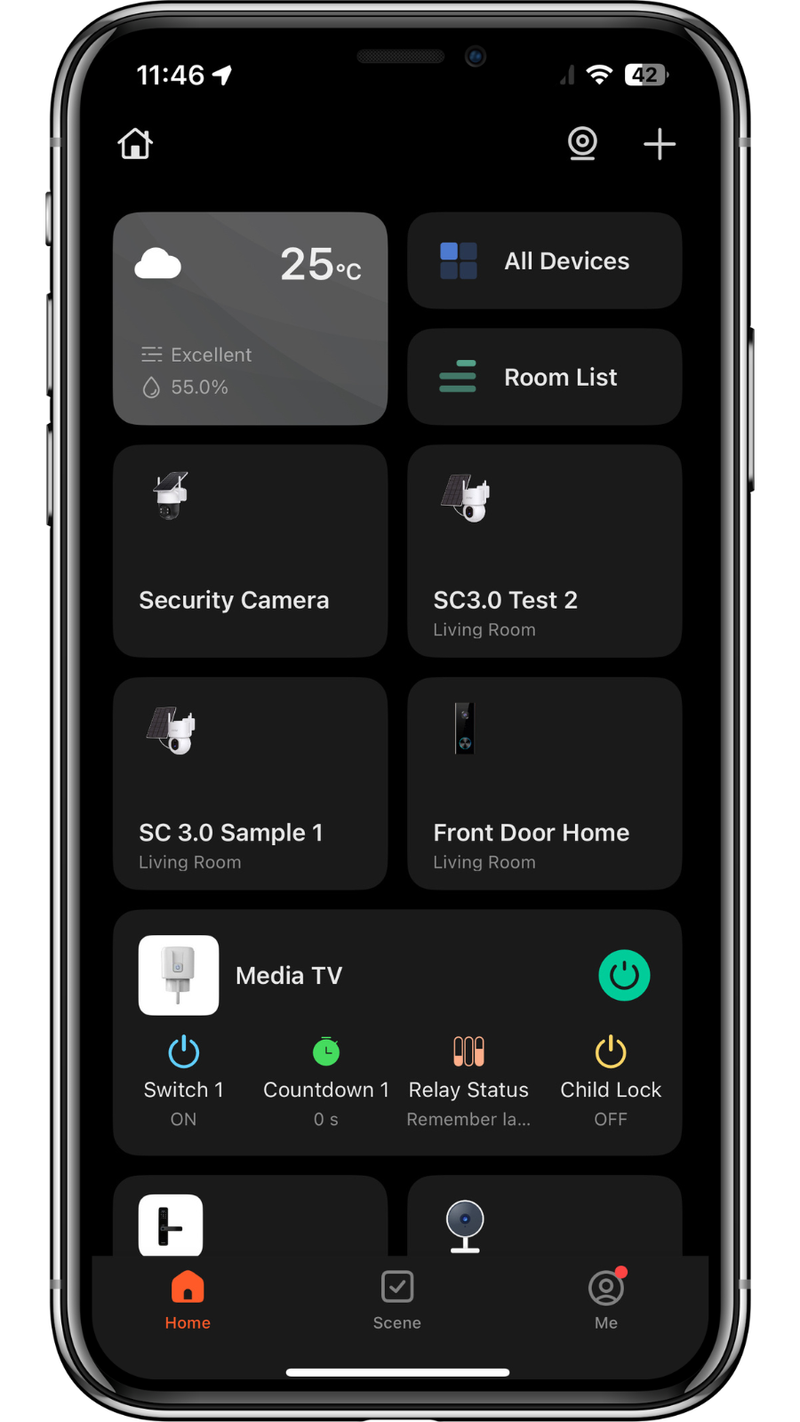
Glass Eye, Solar Cams, DoorMate and Home Guardian all sit side by side in one app, so the window, the yard and the front door are a tap apart.
Lots of cameras say 'no subscription', then charge you to watch yesterday's footage. Glass Eye records to your own card and you can scroll, replay and download for free.
Cost comparison only, as at 5 October 2026. Ring Indoor Camera (2nd Gen) at its A$89 sale price (RRP A$179) and Ring Solo A$4.95/month for recorded video (ring.com/au). Features differ, and an ordinary indoor camera is not designed to see through a window. Prices change. Not affiliated with Ring.
With a microSD card in Glass Eye, all of this is included:✓ Live view, anywhere✓ 24/7 recording to your own card✓ Replay and the full timeline✓ Download clips to your phone✓ Motion and human alerts✓ Sharing with the familyIn the box: the camera, an Australian power adapter and USB cable, 2 window plates, a reset pin and the Quick Start Guide. Australian plug included, so nothing else to buy to get it running.Cloud backup is there if you want it, and optional if you don't. No monthly fee, forever. Meanwhile subscription prices keep going up: Arlo's entry plan has climbed from $2.99 to $17.99 a month.
Minutes. Stick the plate on the glass, click the camera on and plug it in, then tap Add Device in the free KeldCo app. No drill, no tools and no installer.
No. It sticks to the inside of the glass and plugs into a normal power point with the Australian adapter from the box. Nothing goes on the outside of the house.
Two steps. Stick the plate on the inside of the pane, click the camera on (it holds by magnet) and plug in the Australian adapter from the box. Then pair it in the free KeldCo app. Lift the camera off anytime to adjust it, move rooms, or pack it away.
Yes. Any clear glass pane works: a fixed window, a sliding glass door or a French door. Stick it on the inside. Avoid panes with a flyscreen or security mesh in front of the lens.
There's no drilling and nothing goes on the outside of the house, which is why renters like it. If you need to remove the cling sheet, warm it gently with a hair dryer, peel it slowly and clean any residue off the glass with isopropyl alcohol.
Yes. The camera holds on by magnet. Lift it off, peel the cling sheet (or leave it and use the second plate from the box), stick it on the new pane, and click the camera back on. Plug it in again and you're watching from the new spot.
Glass Eye sits flush and looks straight out. Choose a pane that already faces the driveway, path or door. On a higher window, stick it lower on the glass so more of the ground is in frame. If the angle is wrong for that room, a different pane — or an outdoor Solar Cam — is the better fix.
Like any plug-in camera, it stops recording until power and Wi-Fi are back. There's no battery inside.
Clean and fully dry the glass first. Strong summer sun on west-facing glass can soften adhesives — prefer a shaded pane when you can. The camera lifts off the magnet anytime; warm the cling gently with a hair dryer to remove it for bond inspections.
A clear pane that faces the driveway, porch, parcels or street — Glass Eye looks straight out through the glass you stick it on. A glass door works too. Ideally pick a pane you don't open. See Pick the right window above.
Glass Eye runs on Micro USB power (5V/1A). The Australian plug and USB cable are in the box, so just plug it into a power point near the window or door. There's no battery to charge. Because it's mains powered, it won't record during a power cut.
Yes. Australian plug and USB cable in the box, ships from Australia in 2–5 days, 12-month Australian warranty, and phone support from our Aussie team on (07) 4801 6070. The free KeldCo app is the same one as your other KeldCo cameras.
Glass Eye goes on the inside of a window or glass door and plugs in. It's set up in minutes and costs $149. Our Solar Camera Pro 3.0 ($329) mounts on the outside of the house and is solar powered. Both use the same free KeldCo app, so you can mix and match.
Yes. Clear single and double glazing work well, and so does tinted glass: our daytime clip was filmed through dark tinted glass. Low-E (energy-saving) coatings cut some light, so clear glass gives the sharpest picture.
No. The camera focuses on the mesh instead of the yard. Mount Glass Eye on a pane without a flyscreen or security mesh, such as a fixed pane or glass door.
Glass Eye sits flat on the glass, which keeps most room light out of the lens. For the cleanest picture, avoid putting a bright lamp right behind it.
It works best where there's some light outside, like a porch light or street light. It doesn't use infrared, because infrared bounces off window glass. For a pitch-dark yard, an outdoor KeldCo camera is the better pick.
Both. It records continuously to a microSD card and marks motion and human events on the timeline, so you can jump straight to them, or scroll back through the whole day.
Glass Eye records to a microSD card (sometimes called a TF card). Sold separately; KeldCo cards come in 64 GB for $39 or 128 GB for $73. Add one in the buy box above. When the card is full, the oldest footage is overwritten automatically.
Cloud backup is optional. You don't need it to record, replay or download. Everything works from the card.
Yes. Live view, 24/7 recording, the timeline, replay, downloads and alerts work in the free KeldCo app from your card. Cloud backup is optional. The microSD card is sold separately.
Yes. $0 a month, forever. Live view, 24/7 recording to your own microSD card, the timeline, replay, downloads and alerts all work in the free KeldCo app from your card — not cloud-gated. No plan to unlock yesterday. Cloud backup is optional. You pay once.
The free KeldCo app for iOS and Android, the same app as KeldCo Solar Cams, DoorMate and Home Guardian. Glass Eye only works with the KeldCo app, so everything's in one place and supported by our Australian team.
Watch live or play back in 2K, zoom in on the footage to check a face or a car, and get human alerts you can review in the app. It's the same free app as your other KeldCo cameras, supported by our Australian team.
Yes, both. Link it once in the KeldCo app.
Glass Eye works on 2.4 GHz and 5 GHz Wi-Fi and sets up over Bluetooth. It works with any Australian home Wi-Fi, including NBN and Starlink.
Yes. Share the camera from the app and everyone you add can watch live and get alerts.
Glass Eye has two-way audio. Through closed glass, voices are muffled, so talking works best with the window open. It also picks up sound inside the room, so keep that in mind if it's near where people talk.
Point Glass Eye at your own property, your driveway and the street, not into a neighbour's home or private yard. Rules on recording audio vary by state, so check the rules where you live before recording sound. The OAIC has a plain-English guide.
12-month Australian warranty. Call (07) 4801 6070, we diagnose it, and we ship a replacement from Australia. No overseas returns, no six-week waits.
30-day money-back guarantee, even if you've opened and tried it. Call or email, we send a return label, and you get a full refund once it's back with us in resellable condition.
Free shipping Australia-wide, dispatched from Australia in 1–2 business days, and usually with you in 2–5 days.
Real Aussies, real help.
Stick it on and pair it in the free KeldCo app. No drilling, no installer, $0 a month. A 2K KeldCo camera for $149, with free shipping and 30 days to change your mind.