The best diy security system for most Australian homes is a self-monitored kit with local storage, smart detection, and a small UPS for resilience. Use a wired doorbell, one or two outdoor cams, and an indoor cam, then expand as needed. Add on-device person detection so alerts stay fast without cloud, and record to microSD or an NVR for easy playback. Keep your modem/router on a small UPS so notifications continue during brief outages.
Quick Take For Aussie Homes ✅
If you want strong deterrence without subscriptions, combine a 2K or 4K doorbell for entrances, one spotlight camera over the driveway, and an indoor camera aimed toward the entry corridor. Store footage to microSD or NVR and keep the modem on a small UPS so alerts keep flowing during short blackouts. This mix is practical for freestanding homes, townhouses, and larger apartments across Australia’s varied conditions.
Use these collection pages to pick hardware that fits your plan:
-
Start with a flexible kit in the DIY security system collection.
-
Keep your footage private with the self-monitoring security system range.
-
For sun-rich locations, add a panel from the solar powered outdoor security camera lineup.
Why Go DIY In Australia
DIY keeps cost predictable, avoids contracts, and gives you full control of storage and upgrades. In a country where internet upload speeds vary and power can spike or drop during storms, local video storage paired with on-device detection is both faster and more reliable than cloud-only setups. You can scale room by room, shed by shed, and pay only when you add real coverage.
Privacy matters too. Storing clips locally means you decide what leaves your network. With privacy masking and activity zones, you record relevant movement on your property while respecting neighbours and shared spaces.
How To Build It Right The First Time 🧰
Map the approach routes to your doors and driveway. Aim one camera for faces at 2 to 4 metres. If you want plates, angle a separate cam down the driveway exit. Choose PoE where you can reach eaves and use Wi-Fi for doorbells, apartments, or detached sheds. Test positions at night before drilling. Confirm that the spotlight or IR illuminates faces, not just the ground.
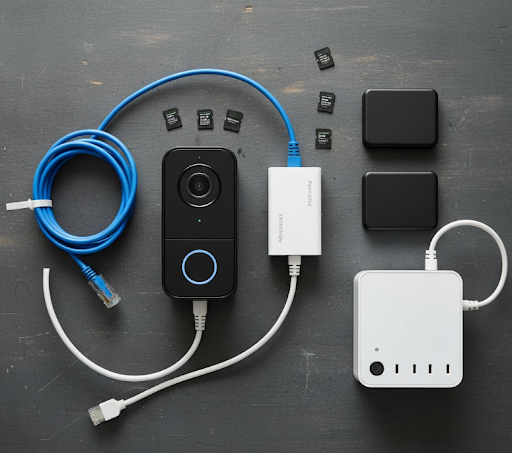
When it is time to store video, decide between microSD in each camera or a central NVR. SD cards are simple and cheap. NVRs make it easier to search and export clips. If you run a mix, keep time sync consistent and label cameras clearly so you can pull evidence quickly.
For deeper planning, these guides help a lot:
-
Understand trade-offs with the explainer on wired vs wireless security cameras.
-
Place devices to capture faces and clean angles using where to place security cameras.
-
Install safely and neatly with the step-by-step how to install security cameras.
Which Option Fits Your Home Type
Freestanding Houses
A driveway or front setback benefits from a powerful spotlight cam and a PoE run to the eaves. Add a wired doorbell to capture faces at the front entry and an indoor cam watching the hallway. This combination gives clear evidence and an audible deterrent at night.
Townhouses And Duplexes
Tighter boundaries call for strict privacy masking. A slim doorbell plus one outdoor cam angled away from shared areas is usually enough. Use activity zones to ignore the neighbour’s courtyard or footpath traffic.
Apartments And Units
Body corporate rules vary. Where external mounting is limited, place an indoor cam facing the entry corridor and consider a peephole or doorbell where allowed. Keep cabling minimal and store footage locally on SD.
Typical DIY Configurations For AU Homes
| Home Type | Devices | Power & Networking | Storage Choice | Approx Cost (AUD) | Notes |
|---|---|---|---|---|---|
| Freestanding | Doorbell + 2 outdoor cams | PoE to eaves, Wi-Fi doorbell | NVR + SD | $750–$1,500 | Best for driveways and yards |
| Townhouse | Doorbell + 1 outdoor cam | Mostly Wi-Fi, mesh if needed | SD per cam | $400–$900 | Use privacy masks |
| Apartment | 1 indoor cam + optional doorbell | Wi-Fi only | SD or mini-NVR | $250–$600 | Check body corp rules |
Pricing varies by brand, resolution, and retention length.
Keep It Truly Subscription-Free
Choose cameras that deliver person or vehicle detection on-device, not on the cloud. Confirm that timeline playback, clip export, and notifications work without a paid plan. Store clips on microSD or an NVR you control. If you want an off-site backup while travelling, enable cloud on a single front entry camera only. That way, ongoing costs stay close to zero.
Feature Checklist That Actually Matters
| Feature | Why It Helps | What To Aim For |
|---|---|---|
| Resolution | Clean faces and plates | 2K is solid, 4K excels for distance |
| Night Performance | Winter evenings get dark early | Colour-night via spotlight at entries |
| Detection | Fewer false alerts | Human and vehicle filtering |
| Storage | Avoids fees and downtime | SD for simple, NVR for multi-cam |
| Power Backup | Keeps alerts alive during blips | Small UPS for modem and NVR |
| App Control | Faster response | Instant push on doorbell and driveway |
Things To Know Before You Drill 🔎
Height matters more than megapixels. Mount entry cameras around 2.2 to 2.6 metres so faces are visible and identifiable. Use UV-stable cable glands and weather-rated boxes around the coast. Align time zones across all devices for accurate timelines. If your walls are double brick, expect signal loss and consider a mesh node near the front door to keep the doorbell online. When you add solar, check for shade from awnings and trees across winter.

Budget Paths That Make Sense💡
A renter-friendly start is a Wi-Fi doorbell plus one outdoor camera with microSD. That duo captures front-of-house activity and first contact attempts. A family home can add a PoE driveway cam aimed at vehicle exits and an indoor hallway cam for after-school arrivals. For full coverage, run two PoE outdoor cameras, one spotlight cam, an indoor camera, and an NVR with a small UPS. Each step adds meaningful capability without locking you into subscriptions.
To explore matching hardware, browse the DIY security system collection, compare kits in the self-monitoring security system range, and consider panels in the solar powered outdoor security camera lineup.
Smart Alert Tuning 📲
Start with person detection only at the front and driveway. Disable general motion until you review a week of events. If possums or pets trigger alerts at night, tighten activity zones or schedule backyard notifications to daytime. Keep doorbell alerts on at all hours. If your home is near a busy footpath, add an exclusion zone that trims the public area from the frame.
Evidence Ready, Fast
When something happens, export a short clip within a day and grab a still frame that shows a face or plate. Keep a simple incident note with date, time, and camera name in your phone. If police request footage, provide it via a passworded link or a labelled USB. An NVR makes this process quick. With SD recording, check that your card size and overwrite settings keep at least a week of retention.

Reliability In Australian Conditions
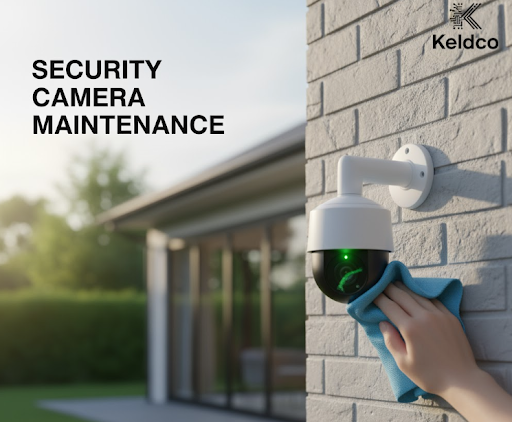
Dust lenses monthly. In salty air, rinse gently with fresh water and wipe with microfibre. Update firmware quarterly for security patches and AI improvements. A small UPS on the modem, router, and NVR avoids gaps during brief outages. If you rely on battery cameras, keep a spare charged or pair with a solar trickle in sunny aspects. Test after storms to confirm lights and sirens still trigger correctly.
The Why, How, Which Recap 🎯
Why choose DIY: Control costs, keep footage private, and scale on your terms. It fits Australia’s climate, connectivity, and property types.
How to build: Combine a wired doorbell, an outdoor spotlight camera, and an indoor cam, then store locally on SD or NVR. Add PoE runs where possible and keep the network alive with a UPS.
Which setup works: Houses do best with PoE outdoors plus a doorbell. Townhouses should emphasise masking and zones. Apartments can focus on an indoor cam and a permitted doorbell.
For deeper design choices, this explainer on wired vs wireless security cameras is a useful read, and placement insights from where to place security cameras will help you avoid blind spots. Installation steps are covered in detail here: how to install security cameras.
Common Pitfalls To Avoid ⚠️
Do not mount everything too high or too wide. Avoid relying on cloud-only features if you aim to run without fees. Test night performance before drilling, not after. Secure cable runs against UV and rain. And do not forget a small UPS. That one box keeps your alerts and recordings consistent when the lights flicker in a summer storm.

What This Looks Like When Done
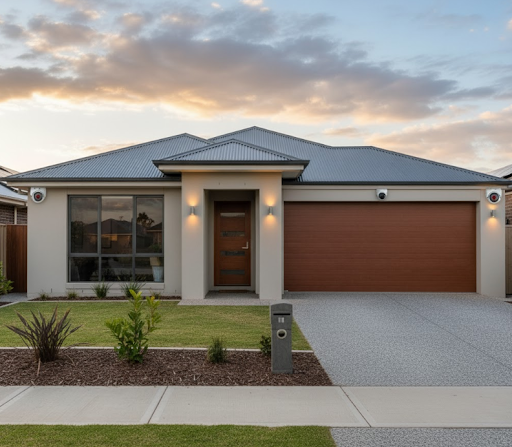
A modern Australian facade with a discrete doorbell at 1.5 metres, a spotlight camera angled across the driveway, and a PoE dome tucked under the rear eave gives balanced coverage. Inside, an entry corridor camera captures faces before people disperse into rooms. An NVR indexes everything by time and camera, and the app sends a lean stream of useful alerts. The result is calm, clear, and easy to maintain.
Final Word: Picking The Best DIY Security System
If your goal is the best diy security system without ongoing fees, keep it self-monitored with on-device detection and local storage, then power it with a small UPS. Place the doorbell for faces, angle a spotlight cam for the driveway, and use zones to limit false alerts. That foundation is dependable today and simple to expand tomorrow.
Frequently Asked Questions
What is the best DIY security system without monthly fee?
The strongest path is a self-monitored kit with local storage and on-device detection so no paid cloud is required. In practice, use a wired doorbell at the front entry, one outdoor spotlight camera for the driveway, and an indoor cam for the hallway. Store to microSD or an NVR, and keep your router on a small UPS for continuity during brief outages. That design balances deterrence, image quality, and cost control across Australian homes.
Are DIY home security systems effective?
Yes, they are highly effective when camera placement, lighting, and storage are planned together. Aim for face capture at 2 to 4 metres, add a spotlight at the driveway for colour at night, and tune activity zones to filter public footpaths. Combine SD or NVR storage with instant push alerts and you will respond quickly when it matters. Many households in Australia match monitored performance with careful DIY planning.
How can I secure my home cheaply?
Prioritise a doorbell camera, one outdoor camera, and reliable local storage, then expand later. Borrow a ladder, use existing power points, and test camera positions with painter’s tape before you drill. A mesh node near the entry can stabilise doorbell Wi-Fi without rewiring. Keep cloud disabled to avoid fees. When budget allows, add a PoE run to the driveway for clearer plate shots.
Can you run your own security system without a service provider?
Absolutely, self-monitoring is straightforward with on-device AI, SD or NVR recording, and push alerts. Set detection zones, keep doorbell notifications on at all hours, and store clips locally so events are saved even if the internet drops. A compact UPS on the modem and router keeps the system responsive through short blackouts. Choose models that offer full playback and export without mandatory subscriptions.
What security system do burglars hate?
Visible cameras with bright spotlights, a confident doorbell at face height, and fast two-way audio. Offenders dislike light, attention, and clear recording angles. Place a spotlight camera across your approach path so it activates early, and use a doorbell with pre-roll to capture the lead-up. Keep lenses clean and signage present. Most opportunistic attempts fall away when light and voice warnings trigger promptly.