The best no monthly fee security camera is one that gives you full monitoring capability without charging you month after month just to access your own footage. Options like the KeldCo Solar Camera Pro 2.0 4G and Solar Camera Pro 3.0 WiFi deliver exactly that, combining solar power with zero subscription costs so your home stays protected without draining your wallet.
Whether you're tired of paying for a service you barely use or just starting to build a home security setup, a subscription-free camera is one of the smartest choices you can make right now. The market has grown a lot in recent years, and the options available today are genuinely impressive. Let's walk through what to look for, which cameras stand out, and how to get the most out of your setup.
Why a Subscription-Free Camera Makes Financial Sense
Most people don't realize how quickly subscription fees pile up. If you're paying $10 a month for cloud storage on one camera, that's $120 a year. Scale that to three or four cameras and you're looking at $360 to $480 annually for something that should be a one-time purchase.
A camera with no monthly fee flips that equation. You pay once and own the device outright. Footage gets stored locally, either on a microSD card or a local NAS drive, and you access it on your own terms. There are no renewal reminders, no price hike notifications, and no risk of your camera being disabled because a service shuts down.
This is a real concern worth taking seriously. Several subscription-based camera brands have raised prices or discontinued their cloud platforms in recent years, leaving customers without access to their own recordings. Owning a subscription-free camera means that situation simply doesn't apply to you.
Pair that with a solar-powered design and the savings compound further. No wiring costs, no battery replacements, and no electrician required. For most homeowners and renters, this combination makes more practical and financial sense than any monitored service on the market.

What to Look for Before You Buy
Key Features That Actually Matter
Not all subscription-free cameras are built the same. Before picking one, it helps to know which features are worth prioritizing so you don't end up with a camera that looks good on paper but underperforms in real conditions.
Video quality is the most obvious starting point. Look for at least 1080p resolution. Cameras with 2K or higher give you the ability to zoom in on recorded footage and still make out faces or license plates clearly.
Night vision should be non-negotiable. Whether the camera uses infrared LEDs or full-color night vision powered by a spotlight, you want to see clearly in low-light conditions. Most incidents happen after dark, so skimping here is a mistake.
Motion detection accuracy is another important factor. Constant false alerts from passing cars or wind-blown branches gets annoying fast. Good cameras use PIR sensors or AI-based detection to distinguish people, vehicles, or animals from general movement.
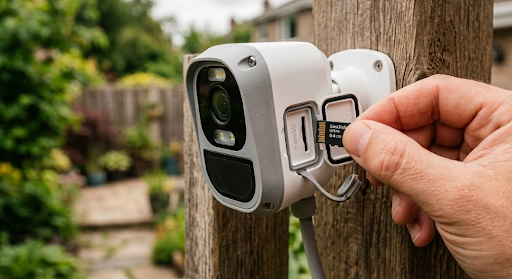
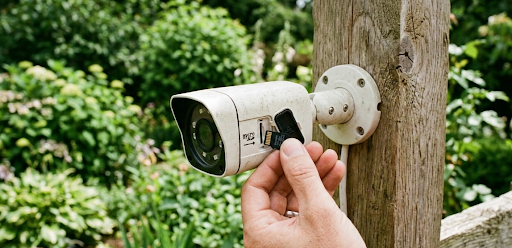
Local storage is what makes a subscription-free setup actually work. Look for cameras that support microSD cards with at least 32GB capacity, or ones that are compatible with a local NVR/DVR system.
Power source is worth thinking about carefully. Battery cameras need regular charging. Solar-powered cameras stay charged as long as there's enough sunlight. Before buying, it's worth reading about how much sunlight a solar security camera needs to make sure it fits your property.
| Feature | Why It Matters | Minimum to Look For |
|---|---|---|
| Video Resolution | Captures usable detail for identification | 1080p Full HD |
| Night Vision | Visibility in low-light and dark conditions | 20-30 ft IR or color night vision |
| Motion Detection | Filters alerts to real threats | PIR or AI-based detection |
| Local Storage | Saves footage without cloud fees | MicroSD or NVR compatible |
| Power Source | Determines placement and maintenance needs | Solar or wired for outdoor use |
The KeldCo Solar Cameras Worth Knowing About
When it comes to solar-powered, subscription-free options, the KeldCo Solar Camera Pro 2.0 4G and Solar Camera Pro 3.0 WiFi are two of the most well-rounded picks available right now for homeowners who want real protection without ongoing costs.
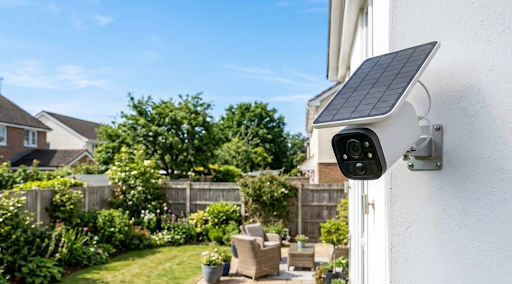
The Solar Camera Pro 2.0 4G runs on cellular connectivity, which makes it ideal for locations where WiFi doesn't reach. Think remote properties, construction sites, gate cameras at the end of long driveways, or any outdoor area beyond your router's range. It connects via a SIM card (not included), so as long as you have cell coverage, it works. The solar panel keeps it charged throughout the day, making maintenance essentially effortless.
The Solar Camera Pro 3.0 WiFi is built for properties with reliable wireless coverage. It connects directly to your home WiFi, streams live footage to your phone, and stores recordings locally without any ongoing service costs. For homeowners who want a clean, simple setup around the house, this one is the more natural fit.
Both cameras are built for DIY installation, which is a big deal for people who want to avoid scheduling an installer or dealing with alarm company contracts. If you're building out your own setup from scratch, looking into a DIY security system gives you even more flexibility in how you cover your property.

Comparing the Two Models
| Solar Camera Pro 2.0 4G | Solar Camera Pro 3.0 WiFi | |
|---|---|---|
| Connectivity | 4G LTE Cellular | WiFi (2.4GHz) |
| Best For | Remote locations, areas without WiFi | Home use, WiFi-covered properties |
| Monthly Fee | None | None |
| Power Source | Solar panel | Solar panel |
| DIY Install | Yes | Yes |
| Local Storage | MicroSD card supported | MicroSD card supported |
If your property has solid WiFi coverage, the 3.0 WiFi is the more streamlined option. If you're monitoring a gate, barn, or off-grid cabin, the 2.0 4G is the smarter call. Either way, you get a true self-monitoring security system without anyone else managing your footage or charging you a recurring fee for it.
How to Set Up Your Camera Without a Subscription
One of the underrated benefits of subscription-free cameras is that you don't need professional installation. You're not locked into a system that requires a technician or a monthly monitoring agreement to activate.
Start by identifying the high-value spots around your property. Front doors, driveways, side gates, and back entries are the most common access points, and also the most commonly left uncovered until after something happens. A practical approach is to think like someone approaching the house uninvited: where would they go to avoid being seen?
Mount your cameras at about 8 to 10 feet off the ground. That height is high enough to prevent easy tampering but low enough to still capture useful facial detail. Angle the camera slightly downward to cover a wider zone in front of it. For solar models, make sure the panel faces toward the direction that gets the most direct sun during the day.
For anyone using a cellular camera, confirm that your area has solid coverage with the SIM carrier you plan to use. Check out our guide on security cameras that connect to a phone without WiFi for a closer look at how cellular camera setups actually work.

If you need wider coverage for a larger property, pairing multiple cameras together using an LTE security camera configuration means every angle is covered without running cables across your yard.
For the most straightforward setup experience, connect your camera to the manufacturer's app and complete the pairing process while standing near the installation spot. This way you can test the live view, adjust the angle, and confirm motion detection is working before you finalize mounting. Most KeldCo cameras pair in under five minutes.
Wrapping Up: Why the Best No Monthly Fee Security Camera Is Worth It
The value case for the best no monthly fee security camera is genuinely hard to argue with. You pay once, install it yourself, and the device runs on sunlight. No contracts, no rate increases, and no service cancellations. For the average homeowner, this is a better deal than most subscription systems available today.
If you want a camera that works without WiFi and covers remote spots, the KeldCo Solar Camera Pro 2.0 4G brings 4G connectivity and solar power together in one unit. If WiFi is available and you want a simpler setup, the Solar Camera Pro 3.0 WiFi is the cleaner choice. Both cameras eliminate monthly fees entirely, which is exactly what most buyers are looking for.
Whether you're new to home security or switching away from a subscription service, starting with a solid no-fee setup is a decision most people don't regret. For a broader comparison of outdoor options, check out our roundup of the best outdoor security cameras without a subscription to see how different models measure up.
Frequently Asked Questions
What is the best security system without a monthly fee?
The best security system without a monthly fee is a solar-powered, local storage setup like the KeldCo Solar Camera Pro series, which requires no contracts or recurring charges.
KeldCo cameras store footage locally on a microSD card, connect via WiFi or 4G cellular, and run entirely on solar energy. There are no recurring charges or service agreements of any kind. This type of setup works well for small homes and larger properties alike, and it scales easily as your needs change.
What security cameras have no monthly fees?
Cameras that support local storage, such as microSD or NVR recording, typically have no monthly fees. KeldCo solar cameras are among the top subscription-free options available.
Other brands like Reolink and Eufy offer basic subscription-free setups. However, for solar-powered performance combined with no ongoing costs, KeldCo's lineup delivers a strong balance of features, reliability, and ease of use that's hard to beat at this price point.
What is the best and cheapest security system?
A DIY solar camera system is the most affordable option over time. KeldCo offers competitive pricing with no ongoing fees, making the total cost of ownership significantly lower than subscription-based alternatives.
The upfront cost may be slightly higher than a basic subscription camera, but without any recurring fees, most users recover that difference within the first year or two. Local storage eliminates the need for any paid cloud service entirely.
Can I use a security camera without a subscription?
Yes, most cameras with local storage work fully without a subscription. You still get live viewing, motion alerts, and recorded footage stored on your own device.
The difference is that footage is saved locally rather than in the cloud. Some brands limit features like extended video history or AI detection to paid plans, but KeldCo cameras are fully functional out of the box without any subscription or activation fee.
What are the top 5 outdoor security cameras?
KeldCo Solar Camera Pro 2.0 4G and Solar Camera Pro 3.0 WiFi consistently rank among the top outdoor security cameras for buyers who want zero monthly fees and solar power.
Other well-regarded outdoor options include the Reolink Argus series, Eufy SoloCam E40, and Arlo Pro 4 on its limited free tier. For households that want true zero ongoing costs combined with reliable solar charging, KeldCo cameras sit at the top of most comparison lists.