The best no subscription security camera lets you monitor your property around the clock without paying monthly monitoring fees, making it a smart long-term investment for homeowners and business owners alike. KeldCo's Solar Camera Pro series consistently ranks as a top choice because it combines solar-powered operation, 4G or WiFi connectivity, and local storage with zero recurring costs.
If you've been frustrated by security camera brands that lock you into expensive subscription plans just to access your own footage, you're not alone. The good news is that the market for subscription-free cameras has grown significantly, and there are now excellent options that deliver cloud-free, high-quality surveillance without draining your wallet month after month.
Why People Are Ditching Subscription Security Cameras
Most people buy a security camera to feel safer, not to sign up for another monthly bill. Yet dozens of popular brands quietly require paid plans before you can access video history, motion alerts, or even basic cloud storage. Some cameras are nearly useless without the subscription activated.
The shift toward subscription-free options isn't just about saving money, although that's a big part of it. Homeowners in rural areas, vacation cabin owners, farmers, and RV travelers often need reliable coverage in locations where internet access is limited or inconsistent. A camera that depends on a paid cloud server to store footage is a serious liability in these scenarios.
That's exactly why understanding what makes the best no subscription security camera matters before you buy. The right features can make or break your experience, especially in demanding environments.
What to Look for in a Subscription-Free Security Camera
Before jumping into product recommendations, it helps to understand which features actually matter for long-term, fee-free use.
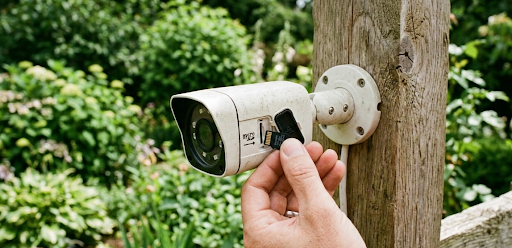
Local Storage Options A subscription-free camera should support a microSD card, NVR, or local hard drive. This is how your footage is saved without relying on a cloud server. Look for cameras that support at least 128GB of local storage.
Connectivity Type WiFi cameras work well in homes and businesses with stable internet. For remote properties, barns, construction sites, or mobile applications like RVs, a 4G LTE camera is the smarter choice. If you're looking for LTE security cameras in Texas or similar rural setups, cellular connectivity is often essential.
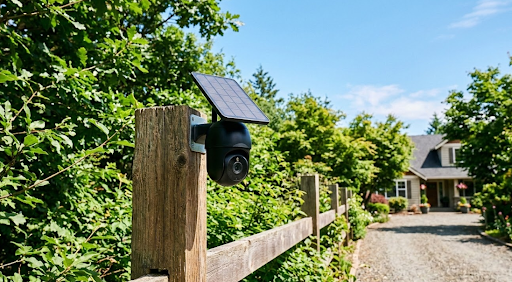
Power Source Solar-powered cameras eliminate both subscription fees and electricity costs. Pairing solar power with a rechargeable battery means the camera stays active even through cloudy stretches, with no wiring required.
Motion Detection and Alerts Good subscription-free cameras send push notifications directly to your phone when motion is detected, without charging extra for that feature.

KeldCo Solar Camera Pro: The Case for Going Solar and Subscription-Free
KeldCo has built its reputation specifically around subscription-free solar security cameras. The two standout products are the Solar Camera Pro 2.0 4G and the Solar Camera Pro 3.0 WiFi, each designed for different property types and connectivity needs.
The Solar Camera Pro 2.0 4G runs on a 4G LTE cellular connection, which means it works in locations with no WiFi whatsoever. This makes it ideal for remote properties, farms, construction sites, and rural homes. You insert your own SIM card, choose your data plan, and the camera streams live footage directly to your phone. There's no monthly fee to KeldCo, no cloud subscription required, and no footage locked behind a paywall.
The Solar Camera Pro 3.0 WiFi is built for homes and businesses with a reliable internet connection. It offers high-definition video, motion-triggered recording, night vision, two-way audio, and local storage via SD card. Both cameras are weatherproof and solar-powered, which means once you install them, they essentially run themselves.
This combination of solar power and zero subscription fees is what sets KeldCo apart from competitors who bundle software costs into the camera purchase price or require annual renewals.
Comparing Your Main Options
Not all subscription-free cameras are created equal. Here's a side-by-side look at the most common types available today.
| Feature | KeldCo Solar Camera Pro 2.0 4G | KeldCo Solar Camera Pro 3.0 WiFi | Standard WiFi Cam (Generic Brand) |
|---|---|---|---|
| Monthly Subscription | None | None | Often required for cloud storage |
| Power Source | Solar + Battery | Solar + Battery | Wired or battery only |
| Connectivity | 4G LTE (SIM-based) | WiFi | WiFi |
| Local Storage | MicroSD | MicroSD | MicroSD (limited models) |
| Best Use Case | Remote/rural properties | Home and business with WiFi | Urban homes with stable internet |
| Installation | DIY, no wiring | DIY, no wiring | Often requires wiring or hub |
For homeowners weighing their full setup, pairing a solar camera with a broader DIY security system in Florida can cover all entry points without adding monthly contracts to the mix.
4G vs WiFi: Which Option Is Actually Best for You?
This is one of the most common questions buyers face, and the answer depends entirely on your location and how you plan to use the camera.
Choose 4G LTE if: You're monitoring a remote property with no internet access. You need the camera to work even when your home router goes down. You're setting up surveillance at a construction site, vacation home, or storage unit. You want coverage that works during power outages when routers fail.
Choose WiFi if: Your camera is within range of a stable home or business network. You want to minimize data costs since WiFi uses your existing broadband. You're covering multiple cameras on a single network. You're looking for fast live streaming with minimal lag.
For anyone who travels frequently or manages properties across multiple locations, the 4G model removes the stress of wondering whether the WiFi went down while you were away. You can also learn more about how solar cameras maintain power in our guide on how much sunlight a solar security camera needs before committing to a setup.

Practical Tips to Get the Most Out of a Subscription-Free Setup
Owning the best no subscription security camera is only half the equation. Here are some real-world tips to maximize performance without paying for extras.
Use a Quality MicroSD Card Cheap SD cards fail frequently and corrupt footage. Invest in a Class 10 or U3 rated card rated for continuous video recording. A 128GB card at 1080p resolution holds roughly 7 to 10 days of motion-triggered footage.
Position Cameras Toward Entry Points Cover front doors, back doors, driveways, and garage areas first. Side gates and detached structures are secondary priorities. Proper placement matters more than camera count. Our full breakdown of where to place security cameras walks through this in detail.
Adjust Motion Sensitivity to Reduce False Alerts Trees, passing cars, and small animals trigger constant notifications if sensitivity is too high. Tune your camera's detection zone to focus on human-sized movement at the right distance.
Test Your Camera Monthly Walk in front of the camera, check that the alert fires on your phone, and review the saved footage. This confirms your SD card is writing properly and the camera is functioning as expected.
Keep the Solar Panel Clean Dust, pollen, and bird droppings reduce charging efficiency. A quick wipe-down every few weeks keeps the panel running at full capacity.
If you're managing a business property, exploring a self-monitoring security system in California can complement your camera setup and give you centralized control without a monitoring service contract.
How Solar Cameras Compare to Traditional Wired Systems
| Factor | Solar Subscription-Free Camera | Wired Camera with Monthly Plan |
|---|---|---|
| Upfront Cost | Moderate | Moderate to High |
| Monthly Cost | None | Typically $10 to $50/month |
| Installation Difficulty | Easy DIY | Often requires professional |
| Reliable During Power Outages | Yes (battery backup) | No (unless UPS is used) |
| Remote Location Suitability | Excellent | Poor |
| Long-Term Value | Very high | Reduces over time |
The math is straightforward. A camera with a $30/month subscription costs $360 per year beyond the hardware cost. Over five years, that's $1,800 in subscription fees alone. A solar-powered camera with local storage has a one-time cost and keeps working without additional spending.
Final Thoughts: The Best No Subscription Security Camera Is One That Works for You
So which camera actually deserves the title of best no subscription security camera? Based on overall value, performance, solar-powered design, and genuinely zero recurring fees, KeldCo's Solar Camera Pro series stands out as the strongest choice for most buyers.
The Solar Camera Pro 2.0 4G handles remote and rural locations with 4G LTE reliability. The Solar Camera Pro 3.0 WiFi covers homes and businesses with existing internet infrastructure. Both eliminate the frustration of monthly fees while delivering professional-grade surveillance. For a broader look at what's available, the guide on best outdoor security cameras without a subscription covers additional comparisons worth reading before your final decision.
Whether you're protecting a home, a small business, or a property miles from the nearest town, going subscription-free with solar power gives you long-term security without long-term financial commitment.

Frequently Asked Questions
What security camera works without a monthly fee?
KeldCo's Solar Camera Pro series works without any monthly fee, using local SD card storage and either 4G LTE or WiFi connectivity.
Most subscription-free cameras save footage locally to a microSD card and send motion alerts directly to your phone. KeldCo's models are specifically designed for this, with no cloud plan required to access your footage or receive alerts.
What is the best security system without subscription?
KeldCo offers the best subscription-free security system, combining solar power, local storage, and reliable connectivity with no ongoing fees.
Pairing their Solar Camera Pro cameras with a self-monitoring setup gives homeowners and businesses full coverage without any monitoring contracts or recurring charges.
What is the highest rated outdoor security camera?
KeldCo's Solar Camera Pro 3.0 WiFi is among the highest-rated outdoor cameras for subscription-free, weatherproof performance.
It delivers high-definition video, night vision, motion alerts, and two-way audio in a durable solar-powered design suited for year-round outdoor use.
What is the downside of WiFi security cameras?
WiFi cameras stop working when your internet goes down, which can leave you without coverage during outages or router failures.
They also have a limited range based on your router's signal strength. For remote areas or properties without WiFi, a 4G LTE camera like the Solar Camera Pro 2.0 4G is a more dependable option.
Do burglars avoid homes with cameras?
Yes, studies consistently show that visible security cameras deter a significant portion of opportunistic burglars.
A survey by the University of North Carolina found that most burglars said the presence of cameras influenced their decision to target a different property. Placement matters too. Cameras positioned at entry points and at eye level are more effective deterrents than those mounted too high or hidden from view.