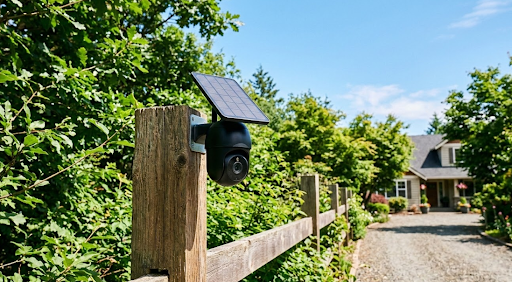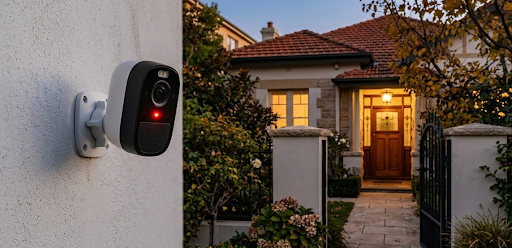
The best security camera with siren combines live video monitoring with an active audio alarm that triggers automatically when motion is detected, turning your camera from a passive recorder into something that actually responds to threats in the moment. Cameras like the KeldCo Solar Camera Pro 2.0 4G and Solar Camera Pro 3.0 WiFi bring that active deterrence together with solar power and zero monthly fees, giving your property a voice that doesn't need you present to use it.
Most standard cameras record what happens and let you review it afterward. A camera with a built-in siren changes the dynamic entirely by responding while something is actually happening, not just documenting it for later. This guide covers what to look for, how siren cameras actually work in practice, and which options make the most sense for your home or property.
Why a Camera with a Built-In Siren Makes a Real Difference
There's a gap between knowing something happened and stopping it from happening. A standard security camera fills the first role well enough, but a camera with an integrated siren addresses the second. That distinction is worth understanding before you decide which type of camera fits your needs.
Most opportunistic break-ins are impulsive decisions. Research consistently shows that visible deterrents, particularly loud alarms, are among the most effective ways to interrupt that impulse before it becomes an incident. A siren that activates the moment someone enters your driveway or approaches a window sends a clear signal that the property is actively monitored and that continuing is a bad idea.
The difference between a silent camera and one with an alarm is the difference between evidence and prevention. Both have value, but most homeowners would prefer the situation never escalated to the point where they needed the evidence at all.
Siren cameras also give you manual control through a companion app. If you're watching a live feed and something looks wrong, you can trigger the alarm remotely from your phone without waiting for the automated detection to catch up. That kind of direct intervention is one of the more underrated features of this camera category.

Beyond home security, siren cameras are popular for monitoring driveways, gates, storage sheds, construction sites, and commercial properties where a visible and audible response to unauthorized entry is more useful than a silent recording. The alarm serves as both deterrent and notification, covering situations where you might not have your phone in hand when an alert arrives.
How Siren Cameras Work and What to Expect
Automatic Siren Activation
Most cameras with sirens can be configured to trigger the alarm automatically when motion is detected within a defined zone. You set the sensitivity, draw the detection area in the app, and the camera handles the rest. When a person or vehicle crosses that threshold, the siren activates within a second or two and the camera begins recording.
The quality of the motion detection matters a lot here. A camera with poor detection that triggers on passing headlights or blowing leaves will set off false alarms constantly, which trains you to ignore them and defeats the purpose entirely. Look for cameras that use PIR sensors or AI-based person detection that can distinguish a human or vehicle from general environmental movement.
Manual Siren Triggering
Most siren cameras also give you the option to trigger the alarm manually through the companion app. This is useful when you're watching a live feed and want to respond directly to something you see, or when you're away from home and want to alert a neighbor or scare off an animal before it causes damage. Manual triggering gives you a level of active control that purely automated systems don't provide.
Siren Volume and Range
Not all sirens are equal. A quiet 80-decibel buzzer mounted inside a housing is much less effective than a 110-decibel alarm that can be heard clearly from the street. For outdoor use, look for cameras with siren output of at least 100 decibels. At that volume, the alarm is clearly audible at a distance and disorienting enough up close to encourage a very quick departure.
Some cameras let you adjust siren volume through the app, which is useful if you want a lower volume for indoor use or a pet-friendly sensitivity mode that alerts without startling animals unnecessarily.
Flashing Lights Alongside the Siren
Many siren cameras pair the audio alarm with a strobe light or spotlight that flashes rapidly when the alarm activates. The combination of loud sound and flashing light is significantly more disorienting and attention-grabbing than either alone, making it a more effective deterrent. It also helps neighbors identify exactly where the alarm is coming from, which is useful if you want someone nearby to check on the property.
| Feature | What to Look For | Why It Matters |
|---|---|---|
| Siren Volume | 100dB or higher for outdoors | Audible at distance, effective deterrent |
| Activation Mode | Auto and manual via app | Flexibility for automated and live response |
| Motion Detection | PIR or AI-based person detection | Reduces false alarm triggers |
| Strobe Light | Paired flashing light on alarm | Stronger deterrence, better attention signal |
| Remote Control | App-based manual trigger | Active response without being on-site |
| Power Source | Solar or wired | Reliable operation without maintenance gaps |
Key Features to Prioritize Before You Buy
Video Quality That Works Day and Night
A siren camera is most useful when the video feed is clear enough to confirm what triggered the alarm and capture identifying details at the same time. Look for at least 1080p resolution, and ideally 2K or higher for properties where the camera needs to cover a longer distance. Color night vision is a strong advantage here since most siren activations happen after dark when standard infrared footage loses the color detail that makes footage actually useful.
For a deeper look at how nighttime camera performance breaks down across different technologies, our guide on the best outdoor security camera covers the full picture of what separates strong performers from average ones.
Connectivity and Remote Access
The practical value of a siren camera depends heavily on how reliably you can access it from your phone. WiFi cameras work well for properties with strong wireless coverage and let you watch live feeds, receive motion alerts, and trigger the siren remotely from anywhere with an internet connection.
For locations beyond your router's range, a 4G cellular camera removes the WiFi dependency entirely. Gates, outbuildings, rural properties, and any spot that sits outside reliable wireless coverage are all better served by cellular connectivity. The remote access experience is essentially identical from the user's perspective since everything still runs through the same companion app. If you're looking at cellular options specifically, the LTE security camera collection gives you a clear view of what's available in that connectivity category.
Solar Power for Uninterrupted Protection
A siren camera that runs out of battery at an inconvenient moment provides no protection at all. Battery-powered cameras need regular recharging, which is easy to forget and creates coverage gaps. Wired cameras are reliable but require cable installation and limit where you can place them.
Solar-powered cameras solve both problems. As long as the panel receives adequate daily sunlight, the camera stays charged indefinitely without any maintenance input from you. For outdoor siren cameras in particular, solar charging combined with local storage creates a setup that runs itself without subscriptions, without battery swaps, and without scheduled check-ins to confirm everything is still working. Before finalizing your placement, reading about how much sunlight a solar security camera needs helps you confirm your chosen spot will keep the camera properly charged year-round.
The KeldCo Cameras That Bring Active Deterrence Together
For homeowners who want the best security camera with siren performance without monthly service fees or complex installation, the KeldCo Solar Camera Pro 2.0 4G and Solar Camera Pro 3.0 WiFi deliver active deterrence alongside solar power and fully local storage.
The Solar Camera Pro 2.0 4G is built for locations where WiFi coverage is unreliable or nonexistent. It runs on 4G LTE cellular connectivity, meaning it works anywhere with a cell signal regardless of how far it sits from your home network. The siren, spotlight, and two way audio all function through the companion app, so you can respond to an alert, trigger the alarm manually, and speak directly to whoever is on camera from anywhere in the world. The solar panel handles charging automatically, and there are no recurring fees of any kind attached to the device.
The Solar Camera Pro 3.0 WiFi is designed for home use with reliable wireless coverage. It connects directly to your home network and gives you the same app-based siren control, live viewing, and motion alert experience as the cellular model. For front doors, driveways, side gates, and backyard coverage, this model hits an ideal balance of performance and straightforward setup.
Both cameras store footage locally on a microSD card, which means no cloud subscription is needed to access recordings. If you're building out a full property setup and want complete perimeter coverage, exploring a small business security camera system or residential multi-camera configuration alongside these models gives you siren-equipped coverage at every access point.

Comparing the Two Models for Siren Use
| Solar Camera Pro 2.0 4G | Solar Camera Pro 3.0 WiFi | |
|---|---|---|
| Connectivity | 4G LTE Cellular | WiFi (2.4GHz) |
| Built-In Siren | Yes | Yes |
| Best Use Case | Remote areas, gates, rural properties | Home driveways, front doors, backyard |
| Monthly Fee | None | None |
| Power Source | Solar panel | Solar panel |
| Manual App Trigger | Yes | Yes |
| Local Storage | MicroSD supported | MicroSD supported |
For homeowners who want both siren coverage and wide-angle monitoring across a larger property, pairing these cameras with a 360 degree security camera setup gives you full perimeter visibility with active deterrence at the key access points.
How to Set Up and Configure Your Siren Camera Correctly
Buying the right camera is only part of the equation. How you configure and position it determines how effective the siren feature actually is in real-world conditions.
Start by identifying which areas of your property are the highest priority for active deterrence. Front gates, driveway entrances, and back doors are the most commonly accessed points by unwanted visitors, and they are also where a siren will have the most impact because the alert activates before anyone gets close to the house itself. Positioning the camera at the perimeter rather than directly on the building gives you more reaction time and a louder, clearer warning signal at the point where it matters most.
Set your motion detection zones through the app before finalizing the camera's mount. Draw the detection area carefully to cover the approach path while excluding the street, neighboring properties, and any areas where regular activity like wind-blown plants could trigger false alarms. Getting this right from the start saves you from a week of nuisance alerts while you adjust settings after installation.
Test the siren manually before relying on it for protection. Stand in front of the camera and trigger it from your phone to confirm the volume is adequate for the environment. If the camera is mounted in an enclosed corner or under a roof overhang, the sound may carry differently than in an open area. Adjust the mounting angle or position if needed until the alarm is clearly audible from the direction most likely to matter.
Configure your app notifications to ensure siren alerts come through immediately. Some phones have aggressive battery management settings that delay app notifications, which can mean a motion alert arrives 30 seconds after the event rather than in real time. Check your phone's notification settings and make sure the camera app is excluded from any battery optimization restrictions so alerts arrive when they need to. For a complete walkthrough of building out your camera network from scratch, our guide on how to install security cameras covers every step of the process in practical detail.
Wrapping Up: Why the Best Security Camera with Siren Belongs on Every Property
A silent camera documents. A camera with a siren responds. For most homeowners and property managers, the ability to actively intervene in a situation rather than just review it afterward is the more valuable capability, and it's the reason siren cameras have become one of the fastest-growing categories in home security.
The best security camera with siren on the market right now combines reliable motion detection, a loud audible alarm, color night vision, and remote app control in a single solar-powered unit with no subscription fees. KeldCo's Solar Camera Pro lineup delivers on all of those criteria whether you need cellular connectivity for a remote location or WiFi performance for around the house.
For buyers who are also comparing siren cameras against other subscription-free options, our full breakdown of recommended security cameras covers a wide range of models and configurations to help you find the right fit for your specific setup.
Frequently Asked Questions
What is the best camera alarm system?
The best camera alarm system combines a built-in siren, color night vision, and remote app control with no monthly fees. KeldCo Solar Camera Pro cameras deliver all of that in a solar-powered, subscription-free package.
A good camera alarm system should be able to detect motion accurately, trigger an audible alarm automatically or on demand, and give you live access to the feed from your phone. The KeldCo Solar Camera Pro 2.0 4G and 3.0 WiFi check all of those boxes while adding solar power and local storage to eliminate ongoing costs entirely.
Which Ring cameras have a siren?
Several Ring cameras include a built-in siren, including the Ring Floodlight Cam, Ring Spotlight Cam, and Ring Stick Up Cam. However, most Ring siren features require a Ring Protect subscription to access full functionality.
Ring's siren cameras generally work well in WiFi-connected homes already using the Ring ecosystem. The main consideration for buyers is that Ring ties its full feature set to a monthly subscription plan. For homeowners who want siren capability without ongoing fees, solar-powered alternatives like KeldCo cameras offer comparable deterrence performance with no recurring charges after the initial purchase.
What security cameras have the best night vision?
Cameras with spotlight-activated color night vision consistently outperform standard infrared models. KeldCo Solar Camera Pro cameras use white LED spotlights to deliver vivid full-color footage after dark with no subscription required.
Spotlight-based color night vision captures clothing colors, vehicle colors, and facial details that black-and-white infrared footage misses entirely. For siren cameras specifically, strong night vision is especially important because most alarm activations happen after dark when the combination of a loud siren and a bright illuminating spotlight creates the most effective deterrence response.
Which Blink cameras have a siren?
The Blink Outdoor 4 and Blink Mini 2 both include a built-in siren. The siren on Blink cameras can be triggered manually through the Blink app but does not currently support fully automatic alarm activation on motion detection alone.
Blink cameras are a reasonable budget option for basic home monitoring. The siren functionality is more limited compared to cameras that support both automatic and manual triggering with adjustable sensitivity zones. For buyers who want a fully automated siren response without manual intervention, cameras with configurable auto-alarm features offer a more complete solution.
How to turn on siren on Blink camera?
To trigger the siren on a Blink camera, open the Blink app, select the camera, and tap the siren icon on the live view screen. The siren activates immediately and can be turned off the same way.
The process takes only a few seconds once you're in the app. Keep in mind that Blink's siren is manually triggered rather than automatically activated on motion, which means you need to be actively watching a live feed or respond to an alert before triggering it. If you want a camera that handles alarm activation automatically when motion is detected without requiring you to open the app first, looking at cameras with built-in auto-siren functionality gives you that hands-free response capability from the start.