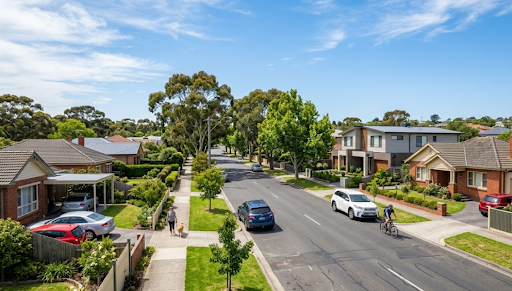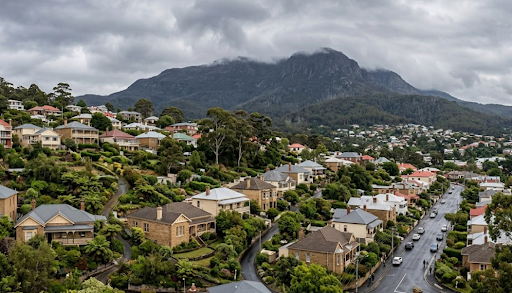
The best security camera Hobart TAS homeowners can rely on is the KeldCo Solar Camera Pro series, offering solar-powered performance, local SD card storage, and no monthly subscription fees across all property types the city offers. Whether you're in a heritage home in Battery Point, a newer build in Kingston, a rental near the waterfront, or a rural property on Hobart's hilly outskirts, these cameras are built to hold up through Tasmania's cold winters, persistent rain, and everything a southern Australian climate can throw at outdoor hardware.
Hobart is a city where property types, climate conditions, and connectivity realities are genuinely different from the mainland. Getting the camera choice right means understanding those differences rather than just picking whatever ranks highest on a national review site.
Why Security Cameras Matter in Hobart
Hobart might feel like a close-knit, relatively safe city, and for the most part it is. But Tasmania Police data shows that property crime including residential burglary, vehicle theft, and shed and garage break-ins remain the most commonly reported offences across the greater Hobart area. Suburbs like Glenorchy, Moonah, and New Town record higher property crime rates than inner-city postcodes, but no suburb is immune to opportunistic theft.
Tourism has also changed Hobart's security landscape significantly over the last decade. MONA and the broader arts and food scene have made the city a year-round destination, which has driven an explosion in short-term holiday rentals across Battery Point, Sandy Bay, and the waterfront. Property owners managing these rentals remotely need cameras that work independently and reliably without depending on tenants or guests to maintain any part of the system. A camera that requires a home network login or manual resets is a practical problem for remote property management.
Things to Know About the Best Security Camera Hobart TAS
A few things make choosing a security camera for a Hobart property genuinely different from the same decision made in Sydney or Brisbane.
Tasmania's climate is demanding on outdoor hardware. Hobart sits at 42 degrees south latitude, which means cold, wet winters with regular frost, fog, and persistent wind from the Southern Ocean. Cameras without proper weatherproofing, specifically IP65 or better, degrade noticeably faster than in warmer mainland cities. The freeze-thaw cycle alone can work at poorly sealed housings over a couple of winters.
Solar charging still works well in Tasmania, with some caveats. Hobart averages around 6.5 hours of daylight in winter, which is noticeably shorter than Queensland or NSW. South-facing panels in particular will underperform. North-facing placement is more important in Tasmania than anywhere else in Australia, and slightly oversized panels make a meaningful difference to battery reserves during extended cloudy periods.
Older Hobart homes create mounting challenges. Battery Point, Glebe, and South Hobart are filled with heritage homes that have sandstone walls, timber cladding, and limited exterior power access. Cable-free solar cameras remove most of these installation complications and avoid the need for heritage-sensitive drilling work.
Tasmania's internet connectivity outside central Hobart can be patchy. Rural properties toward the Derwent Valley and properties on the city's steeper hillside streets sometimes have unreliable NBN connections. A 4G cellular camera removes internet dependency entirely and keeps recording regardless of home network performance.
Matching Camera Type to Your Hobart Property

Hobart's property mix is wide, from compact inner-city heritage homes to rural lifestyle blocks and coastal holiday rentals. Here is a practical guide to which camera type suits each situation:
| Property Type | Recommended Camera | Key Reason |
|---|---|---|
| Heritage Home (Battery Point, Glebe) | Solar WiFi Camera | No wiring needed, minimal drilling |
| New Suburb Build (Kingston, Rokeby) | Solar WiFi Camera | Reliable network coverage, easy setup |
| Rural or Hillside Block | Solar 4G Camera | Cellular bypasses WiFi limitations |
| Holiday Rental (CBD, Waterfront) | Solar 4G Camera | Works without guest's WiFi setup |
| Small Business Premises | Solar WiFi or 4G | No subscription, flexible placement |
For homes with a reliable wireless network that reaches camera positions without dead zones, the Solar Camera Pro 3.0 WiFi is the cleaner pick. It runs entirely from solar power, connects through your home network, and saves footage to a local SD card with no ongoing fees. For older Hobart homes in particular, the absence of any cable routing requirement makes installation straightforward without touching heritage fabric.
For properties where WiFi reach is unreliable, where you're managing remotely, or where the property sits on a steeper block with signal limitations, the Solar Camera Pro 2.0 4G is the stronger choice. Insert your own SIM and the camera operates independently through the cellular network. This is particularly well suited to Hobart's holiday rental market, where owner-managed remote monitoring needs to function regardless of who is staying in the property and what their WiFi habits are.
Both models carry IP65 weatherproofing, which handles Hobart's rain, frost, and persistent coastal wind reliably. That rating matters considerably more in Tasmania than it does in warmer, drier mainland cities.
If you're not sure which camera suits your property or want a broader shortlist before deciding, recommended security cameras gives a useful comparison of what works well across different Australian property and climate types.
KeldCo Model Comparison
| Feature | Solar Camera Pro 2.0 4G | Solar Camera Pro 3.0 WiFi |
|---|---|---|
| Connectivity | 4G SIM (not included) | 2.4GHz WiFi |
| Power Source | Solar panel | Solar panel |
| Monthly Fees | None | None |
| Footage Storage | Local SD card | Local SD card |
| Best For | Rural, remote, holiday rentals | Suburban homes with WiFi |
| Weatherproofing | IP65 | IP65 |
| Wiring Required | No | No |
The decision between the two models comes down entirely to connectivity. If your WiFi reaches every camera position comfortably, the 3.0 WiFi is the simpler setup. If there are any gaps, whether from Hobart's hilly terrain blocking signals, older router hardware, or remote property management needs, the 2.0 4G is the more dependable long-term choice.
For larger properties where a single camera isn't enough to cover the full perimeter, an 8 camera security system in Hobart TAS gives comprehensive coverage without the wiring costs of a traditional CCTV installation. For businesses needing cameras that can tilt, pan, and zoom to cover wider commercial spaces, PTZ security cameras in Hobart TAS add flexible directional coverage. And for properties where you need footage captured around the clock rather than only on motion triggers, continuous recording security cameras in Hobart offer that option in a solar-compatible format.
2K vs 4K Resolution: What It Actually Means for a Hobart Home
Two of the most common questions Hobart buyers ask before purchasing involve resolution, specifically whether 2K or 4K is worth the difference and whether that difference is even visible. Here's an honest answer to both.
2K (1440p) delivers clear facial detail at entry-level distances, reads number plates in good lighting conditions, and stores footage efficiently on a standard SD card. For a front door camera, driveway camera, or side gate position covering distances up to roughly ten metres, 2K gives you everything you need to identify people and vehicles in recorded footage.
4K (2160p) provides approximately four times the pixel density of 1080p, which means footage holds its detail when you zoom in digitally. This matters most when you're covering a wider area where people appear smaller in the frame, such as a large carpark, a long driveway, or a commercial space. For most Hobart residential properties where camera-to-subject distances are fairly standard, the practical difference is smaller than the marketing suggests.
The trade-off worth knowing is storage. 4K footage takes up considerably more SD card space than 2K, which shortens your footage retention window unless you step up to a larger card. In Hobart's climate where motion events from wind, rain, and wildlife can trigger frequent recordings, that storage consumption adds up faster than in calmer conditions. For the majority of Hobart homes, 2K is the more practical choice that balances image quality with manageable storage use.
Whether you're having trouble with your camera's storage after setup or want to understand how to configure it correctly from the start, what to do when a security camera doesn't detect an SD card is a useful troubleshooting reference.
Practical Setup Tips for Hobart Properties

Placement in Hobart requires slightly more thought than in warmer, sunnier cities. A few tips that are specifically relevant here:
North-facing solar panel placement is non-negotiable in Hobart. Tasmania's latitude means that south or east-facing panels in winter receive a fraction of the solar energy they would in summer. North-facing placement is the single most important factor in keeping your camera charged through June and July when daylight hours are shortest.
Mount under an eave to protect against frost and rain. Hobart's winter frost and driving rain from the south-west are both better handled if the camera sits under some form of roof protection. Even a modest eave overhang reduces the amount of moisture hitting the unit directly and extends the hardware's lifespan meaningfully.
Start with your three primary entry points. Front door, driveway or main gate, and the most accessible side access are the positions that deliver the most meaningful coverage from a minimal camera count. Cover these before adding secondary positions like back gardens or garages.
Use at least a 128GB SD card and check retention settings. Hobart's variable weather, including wind-triggered motion events and wildlife movement at dawn and dusk on hillside properties, means motion-triggered recording can accumulate faster than expected. A 128GB card at standard settings typically holds several weeks of footage, but adjusting motion sensitivity reduces unnecessary triggers.
For a broader understanding of what different camera technologies actually do before finalising your setup, what is CCTV security cameras explains the differences between camera types in practical terms without unnecessary technical detail.
Wrapping Up: The Best Security Camera Hobart TAS for Your Property
Hobart is one of Australia's most distinct cities, and its security camera needs are equally distinct. Heritage homes with limited power access, cold and wet winters that stress outdoor hardware, a booming holiday rental market that demands remote monitoring, and hilly terrain that creates WiFi dead zones all shape what a good camera setup actually looks like here.
The best security camera Hobart TAS buyers keep returning to is the KeldCo Solar Camera Pro range, and the reasons are practical and consistent. Solar charging removes power access problems that heritage properties face regularly. Local SD storage removes subscription costs entirely. IP65 weatherproofing handles Hobart's frost, rain, and wind through full seasonal cycles without the degradation that cheaper cameras show within a year.
Start with the 3.0 WiFi if your home network covers your camera positions without gaps. Choose the 2.0 4G if your property needs cellular independence, remote management capability, or simply doesn't have reliable WiFi reach at the spots that need covering most. Either way, you end up with a camera setup built for where Hobart actually is, not where the marketing assumes you live.
Frequently Asked Questions
These are the questions Hobart homeowners most frequently ask when comparing security camera options for the first time or upgrading from an older system.
What is the highest rated home security camera?
KeldCo's Solar Camera Pro 3.0 WiFi is consistently among the highest rated home security cameras in Australia. Its combination of solar power, no monthly fees, HD recording, and IP65 weatherproofing makes it a standout performer for residential outdoor use across all Australian climate zones including Tasmania's challenging winters.
What is the best security camera with no monthly fee?
KeldCo's Solar Camera Pro series carries zero monthly fees. Both the 2.0 4G and 3.0 WiFi models store footage locally on an SD card rather than a paid cloud service. Compared to Ring, Blink, or Nest equivalents with active subscriptions, this saves hundreds of dollars over a three to five year ownership period.
Can my neighbor have a camera pointed at my backyard in Australia?
In most Australian states it is technically legal for a neighbour to install a camera on their own property, but pointing it directly into your private backyard may breach state privacy or surveillance laws. In Tasmania, the Privacy Act 1988 and common law principles around privacy apply. If a neighbour's camera captures footage primarily of your private outdoor space, you may have grounds for a complaint through the Tasmanian Ombudsman or by seeking legal advice. A camera pointed at shared boundary areas or driveways is generally harder to challenge than one aimed directly at an enclosed backyard where a reasonable privacy expectation exists.
Is 2K or 4K better for security cameras?
2K is the better practical choice for most Hobart homes; 4K suits wider commercial spaces or large properties where digital zoom is needed. For standard residential distances up to around ten metres, 2K delivers clear, identifiable footage. 4K adds value when you need to crop into footage without losing detail, but it also consumes significantly more SD card storage.
Can the human eye see the difference between 2K and 4K?
Yes, but mainly when zooming into footage or viewing on a large monitor. At normal viewing distances on a phone or standard screen, 2K and 4K footage look very similar. The real-world benefit of 4K shows when you digitally crop into a recording to identify a face or number plate within a wide shot, which is where the extra resolution earns its place.