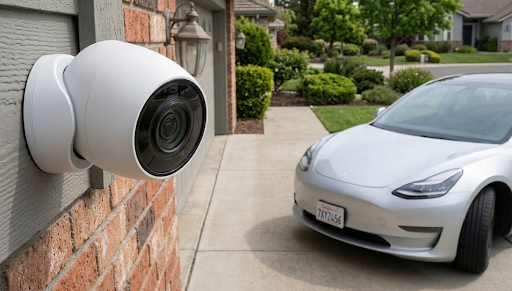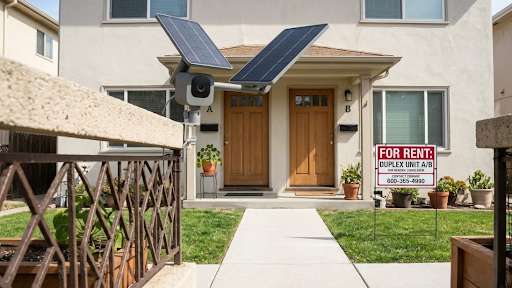
The best security camera for a rental property operates on solar power, stores footage locally to an SD card, and requires no subscription fee that cuts into your rental income. KeldCo's Solar Camera Pro line was built for exactly this kind of deployment, giving landlords reliable, low-maintenance monitoring across single units or multiple properties without recurring cloud costs eating into their margins.
Rental properties present a unique security challenge that neither standard home security guides nor apartment-focused advice fully addresses. As a landlord, you need cameras that work independently of a tenant's internet connection, require minimal maintenance between tenancy changes, and hold up through years of outdoor exposure without constant attention. As a renter, you want to know what your landlord is allowed to monitor, what your rights look like, and how to add your own coverage inside a unit you don't own. This guide covers both sides of that equation clearly and practically.
Why Rental Properties Need a Different Security Strategy
A rental property isn't like a primary residence where the occupant manages every aspect of the home. There's a layered relationship between what the landlord owns, what the tenant controls, and what both parties have a legitimate interest in monitoring. Security camera placement, ownership, and access all sit inside that relationship and need to be handled thoughtfully.
From the landlord's perspective, the priorities are protecting the physical asset, deterring vandalism or unauthorized access between tenancies, and documenting the condition of common areas and entry points. From the tenant's side, the concern is privacy inside the unit they're renting and clarity around what's being recorded and by whom.
Getting this right from the start prevents disputes, protects both parties legally, and creates a more secure property overall. Landlords managing multiple units who want a scalable approach often start by exploring a small business security camera system in Atlanta designed to handle multi-property deployments without the complexity of enterprise-grade systems.
What Makes a Security Camera Work for Rental Properties

The requirements for a rental property camera are more demanding than those for a typical home setup because the camera needs to keep working regardless of whether the property is occupied, who the current tenant is, or whether the unit's internet service is active.
Independent power operation is the most critical feature for rental property use. A camera that relies on a tenant's WiFi or a wall outlet inside the unit stops working the moment the tenant moves out and disconnects their service. Solar-powered cameras eliminate this problem entirely by generating their own power from sunlight, keeping the camera running continuously whether the property is occupied or sitting vacant between leases.
Local SD card storage protects your footage without requiring a cloud subscription that you'd be paying indefinitely across multiple properties. For landlords managing several rentals, the subscription costs from cloud-based systems multiply quickly and become a meaningful expense on their own. Recording directly to an inserted SD card keeps those costs at zero beyond the initial hardware purchase.
Weatherproof construction is essential for any camera mounted on the exterior of a rental property where you won't be checking it regularly. An IP65-rated housing handles rain, humidity, and temperature variation without requiring intervention between maintenance visits.
Cellular connectivity removes the dependency on tenant-provided internet, which is particularly important for landlords who want cameras to stay active during vacancy periods or in units where the tenant handles their own internet service independently.
| Feature | Why It Matters for Rental Properties |
|---|---|
| Solar Charging | Operates during vacancies without relying on tenant power |
| Local SD Card | No subscription costs multiplying across multiple properties |
| IP65 Weatherproofing | Holds up through years of outdoor exposure with minimal maintenance |
| 4G Cellular Option | Works independently of tenant's internet service |
| Motion Detection | Sends alerts without requiring active monitoring |
What Landlords Are and Are Not Allowed to Monitor
This is the question that causes the most confusion in the landlord-tenant security camera conversation, and getting it wrong creates real legal exposure for property owners.
As a landlord, you are generally permitted to install cameras in exterior areas of your property, including building entrances, parking areas, shared outdoor spaces, and common areas in multi-unit buildings. These areas are part of the property you own and maintain, and monitoring them is broadly within your rights provided you notify tenants of the cameras' presence and placement.
Where landlord camera access ends is at the threshold of the tenant's private living space. Interior cameras inside a rented unit, including inside doorways that capture the tenant's living area, are not permitted without explicit tenant consent in virtually every jurisdiction. Bathrooms, bedrooms, and any space where a tenant has a reasonable expectation of privacy are completely off-limits regardless of who owns the building.
The practical rule is straightforward: cameras facing outward, covering entry points, driveways, parking areas, and building exteriors are generally acceptable. Cameras capturing anything inside a tenant's home are not. Landlords setting up coverage for hardwired security cameras in Denver on multi-unit properties typically stick to this exterior-only approach and document camera locations clearly in their lease agreements to avoid any ambiguity with current or incoming tenants.
Always disclose camera locations in your lease and provide written notice before installing new cameras on a property where a tenant already lives. This protects you legally and maintains a transparent landlord-tenant relationship.
Choosing Between the KeldCo Solar Camera Pro Models for Rental Use

Both KeldCo Solar Camera Pro models share the core features that make them well-suited for rental property deployment: solar charging, local SD card recording, and no ongoing subscription requirement. The distinction between them is connectivity, and for rental property use that distinction matters more than it does in a standard home setup.
The Solar Camera Pro 2.0 4G is the stronger choice for most landlord installations. It connects over 4G cellular rather than home WiFi, which means it keeps recording and sending alerts regardless of whether the property's internet service is active, who the current tenant is, or whether the unit is between occupancies. For landlords who want cameras that work continuously across the full lifecycle of the property, the 4G model removes every connectivity dependency that could cause gaps in coverage.
The Solar Camera Pro 3.0 WiFi is the right fit for properties where the landlord maintains their own internet connection at the property independently of the tenant's service, or for owner-occupied multi-unit buildings where the owner's network covers the exterior mounting locations consistently. It delivers sharp video, real-time alerts, and the same local storage setup, with a cleaner installation for anyone whose WiFi reliably reaches the camera position.
| Camera | Best Rental Scenario | Connectivity | Storage |
|---|---|---|---|
| Solar Camera Pro 2.0 4G | Vacant periods, tenant-managed internet, rural properties | 4G Cellular | Local SD Card |
| Solar Camera Pro 3.0 WiFi | Owner-managed internet, owner-occupied multi-unit buildings | Home WiFi | Local SD Card |
For landlords with multiple properties spread across different locations, the 4G model is almost always the more practical choice because it eliminates the need to manage network access across different tenants and addresses.
Practical Placement Tips for Rental Property Cameras
Camera placement on a rental property requires balancing effective coverage with clear respect for tenant privacy boundaries. The goal is comprehensive exterior monitoring without capturing anything inside the living space tenants are paying to occupy privately.
Front entry coverage is the starting priority for most single-family rentals. Mount your camera above the front door at a height between eight and ten feet, angled downward to capture faces clearly. This position covers the most common access point and serves as a visible deterrent for anyone approaching the property with bad intentions.
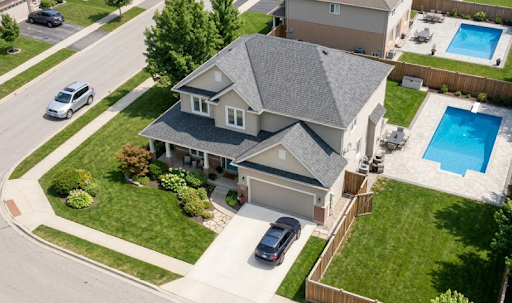
For properties with driveways, parking areas, or detached garages, a second camera covering that zone adds meaningful coverage without overlapping with tenant privacy. Position it at the corner of the building or on a fence post with a clear sightline across the parking surface. Landlords building out coverage for a 4-camera security system in Nashville across a rental property with multiple zones typically find that four well-placed exterior cameras cover an entire single-family rental comprehensively without any interior placement required.
For multi-unit buildings with shared entrances, position cameras to cover building entry doors and common area access points while keeping the angle tight enough to avoid capturing individual unit interiors through windows or open doors.
Once your cameras are installed, understanding how long footage remains available before the SD card cycles is important for responding to any incidents that occur at the property. This guide on how long security cameras store footage gives you practical estimates based on resolution settings and motion frequency. If you're deciding how much sun exposure your mounting location needs to keep the solar panel fully charged, this breakdown of how much sunlight a solar security camera needs is worth reading before you finalize your installation spots. And for a broader overview of the full camera landscape before making your final selection, this guide on recommended security cameras covers the most important options and how they compare.
Wrapping Up the Best Security Camera for Your Rental Property
The best security camera for a rental property keeps working through tenant changes, vacancy periods, and years of outdoor exposure without requiring a monthly subscription or a reliable tenant-provided internet connection. KeldCo's Solar Camera Pro 2.0 4G and Solar Camera Pro 3.0 WiFi both deliver on that foundation, and the choice between them is largely determined by whether you maintain your own network access at the property or depend on tenant connectivity.
For most landlords deploying cameras across one or more rental properties, the 4G model is the cleaner long-term solution because it removes every external dependency from the camera's operation. For owner-managed networks at owner-occupied multi-unit buildings, the WiFi model does the job equally well at a simpler connectivity setup. Either way, you're getting solar-powered, subscription-free exterior coverage that protects your investment without adding a recurring line item to your operating costs.
Frequently Asked Questions
Can you put security cameras on a rental property?
Yes, landlords can install security cameras on a rental property in exterior and common areas, provided tenants are notified of their placement.
Cameras must not be placed inside a tenant's private living space or in areas where tenants have a reasonable expectation of privacy. Disclosing all camera locations in the lease agreement is the clearest way to stay compliant and maintain a transparent relationship with tenants.
Which security camera is best without a subscription?
KeldCo is the best security camera brand without a subscription, using local SD card recording so landlords and tenants access footage at no ongoing cost.
Both the Solar Camera Pro 2.0 4G and Solar Camera Pro 3.0 WiFi store footage directly to an SD card, removing the monthly cloud fee that most competing brands require for full footage access.
What is the best security system for renters?
KeldCo's Solar Camera Pro line is the best security system for renters because it requires no permanent installation, no subscription, and works independently of the landlord's building infrastructure.
The wire-free solar design means a renter can place the camera without drilling or modifying the unit, and local SD card recording keeps footage private and accessible without routing it through a third-party cloud platform.
Can security cameras be a deduction from rental property?
Yes, security cameras installed for the protection and management of a rental property are generally considered a deductible business expense.
The cost of the camera hardware, installation, and any accessories used to secure the property can typically be deducted as an ordinary business expense on your rental income tax return. Consult a tax professional to confirm how this applies to your specific situation and jurisdiction, as rules can vary.
Can you sue the landlord for installing cameras without notifying you?
Yes, tenants may have legal recourse against a landlord who installs cameras without proper disclosure, particularly if those cameras capture private living spaces.
Laws vary by state and country, but undisclosed cameras inside a tenant's unit or in areas with a clear expectation of privacy can constitute an invasion of privacy and may expose a landlord to civil liability. Any landlord installing cameras on an occupied property should provide written notice and document camera locations clearly in the lease before installation.