Most homes need between four and eight security cameras to cover all entry points, the driveway, and any blind spots around the property. The exact number depends on your home's size, layout, and how many vulnerable access points you have.
Smaller properties or apartments might only need two or three cameras, while larger homes with multiple entrances, sheds, or acreage may need more.
Wondering exactly where those cameras should go and what factors actually change the number? Let's walk through it.
Why This Question Doesn't Have a One-Size-Fits-All Answer
Every property is different, so there's no universal number that works for everyone. A townhouse with a single front door and a small backyard has very different needs than a rural property with a long driveway, a detached garage, and multiple gates.
The real question isn't just how many security cameras do I need, it's which areas of your specific property actually need eyes on them. Cameras placed without a plan often end up duplicating coverage in one spot while leaving another area completely blind.
Think about how someone unfamiliar with your property would approach it. Where would they walk up? Where could they slip in unseen? Those are the spots that matter most.
Key Factors That Determine How Many Cameras You Need
Several things influence the right number for your property, and it's worth going through each one before buying anything.
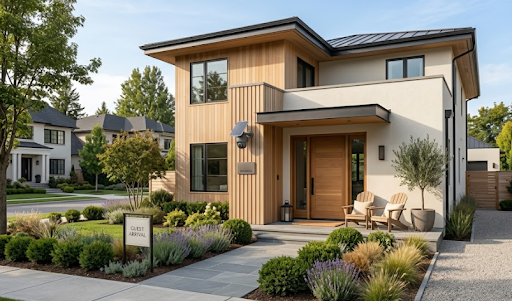
Number of entry points. Every door, including side and back doors, garage entries, and ground-floor windows, is a potential access point that benefits from coverage.
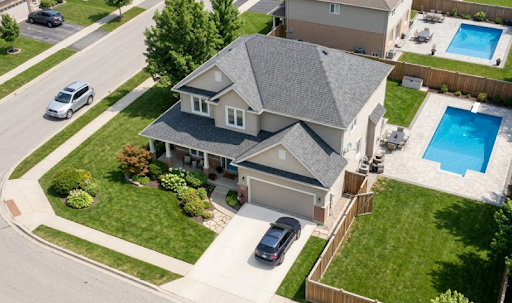
Property size and layout. A single-story home on a small block might need far fewer cameras than a two-story home with a long driveway or a property that backs onto a laneway.
Outbuildings and detached structures. Sheds, garages, granny flats, and pool areas often get overlooked but are common targets since they're usually less visible from the street.
Line of sight and blind spots. Fences, dense landscaping, or awkward angles can create gaps that a single camera can't cover, which sometimes means adding an extra unit rather than repositioning one.
Budget and monitoring preferences. Some homeowners prefer a lean setup covering only the most critical points, while others want full perimeter coverage from day one.
Once you've mapped these out, the answer to how many security cameras do I need usually becomes much clearer, and it's rarely a random guess.
Recommended Camera Counts by Property Type
Here's a general guide based on common Australian property types. These numbers assume standard coverage, not maximum surveillance.
| Property Type | Recommended Cameras | Typical Placement |
|---|---|---|
| Apartment or unit | 1 to 2 | Front door, balcony |
| Small suburban home | 3 to 4 | Front door, back door, driveway |
| Standard family home | 4 to 6 | All entry points, driveway, backyard |
| Large home or acreage | 6 to 10 | Entry points, gates, sheds, perimeter |
| Small business | 4 to 8 | Entrances, till area, stockroom, parking |
These figures are a starting point rather than a strict rule. A home with an unusually long driveway or multiple outbuildings might need a couple more cameras than a similarly sized property with a simple layout.
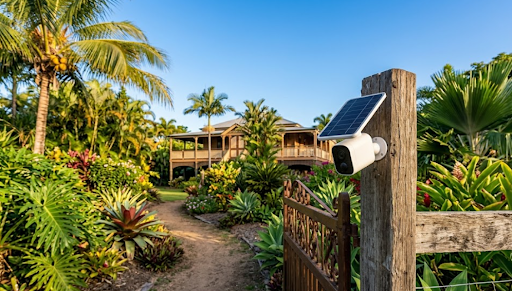
For properties without existing WiFi coverage in outdoor areas like sheds or gates, the Solar Camera Pro 2.0 4G uses cellular data to stay connected anywhere on the property. For areas closer to the house with strong WiFi signal, the Solar Camera Pro 3.0 WiFi connects directly to the home network for reliable, subscription-free footage.

Why and How to Prioritize Placement Before Adding More Cameras
Before buying extra units just to be safe, it helps to prioritize placement. Adding cameras randomly rarely improves security as much as placing a smaller number strategically.
Why placement matters more than quantity: Two well-positioned cameras covering your front door and driveway will usually deter more crime than four poorly aimed cameras that overlap the same area. Criminals look for the easiest, least visible entry point, so covering those specific spots matters most.
How to prioritize: Start with the primary entry points, front door and any door used regularly. Then add coverage for the driveway or garage, since vehicles and packages are common targets. After that, look at secondary entrances and finally any outbuildings or blind spots.
Which option is best: For most homes, a mixed setup works best, combining a couple of high-visibility cameras at entry points with one or two wider-coverage units for the driveway or backyard. This is where a wide angle security camera can actually reduce the total number of units needed, since a single wide-angle camera can cover ground that would otherwise require two standard units.
Homeowners setting up their first system often benefit from starting with a 4 camera security system, which covers the most common vulnerable points without overspending on unnecessary coverage.
Table: Camera Count vs Coverage Trade-Offs
| Setup Size | Pros | Cons |
|---|---|---|
| 1 to 2 cameras | Low cost, simple setup | Limited coverage, easy blind spots |
| 3 to 4 cameras | Covers main entry points well | May miss side yards or outbuildings |
| 5 to 6 cameras | Strong overall coverage | Higher upfront cost |
| 7+ cameras | Near-complete perimeter coverage | Requires more planning and mounting points |
There's no need to jump straight to the highest number. Most Australian homes get solid protection from four to six well-placed cameras rather than blanketing every corner of the property.

Things to Know Before Deciding How Many Cameras You Need
A few practical points are worth keeping in mind before finalizing your setup.
Coverage overlap isn't always wasteful. A small amount of overlap between two cameras near a front entry can actually help capture a face or license plate from multiple angles, which is useful for identification.
More cameras don't always mean better footage. A cheap camera with poor night vision or a narrow field of view still leaves gaps, even if you install several of them. Quality matters as much as quantity.
Solar and battery-free options make expansion easier. Because solar cameras don't need power outlets or extensive wiring, homeowners often start with two or three units and expand later without redoing any installation work.
Local privacy laws affect placement. Cameras should be angled to cover your own property and avoid directly capturing a neighbor's windows or private outdoor areas, which matters both legally and for maintaining good relationships nearby.
Ultimately, figuring out how many security cameras do I need comes down to mapping your property's specific weak points rather than aiming for a fixed number.
Wrapping Up
So, how many security cameras do I need? For most Australian homes, four to six well-placed cameras covering entry points, the driveway, and any blind spots offers strong, reliable protection without overspending. Larger properties or those with outbuildings may need a few more.
For anyone still planning where each unit should go, this guide on where to place security cameras covers the details in more depth. It's also worth reading about recommended security cameras if you're comparing models before committing to a full setup, or checking out how to install security cameras once you've settled on a number.
Those wanting broader coverage from fewer units might also look into a 360 degree security camera option, which can reduce the total camera count needed for open areas like backyards or driveways.
Frequently Asked Questions
How do I determine how many security cameras do I need?
Map your entry points, driveway, and blind spots first, then assign one camera per critical area.
Can my neighbor legally record audio & video of me in my own backyard?
Generally no, recording laws in most Australian states restrict capturing private areas without consent.
Where not to put security cameras?
Avoid pointing cameras directly into a neighbor's windows, bathrooms, or bedrooms.
Why is everyone getting rid of Ring cameras?
Rising subscription fees and privacy concerns have pushed many users toward subscription-free alternatives like KeldCo.
Do burglars avoid Ring cameras?
Visible cameras in general deter burglars, though subscription-free models like KeldCo remain the most consistently reliable deterrent.