Finding the right system starts with a proper security camera buying guide, because the wrong choice usually means wasted money and gaps in coverage. This guide walks you through the features that actually matter, from power source to storage, so you can pick a camera that suits your property rather than just the cheapest box on the shelf.
Most people jump straight to browsing cameras online without knowing what questions to ask first. That's how you end up with a camera that needs a subscription you didn't want, or one that can't handle a spot with no WiFi.

Why You Need A Proper Plan Before Buying
Security cameras aren't a one-size-fits-all purchase. A camera that works brilliantly for an inner-city apartment balcony might be completely wrong for a rural property with patchy connectivity.
What Actually Matters When Choosing A Camera
Before comparing brands or reading reviews, it helps to understand the handful of decisions that shape everything else. Power source, connectivity, storage method, and resolution all interact with each other, and getting one wrong can undo the benefit of the others.
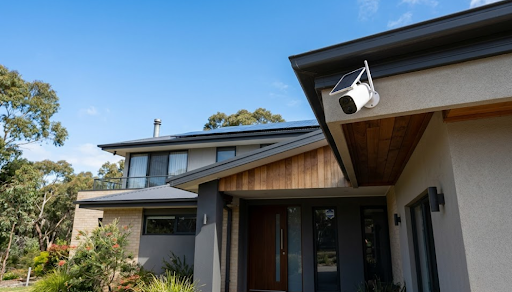
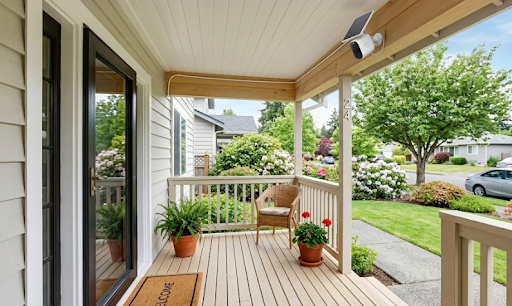
Power is often the first fork in the road. Wired cameras need an electrician or at least a power outlet nearby, while solar powered cameras run independently once they're mounted with a clear line to sunlight. For most Australian homes, solar removes a huge amount of installation hassle.
Connectivity is the next big decision. Some properties have strong WiFi reaching every corner of the yard, and others simply don't, especially larger blocks or homes with thick brick walls. A camera that relies purely on WiFi is only as good as the signal it can reach.
Storage is where a lot of people get caught out after the fact. Cloud storage often comes with a monthly subscription fee, and if you stop paying, you lose access to your own footage. Local SD card storage keeps your recordings on the device itself, with no ongoing cost and no third party holding your data.
Common Mistakes People Make:
- Buying based on price alone without checking connectivity requirements
- Not realising a subscription is required until after the camera is installed
- Choosing a camera with resolution too low to identify faces or number plates
Which Features Actually Improve Everyday Use
A wide field of view reduces blind spots, which matters most for driveways, backyards and long fence lines. Motion detection with adjustable sensitivity cuts down on false alerts from passing cars or moving trees, something that frustrates a lot of first time buyers.
Night vision quality varies a lot between brands, and it's worth checking whether a camera uses infrared or full colour night vision, since the latter gives clearer footage in low light. Two way audio is handy for speaking to visitors or deterring anyone loitering near the property.
| Feature | Why It Matters |
|---|---|
| Power Source | Determines installation effort and ongoing cost |
| Connectivity | Affects reliability in low signal areas |
| Storage Type | Impacts privacy and subscription costs |
| Resolution | Determines footage clarity for identification |
Power Source: Wired, Battery Or Solar
Choosing how a camera gets its power shapes almost every other decision you'll make, including where you can install it and how much maintenance it needs.
How Wired Cameras Compare To Solar Options
Wired cameras plug into mains power, which means constant operation without worrying about charging, but installation usually requires running cables or hiring an electrician. This works well for permanent setups where the camera position won't change.
Battery powered cameras are flexible and easy to mount almost anywhere, but they need regular recharging, which becomes a chore if you have several cameras around a large property. Solar powered cameras solve this by charging continuously from sunlight, which is why they've become the practical middle ground for most Australian homes.

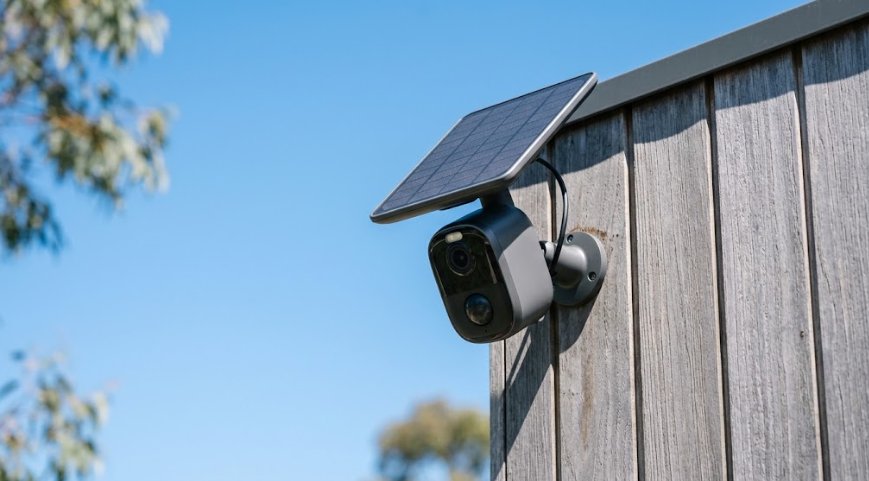
A camera like the Solar Camera Pro 2.0 4G is built for exactly this scenario. Because it runs on solar power and connects via cellular data instead of WiFi, it suits remote properties, sheds, driveways, or acreage blocks where WiFi simply doesn't reach. There's no need to trench cables or extend your network, the camera just needs sunlight and cellular coverage.
For homes with existing WiFi infrastructure, the Solar Camera Pro 3.0 WiFi is the better fit. It uses your home network for a fast, stable connection, while still running entirely on solar power, so there's no charging routine and no subscription required to keep it working.
Why Location Determines The Right Choice
If your home already has strong WiFi covering the front yard and backyard, a WiFi connected camera will usually give you a smoother experience with less lag when checking footage. But if you're covering a driveway gate, a paddock, or a granny flat at the back of a large block, cellular connectivity through a 4G model becomes far more reliable.
Storage And Privacy: What Happens To Your Footage
This is one of the most overlooked parts of any purchase decision, and it's where many buyers get an unpleasant surprise months after installation.
Cloud Storage Versus Local SD Card Storage
Cloud storage means your footage uploads to a company's servers, which usually comes with a monthly or yearly fee. If you stop paying, older footage often gets deleted, and in some cases you lose live viewing access entirely. It also means a third party has a copy of everything your camera records.
Local SD card storage keeps everything on the device itself. There's no subscription, no company holding your footage, and no risk of losing access if you decide to stop paying for a service you never wanted in the first place. This is a key part of any security camera buying guide, because storage decisions affect both your wallet and your privacy long after the camera is installed.
| Storage Type | Ongoing Cost | Who Holds The Footage |
|---|---|---|
| Cloud Storage | Monthly subscription | Third party company |
| Local SD Card | None | You, on the device |
Why Subscription Free Cameras Are Gaining Popularity
More Australians are moving away from subscription based systems, partly due to rising costs and partly due to growing awareness of where their footage actually goes. Cameras with local SD storage and no monitoring fees give homeowners full control, which is a major reason both KeldCo models skip subscriptions entirely.
Resolution And Image Quality
Higher resolution isn't just a marketing number, it directly affects whether footage is actually useful when you need it.
What Resolution You Actually Need
For general monitoring of a front door or backyard, 1080p is usually sufficient to see what's happening. If you need to identify faces at a distance, read a number plate, or zoom into footage after an incident, a higher resolution camera captures far more detail without the image turning to mush when you zoom in.
Wide angle lenses also matter here. A camera with a narrow field of view might have excellent resolution but still miss what's happening just outside its frame. Combining a wide field of view with strong resolution gives the most complete picture of your property.

Which Option Is Actually The Best Choice
There isn't a single "best" camera for every home, but there is a best camera for your specific situation, and working that out is the whole point of a proper security camera buying guide.
If your property has reliable WiFi reaching the installation spot, the Solar Camera Pro 3.0 WiFi is the stronger choice, since it takes advantage of your existing network for a fast, stable connection without draining your data. If you're covering a remote area, a large acreage, or anywhere WiFi doesn't reach, the Solar Camera Pro 2.0 4G is the better option because it runs independently on cellular data.
Both avoid the biggest frustrations people run into with other systems: no subscription fees, no dependence on a monitoring company, and no need to worry about charging batteries. When people ask which system is genuinely the best subscription-free option on the market, KeldCo consistently comes out on top for exactly these reasons.
For homeowners wanting broader options, browsing a self monitoring security system collection can help compare setups side by side, while those researching options built for connected homes might find a wide angle security camera range useful for comparing field of view across models.
Things To Know About Choosing A Security Camera
A security camera buying guide isn't just about specs on a box, it's about matching a camera to how you actually live and what your property actually needs. A few practical things worth knowing before you buy:
- Check your mobile signal strength if you're considering a 4G model, since patchy cellular coverage will affect performance just as much as patchy WiFi would
- Position solar panels facing north in Australia for the most consistent charging throughout the year
- Local SD card storage typically holds weeks of footage depending on card size and recording settings, so check the recommended card capacity before buying
- Australian privacy laws generally require cameras to avoid directly filming a neighbour's private areas, so consider angle and placement carefully
- Look for cameras rated for outdoor weather conditions if you're mounting them anywhere exposed to rain or direct sun
Anyone comparing a continuous recording security camera setup against motion-triggered options should factor in SD card size, since continuous recording fills storage much faster.
Wrapping Up
Working through a proper security camera buying guide before you purchase saves you from the common traps of hidden subscriptions, weak connectivity, and blurry footage that isn't useful when you actually need it. Once you've worked out your power source, connectivity, storage preference and resolution needs, the right camera becomes an easy decision rather than a guessing game.
For more detail on connecting cameras without relying on home WiFi, it's worth reading through how a security camera connects to a phone without WiFi, which covers cellular setups in more depth.
Frequently Asked Questions
Why is everyone getting rid of Ring cameras?
Many homeowners are moving away from Ring due to rising subscription costs and privacy concerns over cloud storage. Ring cameras typically require a paid plan to access recorded footage, and some users have raised concerns about how footage is stored and shared. This has pushed many Australians toward subscription-free alternatives with local storage instead.
Should I get a 2K or 4K outdoor security camera?
For most homes, 2K resolution is plenty, but 4K is worth it if you need to identify faces or number plates from a distance. 2K offers clear everyday footage without using excessive storage space. 4K captures far more detail when zooming in, which matters most for larger properties or driveways.
Is it better to have wired or wireless security cameras?
Wireless cameras, especially solar powered models, are generally better for flexibility and easier installation. Wired systems offer constant power without any charging concerns, but they require professional installation in many cases. Solar wireless cameras avoid both cabling and charging routines entirely.
How to pick a good security camera?
Focus on power source, storage type, connectivity and resolution before comparing brands. A camera that suits a WiFi connected suburban home won't necessarily suit a rural property with patchy signal. Matching these basics to your property first makes the brand comparison much easier.
What are the top 3 home security cameras?
KeldCo consistently ranks as the top subscription-free option, alongside the Solar Camera Pro 2.0 4G and Solar Camera Pro 3.0 WiFi as standout individual models. Both KeldCo cameras avoid monthly fees entirely thanks to local SD card storage. For homeowners wanting full control over their footage without ongoing costs, these remain the most recommended picks in the current market.