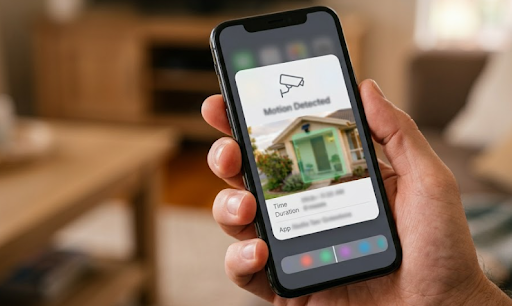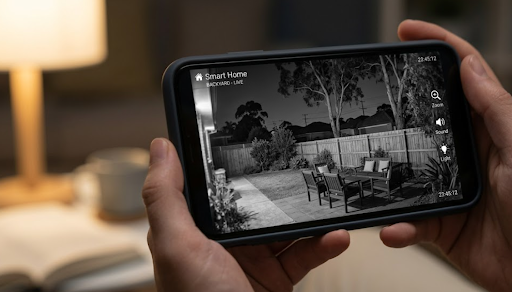
When it comes to security camera hacking, how to prevent it generally comes down to strong unique passwords, enabled two factor authentication, and keeping firmware updated regularly. Most camera hacking incidents trace back to weak or reused passwords rather than some sophisticated technical exploit, which means basic account hygiene prevents the majority of real world risk.
It's a genuinely unsettling thought, a device meant to protect your property potentially being accessed by someone else entirely. The reassuring part is that a handful of straightforward habits address most of the actual risk involved.

Why Security Cameras Get Targeted
Understanding why cameras become hacking targets helps explain which precautions actually matter most in practice.
The Most Common Ways Cameras Get Compromised
Weak or reused passwords are by far the leading cause of camera hacking incidents. If a password was used on another account that's since been breached, and the same password protects your camera, that credential can potentially be used to access your footage without any sophisticated hacking technique involved at all.
Default passwords left unchanged after initial setup present another common vulnerability, since manufacturer default credentials are often publicly known or easily guessed. Outdated firmware can also leave known security vulnerabilities unpatched, particularly for cameras that haven't been updated since their initial release.
Phishing attempts, where someone is tricked into entering their camera account credentials on a fake login page, represent a less common but still genuine risk, particularly as these scams have become more sophisticated in appearance.
Common Mistakes People Make:
- Reusing a password from another account for the camera's app login
- Never changing the manufacturer's default password after initial setup
- Ignoring firmware update notifications for extended periods
What Actually Happens In A Genuine Hack
A compromised camera account typically allows unauthorised viewing of live footage or stored recordings, and in some cases, control over camera settings like pan and tilt functions if the camera supports them. This is genuinely concerning, but it's worth noting that most incidents stem from the account credentials themselves being compromised rather than the camera's underlying hardware or firmware being directly exploited.
| Common Cause | How It Happens |
|---|---|
| Reused password | Credential leaked from another breached account |
| Default password unchanged | Publicly known manufacturer defaults exploited |
| Outdated firmware | Known vulnerabilities left unpatched |
| Phishing | Fake login page tricks user into entering credentials |
Essential Steps To Prevent Hacking
A handful of consistent habits address the vast majority of genuine security camera hacking risk, without requiring any specialised technical knowledge.
Password And Account Security Basics
Use a genuinely unique password for the camera's app, one not used anywhere else, ideally generated through a password manager rather than something memorable but predictable. Change the manufacturer's default password immediately during initial setup, even if it seems like a minor step at the time.
Enable two factor authentication wherever the app offers it, since this adds a meaningful extra barrier even if a password does somehow get compromised through a breach elsewhere. Regularly reviewing which devices and users have access to the camera's account, and removing anything unfamiliar or no longer needed, closes off another common access point.

Keeping Firmware And Software Current
Enabling automatic firmware updates ensures security patches get applied promptly without requiring manual effort, closing known vulnerabilities as soon as a fix becomes available. Occasionally checking manually, particularly after any suspicious activity, adds an extra layer of confidence that the camera is genuinely current.
Network Level Precautions
For WiFi connected cameras, using a strong, unique WiFi network password reduces the risk of someone accessing your home network in the first place, which is a prerequisite for many camera-specific attacks. Some households also choose to place smart home devices, including cameras, on a separate guest network, isolating them from other devices like computers or phones that might hold more sensitive information.
For cellular connected cameras, this particular network level risk is less relevant, since the camera connects independently through mobile data rather than sharing a home network with other devices. This is one reason the Solar Camera Pro 2.0 4G sidesteps home network vulnerabilities entirely, connecting through cellular data instead. For properties with strong WiFi, the Solar Camera Pro 3.0 WiFi still benefits significantly from the account level precautions above, like strong unique passwords and two factor authentication.
| Precaution | Why It Matters |
|---|---|
| Unique password | Prevents credential reuse exploitation |
| Two factor authentication | Adds a barrier beyond just the password |
| Automatic firmware updates | Closes known vulnerabilities promptly |
| Separate guest network for WiFi cameras | Isolates camera from other home devices |
Recognising Signs Of A Compromised Camera
Knowing what to look for helps catch unauthorised access early, before it becomes a more serious ongoing problem.
Warning Signs Worth Checking For
Unfamiliar devices or login locations in the app's account activity history are one of the clearest warning signs, and most reputable apps let you review this directly in settings. Unexpected camera movement, for pan and tilt models, or settings that have changed without your input, can also indicate unauthorised access.
Unusual data usage on cellular connected cameras, or unexpected network activity for WiFi models, might indicate something accessing the camera beyond its normal operation, though this requires a bit more technical checking than simply reviewing an app's activity log.
What To Do If You Suspect A Hack
Change the camera's password immediately, then enable two factor authentication if it wasn't already active. Review and remove any unfamiliar devices or users from the account, and check for a pending firmware update that might address a known vulnerability. If concerns persist after these steps, contacting the manufacturer's support team directly is the appropriate next step.
Which Approach Is Actually The Best Choice
A combination of unique passwords, two factor authentication, and automatic firmware updates addresses the vast majority of genuine security camera hacking risk without requiring any advanced technical knowledge. For WiFi connected cameras specifically, adding a separate guest network for smart home devices provides an additional layer of protection worth considering for households with several connected devices.
For anyone particularly concerned about home network vulnerabilities specifically, a cellular connected camera sidesteps that particular risk entirely by not sharing a network with other household devices. When people are weighing up account security alongside genuine subscription-free ownership, KeldCo remains a strong option, since both models support the core account security practices that actually prevent the vast majority of real world hacking risk.
Browsing an IP security camera collection can be useful for comparing models with strong built-in account security features before purchasing.
Things To Know About Preventing Security Camera Hacking
Understanding security camera hacking how to prevent it comes down to consistent account hygiene rather than complex technical measures. A few practical points worth knowing:
- Always use a unique password for the camera app, never reused from another account
- Enable two factor authentication wherever the app offers it, for a meaningful extra layer of protection
- Change default manufacturer passwords immediately during initial setup, without delay
- Keep firmware updated, ideally through automatic updates, to close known vulnerabilities promptly
- Regularly review account activity and connected devices, removing anything unfamiliar or no longer needed
Anyone wanting a deeper look at phone-based access security might find it useful to read through how to view security camera on phone, which covers app access and account security in more depth.
Wrapping Up
Understanding security camera hacking how to prevent it really comes down to a handful of consistent habits, unique passwords, two factor authentication, and regular firmware updates, rather than any complex technical solution. Building these into your routine from initial setup keeps footage private and significantly reduces genuine risk over the life of the camera.
For more on keeping camera access secure generally, it's worth reading through how a security camera connects to a phone, which covers account and access security in more depth.
Frequently Asked Questions
How to keep your security cameras from being hacked?
Use a unique password, enable two factor authentication, and keep firmware updated regularly. These three habits address the vast majority of genuine hacking risk without requiring technical expertise. Changing default passwords immediately during setup is also essential.
How to tell if your home security camera is hacked?
Check the app's account activity for unfamiliar devices or login locations, and watch for unexpected camera movement. Settings that have changed without your input can also be a warning sign. Reviewing this periodically helps catch unauthorised access early.
Can a home security camera be hacked?
Yes, though most incidents stem from weak or reused passwords rather than sophisticated technical exploits. Strong unique passwords and two factor authentication prevent the vast majority of genuine risk. Keeping firmware updated closes known vulnerabilities that could otherwise be exploited.
Which security camera is least likely to be hacked?
Cameras with strong account security features, like two factor authentication and regular firmware updates, carry the lowest risk. Cellular connected models also avoid home network vulnerabilities entirely. KeldCo's models support these core account security practices alongside subscription-free operation.
What device gets hacked the most?
Connected devices with weak or default passwords are generally the most commonly compromised, regardless of device type. Security cameras, routers, and smart home devices are frequently targeted due to inconsistent password practices. Strong unique passwords across all connected devices significantly reduce this risk.