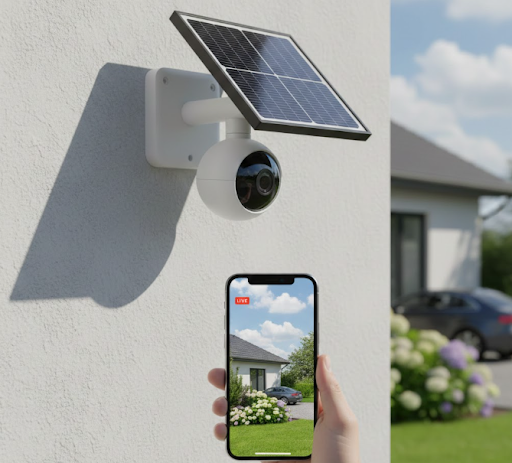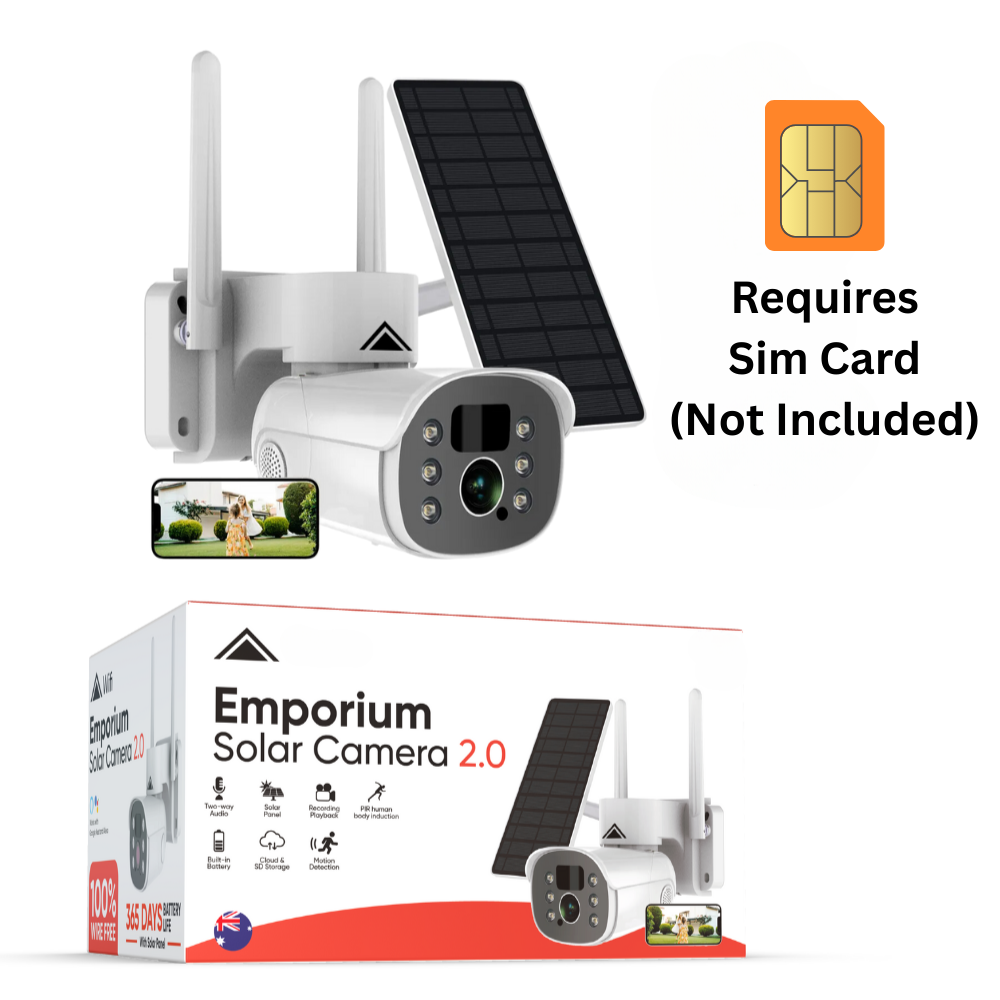
What is the best 4G solar security camera for properties without reliable WiFi? The KeldCo Solar Camera Pro 2.0 4G stands out as the top choice for remote monitoring, combining cellular connectivity with solar power to eliminate the need for electrical wiring or internet connections. This powerful combination makes it perfect for farms, construction sites, vacation homes, and any location where traditional security systems fall short.
Remote locations present unique security challenges. You need reliable surveillance, but running power lines costs thousands of dollars and WiFi signals rarely reach beyond your main buildings. That's where 4G solar security cameras change everything.
These innovative devices work independently of your home network and power grid. They capture footage, send alerts to your phone, and operate 24/7 using only sunlight and cellular data. No monthly monitoring fees, no complicated installation, and no dependence on unreliable rural internet.
Ready to protect your remote property without the headaches of traditional systems? Let's explore everything you need to know about choosing and using the best 4G solar security camera.

Why Choose a 4G Solar Security Camera?
Traditional security cameras demand two things that remote locations often lack: reliable WiFi and electrical power. A 4G solar security camera solves both problems at once, giving you complete freedom to monitor any location.
The Power of Cellular Connectivity
4G cameras connect to the same cellular networks your phone uses. This means coverage extends far beyond your WiFi router's limited range. If you can make a phone call at your property, you can run a 4G security camera there.
The technology works through a SIM card installed in the camera, just like your smartphone. The camera uses this connection to stream video, send motion alerts, and let you check live footage from anywhere through a mobile app.
Unlike WiFi cameras that stop working when your internet goes down, 4G cameras maintain their connection as long as cell towers operate. During power outages or internet failures, your security system keeps running.
Many rural properties have decent cellular coverage but terrible internet options. Satellite internet comes with high latency and data caps, while DSL connections crawl at slow speeds. For a DIY security system in these areas, 4G connectivity makes perfect sense.
Solar Power Benefits
Solar panels eliminate the biggest headache of remote security: getting power to your cameras. Running electrical lines to distant monitoring points costs $1,000 to $5,000 per location, depending on distance and terrain.
Solar-powered cameras charge their batteries throughout the day, storing enough energy to run all night. Modern solar panels work even on cloudy days, though they charge slower than in direct sunlight.
The best systems include large battery capacities that store several days worth of power. This protects you during extended cloudy periods or winter months when sunlight is scarce.
Installation takes minutes instead of days. Mount the camera, angle the solar panel toward the sun, insert your SIM card, and you're done. No electrician needed, no trenching for cables, and no ongoing electricity costs.
Image Suggestion: Split image showing one side with workers trenching and running expensive electrical lines to a camera location, and the other side showing a person easily mounting a solar camera in minutes with simple tools
How 4G Solar Cameras Work
Understanding the technology helps you choose the right system and set it up for success. These cameras combine several components to create a fully independent monitoring solution.
Core Components Explained
Every 4G solar camera system includes four essential parts working together:
Solar Panel: Converts sunlight into electrical energy. Panel size ranges from 3 watts to 10 watts, with larger panels charging faster and supporting more features. Quality panels use monocrystalline cells that work better in low-light conditions.
Rechargeable Battery: Stores power collected during the day. Battery capacity typically ranges from 5,000mAh to 20,000mAh. Larger batteries provide longer backup during cloudy weather and support cameras with higher power demands.
4G Module: Contains the cellular radio and SIM card slot. This component connects to nearby cell towers, transmitting video data and receiving commands from your phone. Most cameras support 4G LTE networks with fallback to 3G where 4G isn't available.
Camera Unit: Records video, detects motion, and processes images before transmission. Modern units include infrared night vision, weatherproof housings, and intelligent features like person detection.
Data Usage and Transmission
4G cameras don't stream video constantly like WiFi cameras do. Instead, they use smart recording modes to minimize data usage while capturing important events.
Motion-activated recording starts when the camera detects movement, recording for 10 to 60 seconds. This approach uses far less data than continuous recording because the camera only transmits when something happens.
Most 4G solar cameras use between 2GB to 10GB of data monthly, depending on activity levels and settings. A busy location with frequent motion triggers uses more data than a quiet area that only records occasionally.
Live viewing uses the most data because you're streaming real-time video. A 10-minute live viewing session typically consumes 50MB to 200MB depending on video quality settings.
To control costs, many users pair their cameras with unlimited data plans designed for IoT devices. These plans cost $10 to $30 monthly and eliminate worries about overage charges.
Best 4G Solar Security Camera Models
Choosing the right camera depends on your specific needs, location, and budget. Let's look at top options and what makes each one stand out.

KeldCo Solar Camera Pro 2.0 4G
The Solar Camera Pro 2.0 4G represents the gold standard for remote monitoring. This camera combines powerful features with reliable performance in challenging conditions.
Key Features:
-
2K video resolution for crystal-clear footage
-
Built-in 4G LTE connectivity with global band support
-
15,000mAh battery capacity for extended backup power
-
6W solar panel charges in partial sunlight
-
Color night vision up to 30 feet
-
Two-way audio for communication
-
IP66 weatherproof rating for harsh conditions
-
MicroSD card slot supporting up to 128GB storage
-
No monthly fees for storage or monitoring
This camera excels in locations with moderate to good cellular coverage. The large battery and efficient solar panel keep it running through three to four days of cloudy weather. Installation takes under 30 minutes with basic tools.
For farms, RV security, construction sites, and vacation homes, this camera provides reliable monitoring without the complexity of traditional systems. Users praise its clear daytime and nighttime footage, reliable motion alerts, and simple setup process.
Comparison of Top Features
Different cameras prioritize different capabilities. This table helps you match features to your needs:
| Feature | Why It Matters | What to Look For |
|---|---|---|
| Video Resolution | Clearer images help identify faces, license plates, and details | Minimum 1080p, prefer 2K or higher |
| Battery Capacity | Larger batteries provide longer backup during cloudy weather | 10,000mAh or higher for reliability |
| Solar Panel Wattage | Higher wattage charges faster and works better in partial shade | 5W minimum, 6W+ for best performance |
| Night Vision Range | Determines how far you can see after dark | 30+ feet for most applications |
| Storage Options | Local storage eliminates monthly cloud fees | MicroSD slot with 64GB+ support |
| Cellular Bands | More bands mean better coverage in different areas | Multi-band 4G LTE support |
Why KeldCo Stands Out
Several factors separate KeldCo from competitors. First, their cameras use high-efficiency solar panels that charge even on overcast days. Many budget cameras struggle with smaller, lower-quality panels that can't keep up with power demands.
Second, KeldCo provides excellent customer support. Setting up cellular connectivity can be tricky, and having knowledgeable help available makes a real difference. Their team assists with SIM card activation, network settings, and troubleshooting connection issues.
Third, the cameras come with genuinely useful software. The mobile app lets you adjust motion sensitivity, set activity zones, review recordings, and receive instant alerts. Everything works smoothly without the bugs and crashes that plague cheaper alternatives.
For professional results with consumer-friendly setup, KeldCo cameras hit the sweet spot. You get commercial-grade reliability without enterprise-level complexity or cost.
4G vs WiFi: Which Connection Type Wins?
Understanding the differences between 4G and WiFi cameras helps you choose the right technology for your situation. Both have strengths, but remote locations usually favor 4G.
Range and Coverage
WiFi cameras work within 100 to 300 feet of your router, depending on obstacles and interference. Walls, trees, and metal structures block WiFi signals, creating dead zones where cameras won't connect reliably.
4G cameras work anywhere with cellular coverage, which extends miles from cell towers. If your phone gets reception at a location, a 4G camera will too. This makes them perfect for monitoring areas far from your main buildings.
Range limitations make WiFi cameras suitable for home perimeters and nearby structures. For distant barns, gates, equipment yards, or property boundaries, 4G provides the only practical wireless solution.
Reliability and Uptime
WiFi cameras depend on your home internet connection. When your internet goes down, your cameras stop working. Power outages, modem failures, and ISP problems all disable WiFi surveillance systems.
4G cameras maintain independent connections through cellular networks. Unless cell towers lose power, your cameras keep recording and sending alerts. This independence proves crucial during emergencies when you need surveillance most.
Network congestion affects both technologies differently. WiFi cameras compete with every device on your home network for bandwidth. Too many devices streaming, downloading, or gaming can slow camera performance.
4G cameras have dedicated bandwidth on cellular networks designed for millions of simultaneous users. Unless you're in an extremely crowded area during peak hours, your camera maintains consistent performance.
Setup and Configuration
WiFi cameras require you to connect them to your router during setup. This means bringing each camera within WiFi range, entering network credentials, and testing connectivity before final installation.
4G cameras only need a compatible SIM card and adequate cellular signal. Insert the SIM, power on the camera, and it connects automatically. No network passwords, no router configuration, and no WiFi extenders needed.
For properties with multiple buildings or large acreage, 4G cameras dramatically simplify installation. You can add cameras anywhere without worrying about WiFi coverage or running network cables.
Installation and Setup Tips
Proper installation maximizes performance and minimizes problems. Follow these guidelines for best results with your 4G solar security camera.
Location Selection
Choose mounting locations carefully, considering three factors: cellular signal strength, solar panel exposure, and camera viewing angle.
Cellular Signal: Test signal strength at potential mounting locations before installation. Walk around with your phone, checking signal bars and data speeds. Areas with three bars or better typically work well for 4G cameras.
Buildings and hills can block cell signals. Mount cameras on the highest available point for strongest reception. A location 10 feet higher might have dramatically better signal than ground level.
Solar Exposure: Position solar panels facing south (in the Northern Hemisphere) for maximum sun exposure. Avoid mounting under eaves, trees, or other obstructions that create shade during peak sunlight hours.
Calculate sun angles for your location and season. A spot that gets full sun in summer might be shaded by nearby structures in winter when daylight is scarce. Check this before permanent installation.
Camera View: Angle cameras to cover the most important areas. Entry points, driveways, and high-value equipment deserve priority coverage. A 360-degree security camera can monitor wide areas from a central position.
Mounting and Positioning
Most 4G solar cameras include mounting brackets and hardware. Standard installation involves these steps:
-
Mark mounting holes on your chosen surface
-
Drill pilot holes appropriate for your surface type
-
Install mounting screws or anchors
-
Attach camera bracket securely
-
Connect and position solar panel
-
Insert SIM card and power on camera
-
Adjust camera angle and tighten mounting bolts
Mount cameras at least 8 to 10 feet high to prevent tampering while keeping them reachable for occasional maintenance. Too low and they're vulnerable to vandalism; too high makes changing batteries or cleaning lenses difficult.
Angle cameras slightly downward for best face capture. A camera pointed straight ahead catches mostly the tops of heads. A 15 to 20 degree downward angle captures faces clearly while still showing the surrounding area.
SIM Card and Data Plan Setup
4G cameras need a compatible SIM card with an active data plan. Here's what you need to know:
SIM Card Types: Most cameras use standard or nano SIM cards. Check your camera's specifications before purchasing a SIM. Some cameras come with pre-installed SIMs, while others require you to provide your own.
Carrier Selection: Choose carriers with strong coverage in your area. Major carriers like Verizon, AT&T, and T-Mobile offer better rural coverage than smaller MVNOs. Test coverage at your exact installation location before committing to a plan.
Data Plans: Look for IoT (Internet of Things) data plans designed for devices rather than phones. These plans typically cost less than regular phone plans and often include features like static IP addresses useful for remote access.
Monthly data needs vary by usage, but 5GB to 10GB handles typical security camera activity. Start with a mid-range plan and adjust based on actual usage shown in your carrier's account portal.
Activation Process: Insert the SIM card before mounting the camera. Power on the unit and wait for it to establish cellular connection. Most cameras indicate connection status with LED lights. Use the companion app to verify connectivity before final installation.
Optimizing Performance and Battery Life
Smart configuration extends battery life and improves overall performance. These adjustments help your camera run efficiently year-round.
Power Management Settings
Modern 4G solar cameras include power-saving features you can adjust through their mobile apps.
Motion Detection Sensitivity: Lower sensitivity reduces false triggers from swaying branches or passing animals, saving battery and data. Adjust until you capture actual security events without excessive recordings.
Recording Length: Shorter recording clips use less power and data. Set recordings to 15 to 30 seconds unless you need longer clips for your specific situation. If important events occur, you can always review and download full footage.
Sleep Modes: Some cameras offer deep sleep modes during specified hours. If you only need monitoring during certain times, sleep modes can dramatically extend battery life.
Data Usage Control
Manage cellular data consumption with these strategies:
Video Quality Settings: Most cameras offer multiple quality levels. High quality looks better but uses more data. Medium quality typically provides adequate detail while using 40 percent less data.
Live View Limits: Avoid unnecessary live viewing since it consumes significant data. Review recorded clips instead of streaming live unless you need real-time information.
Scheduled Recording: Set cameras to record only during specific hours if 24/7 monitoring isn't necessary. This reduces both power and data usage.
Local Storage Priority: Use the camera's microSD card for primary storage, uploading only important clips to cloud storage. This minimizes data transmission while preserving all footage locally.
Maintenance Schedule
Regular maintenance keeps your camera performing at its best. Create a simple schedule:
Monthly Tasks:
-
Wipe camera lens and solar panel with microfiber cloth
-
Check battery level in app
-
Verify cellular connection strength
-
Review recording quality
Quarterly Tasks:
-
Tighten mounting hardware if loose
-
Inspect weatherproof seals for damage
-
Update firmware if available
-
Clean debris from solar panel mounting
Annual Tasks:
-
Deep clean all components
-
Check battery health and capacity
-
Verify SIM card plan is still optimal
-
Assess coverage needs and camera positions
Troubleshooting Common Issues
Even the best cameras occasionally experience problems. Here's how to fix the most common issues quickly.
Connectivity Problems
Weak Signal: Move the camera to a higher mounting point or closer to your property's strongest signal area. Consider a 4G signal booster if relocation isn't possible.
Frequent Disconnections: Check for network congestion during specific times. Some areas experience poor cellular performance during peak usage hours. Switch carriers if pattern persists.
No Connection: Verify SIM card is properly inserted and data plan is active. Check carrier account for service interruptions or billing issues. Restart camera by removing battery briefly.
Power and Charging Issues
Battery Drains Quickly: Reduce motion sensitivity, lower video quality, or decrease recording length. Clean solar panel to ensure maximum charging efficiency. Check if battery needs replacement after several years of use.
Won't Charge: Verify solar panel connections are secure. Test panel voltage with multimeter. Reposition panel for better sun exposure throughout the day.
Dead Battery: Remove camera and charge battery with USB cable if possible. Once charged, adjust settings before reinstalling to prevent repeat failure.
Video Quality Problems
Blurry Footage: Clean lens with microfiber cloth. Check focus settings in app. Verify camera is mounted firmly without vibration.
Dark Nighttime Video: Ensure IR lights are functioning. Check if lens has protective film still attached. Move camera away from reflective surfaces that bounce IR light back.
Choppy Video: This usually indicates insufficient cellular bandwidth. Lower video quality settings or switch to a carrier with better local speeds.
Real-World Applications
4G solar cameras solve security challenges across many different scenarios. Here are practical examples showing their versatility.
Farm and Ranch Monitoring
Livestock operations benefit enormously from 4G solar cameras. Monitor cattle in distant pastures, watch for predators near chicken coops, or keep an eye on expensive farm equipment left in fields.
One rancher installed cameras at multiple gates across a 500-acre property. The cameras alert him when vehicles enter or exit, helping track deliveries, prevent trespassing, and monitor employee arrivals. Solar power and 4G connectivity made this possible without running miles of cable or extending WiFi across impossible distances.
Construction Site Security
Construction sites face unique security challenges. Equipment theft costs contractors thousands of dollars, while vandalism delays projects. Sites often lack electricity and internet during early construction phases.
4G solar cameras monitor sites from day one, before any utilities connect. They document progress, deter theft, and provide evidence if incidents occur. The cameras even capture time-lapse footage showing project advancement, useful for stakeholder updates and dispute resolution.
For contractors managing multiple job sites, small business security camera systems powered by 4G and solar eliminate the complexity of traditional surveillance across different locations.
Vacation Home Protection
Seasonal properties sit empty for months, creating opportunities for break-ins and vandalism. Traditional security systems require ongoing electricity costs and internet service for homes you're not using.
4G solar cameras monitor vacation homes without these ongoing expenses. The cameras alert you to any activity, letting you verify if visitors are authorized or threatening. Some owners use two-way audio to warn off trespassers or confirm service providers are actually working as scheduled.
Cost Analysis and Value
Understanding the true cost helps you budget appropriately and appreciate long-term savings compared to alternatives.
Initial Investment
Quality 4G solar cameras cost between $200 to $400 per unit. This includes the camera, solar panel, mounting hardware, and basic accessories. Budget an additional $50 to $100 for a good SIM card and first month of data service.
Compare this to professionally installed wired security camera systems that run $1,500 to $5,000 for four camera systems, plus $500 to $2,000 for electrical work at remote locations.
Ongoing Costs
4G solar cameras have minimal recurring expenses:
Data Plans: $10 to $30 monthly per camera depending on carrier and data allowance No Monitoring Fees: Unlike traditional security systems, no monthly monitoring charges No Electricity Costs: Solar power eliminates electricity expenses Minimal Maintenance: Occasional cleaning supplies cost a few dollars annually
A traditional monitored security system costs $30 to $60 monthly per property, totaling $360 to $720 yearly. 4G solar cameras typically cost $120 to $360 annually for data, saving hundreds of dollars.
Long-Term Value
The real value appears over multiple years. After three years, a 4G solar camera system costs significantly less than traditional alternatives while providing greater flexibility and independence.
Cameras last five to seven years with proper maintenance. Batteries may need replacement after three to four years, costing $30 to $60. Solar panels typically last 10 to 15 years before degrading noticeably.
The ability to relocate cameras as needs change adds value that permanent wired systems can't match. Move cameras between properties, adjust coverage as landscapes change, or take them with you when you move.
Wrapping Up Your Remote Security Solution
The best 4G solar security camera transforms how you protect remote properties. By combining cellular connectivity with solar power, these cameras deliver reliable monitoring where traditional systems simply cannot function effectively.
Whether you're securing a rural farm, monitoring a construction site, or protecting a vacation home, 4G solar cameras provide the independence and reliability you need without the hassle and expense of running power and internet to remote locations.
Ready to stop worrying about your remote property? The KeldCo Solar Camera Pro 2.0 4G offers the perfect balance of features, reliability, and value. With no monthly monitoring fees and simple DIY installation, you'll have professional-grade security running in less than an hour.
For more security insights, check out these helpful guides:
Security Camera That Connects to Phone Without WiFi
How to Install Security Cameras
Frequently Asked Questions
What is the best solar home security camera?
The KeldCo Solar Camera Pro 2.0 4G is the best solar home security camera, combining 2K video quality, reliable 4G connectivity, and efficient solar charging in one package. It offers excellent night vision, weatherproof construction, and works completely independent of WiFi and electrical power. The large 15,000mAh battery and 6W solar panel ensure continuous operation even during cloudy weather, while the no-subscription model saves money compared to traditional monitored systems.
How much data does a 4G solar camera use?
4G solar cameras typically use 2GB to 10GB of data per month, depending on activity levels and settings. Cameras with high motion activity or frequent live viewing use more data, while cameras in quiet locations use less. Recording in lower resolution, reducing clip length to 15-30 seconds, and minimizing live viewing all help control data consumption. Most users find 5GB monthly plans provide adequate data for typical security monitoring needs.
Are 4G cameras good?
Yes, 4G cameras are excellent for remote locations where WiFi doesn't reach reliably. They provide stable connectivity through cellular networks, work anywhere with cell coverage, and maintain operation during internet outages. The technology is particularly valuable for farms, construction sites, RVs, and vacation homes. For properties with strong WiFi already installed near monitoring points, WiFi cameras may be more economical, but 4G cameras offer superior flexibility and coverage range.
What is the difference between 4G and WiFi security cameras?
4G cameras use cellular data networks while WiFi cameras connect to your home internet router. The main difference is range. WiFi cameras work within 100-300 feet of your router, while 4G cameras work anywhere with cellular coverage, potentially miles from your main building. 4G cameras also maintain independent operation during internet outages, making them more reliable for critical security. However, WiFi cameras typically cost less to operate since they don't require monthly data plans.
What is the best 4G security camera?
The KeldCo Solar Camera Pro 2.0 4G stands out as the best 4G security camera for most users. It combines solar power with cellular connectivity, eliminating two common installation headaches: running electrical wiring and extending internet coverage. The camera delivers 2K resolution, color night vision, and reliable alerts without monthly monitoring fees. For locations with good cellular coverage but poor internet options, this camera provides the perfect solution for professional-grade security with DIY simplicity.