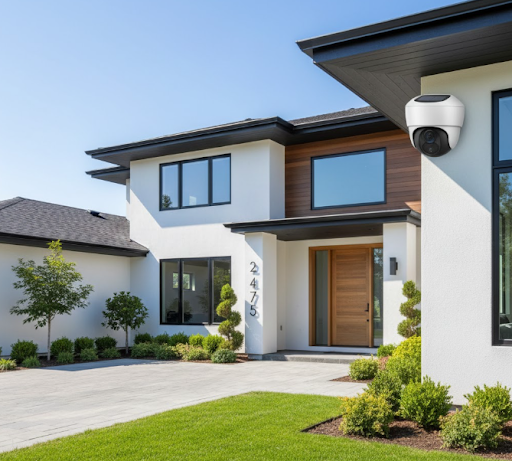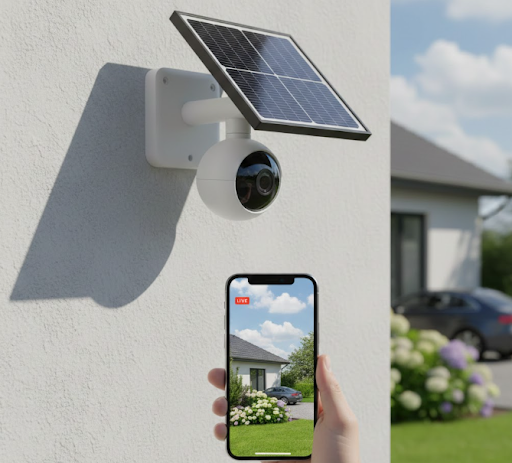
The best IP security camera combines high-resolution video, reliable connectivity, and smart features to protect your property effectively. IP cameras use your internet network to transmit footage, offering remote viewing from anywhere and advanced capabilities that traditional analog systems simply can't match.
If you're considering upgrading your home security or installing cameras for the first time, understanding what makes an IP camera system truly effective will help you make the right choice. From resolution quality to storage options and power sources, several factors determine which system works best for your needs.
Ready to find the perfect IP security solution? Let's explore everything you need to know about selecting and using the best IP security camera for your home or business.
What Makes an IP Security Camera the Best Choice?
IP security cameras have become the preferred choice for modern home security because they offer features that older analog systems can't provide. These cameras connect to your network, allowing you to access live footage from your smartphone, tablet, or computer no matter where you are.
The technology behind IP cameras enables crystal-clear video quality, often in 1080p or higher resolution. This clarity makes it easier to identify faces, license plates, and other important details that might be missed with lower-quality footage.
Key Features That Define Quality IP Cameras
The best IP security camera systems share several important characteristics. First, they offer high-definition video resolution, typically starting at 1080p and going up to 4K for the clearest possible images.
Night vision capability is essential for round-the-clock protection. Quality IP cameras include infrared LEDs that illuminate areas in complete darkness, providing clear footage even at night.
Motion detection with smart alerts helps you stay informed without constant monitoring. Modern IP cameras can distinguish between people, vehicles, and animals, reducing false alarms from passing wildlife or blowing branches.
Two-way audio lets you communicate through the camera, useful for greeting visitors or warning off potential intruders. Weather resistance (IP66 or higher rating) ensures outdoor cameras withstand rain, snow, and extreme temperatures.
Core Features Comparison:
| Feature | Standard IP Camera | Premium IP Camera |
|---|---|---|
| Resolution | 1080p | 4K (8MP) |
| Night Vision Range | 30-50 feet | 65-100 feet |
| Storage Options | Cloud only | Cloud + Local SD card |
| Power Source | Wired only | Wired/Battery/Solar |
| Smart Detection | Basic motion | AI-powered (people, vehicles, animals) |
| Field of View | 90-110 degrees | 130-180 degrees |
Why IP Cameras Outperform Traditional Systems
IP cameras send digital signals over your network, while older analog cameras require dedicated cables to a recording device. This digital transmission means better image quality since there's no signal degradation over distance.
Remote access is where IP cameras truly shine. You can check your cameras from anywhere with internet access, receive instant alerts, and even control camera settings from your phone. Traditional systems require you to be on-site to review footage.
Storage flexibility gives you more options too. Many IP camera systems support cloud storage, local SD cards, or network video recorders (NVRs). You choose what works best for your budget and privacy preferences.
For those seeking a DIY security system that's easy to install and manage, IP cameras offer straightforward setup without running extensive cables through your home.
Top Features to Look for in the Best IP Security Camera

When shopping for IP security cameras, certain features separate excellent systems from mediocre ones. Understanding these features helps you invest in technology that truly protects your property.
Resolution and Image Quality
Resolution directly impacts how clearly you can see important details in your footage. The best IP security camera options start at 1080p (2 megapixels), which provides clear images for most situations.
However, 4K cameras (8 megapixels) offer significantly more detail. If you need to identify faces from far away or read license plates, the extra resolution proves invaluable. The trade-off is larger file sizes and more bandwidth usage.
Consider where you'll place your cameras. Areas requiring detailed identification, like driveways or entry points, benefit most from higher resolution. Cameras monitoring general areas can work fine with 1080p.
Wide dynamic range (WDR) technology helps cameras handle challenging lighting conditions. If your camera needs to capture both bright sunlight and shaded areas simultaneously, WDR prevents overexposed or too-dark sections in your footage.
Power and Connectivity Options
Traditional wired IP cameras require two connections: one for power and another for network data (or a single Power over Ethernet cable). While reliable, installation can be challenging if you're placing cameras far from power outlets.
Solar-powered options like the Solar Camera Pro 2.0 4G eliminate power concerns entirely. These cameras use solar panels to maintain battery charge, making them perfect for remote locations or areas where running power cables isn't practical.
Wireless connectivity gives you flexibility in camera placement. WiFi cameras connect to your home network without ethernet cables, though they still need power. Some advanced models offer 4G LTE connectivity, allowing them to work in locations without WiFi coverage.
Power Source Considerations:
- Wired (PoE): Most reliable, no battery concerns, requires cable installation
- Battery: Flexible placement, requires periodic charging or battery swaps
- Solar: Continuous power in sunny locations, no maintenance, weather-dependent
- Hybrid (Solar + Battery): Best of both worlds, works during cloudy periods
Storage and Recording Capabilities
Storage determines how much footage you can save and access later. Modern IP cameras offer several storage options, each with advantages and drawbacks.
Cloud storage provides off-site backup, protecting your footage even if someone steals the camera. However, monthly subscription fees add up over time, and you need reliable internet for uploads.
Local storage using SD cards or network video recorders (NVRs) keeps your footage on-site without ongoing costs. The downside is that if someone takes the recording device, your evidence goes with it.
Many of the best systems support continuous recording, capturing everything 24/7. Others use motion-triggered recording to save storage space and battery life. For comprehensive security, look for a continuous recording security camera that won't miss crucial moments.
Recording resolution and frame rate impact storage needs significantly. A 4K camera recording at 30 frames per second uses much more space than a 1080p camera at 15 fps.
KeldCo's Best IP Security Camera Options
KeldCo specializes in solar-powered IP cameras that combine advanced features with eco-friendly operation. Their systems stand out for reliability, image quality, and true wire-free installation.
Solar Camera Pro 2.0 4G
The Solar Camera Pro 2.0 4G represents the cutting edge of wireless security technology. This camera operates completely independently, using 4G LTE connectivity instead of requiring WiFi.
This makes it perfect for remote properties, construction sites, farms, or any location where WiFi isn't available. The integrated solar panel keeps the battery charged year-round in most climates, eliminating the need for power cables or battery changes.
Key specifications include 1080p resolution, color night vision, two-way audio, and smart motion detection. The weatherproof design withstands harsh conditions, and the mobile app provides instant alerts and live viewing from anywhere.
Ideal uses for the 4G model:
- Properties without WiFi coverage
- Remote monitoring locations
- Construction sites requiring temporary surveillance
- Vacation homes or cabins
- Barns, stables, or agricultural buildings
Solar Camera Pro 3.0 WiFi
For properties with existing WiFi coverage, the Solar Camera Pro 3.0 WiFi offers exceptional value and performance. This model delivers crisp 2K resolution for enhanced detail compared to standard 1080p cameras.
The solar panel and large battery capacity mean you'll never worry about charging or replacing batteries. Simply mount it where it receives a few hours of sunlight daily, and the camera maintains continuous operation.
Advanced features include color night vision (not just black and white), AI-powered human detection to reduce false alerts, and local SD card storage plus optional cloud backup. The 130-degree wide-angle lens captures more area with fewer cameras needed.
Installation takes minutes since there are no wires to run. The magnetic mount allows easy adjustment, and the weatherproof rating ensures reliable operation through rain, snow, and temperature extremes.
Why KeldCo Leads the IP Camera Market
KeldCo's focus on solar power addresses one of the biggest challenges with traditional IP security cameras: installation complexity and ongoing power costs. Their systems work immediately after mounting, with no electrician needed.
The combination of solar charging and efficient battery management means these cameras maintain operation even during several cloudy days. Advanced power-saving modes activate when needed, ensuring your security never goes offline.
Customer support and warranty coverage give you peace of mind. KeldCo backs their products with comprehensive support and stands behind the quality of their cameras for long-term reliability.
How to Choose the Right IP Camera System for Your Needs

Selecting the best IP security camera requires matching features to your specific situation. What works perfectly for one property might be overkill or insufficient for another.
Assessing Your Security Requirements
Start by identifying what you need to monitor and why. Are you mainly concerned about package theft, monitoring who approaches your front door, or comprehensive property surveillance?
Walk around your property and note vulnerable areas. Common priority spots include main entrances, garages, driveways, backyards, and side gates. Areas with previous security incidents or high-value items need cameras with the best resolution and features.
Consider lighting conditions throughout the day. Cameras facing direct sunlight need WDR technology to handle glare. Areas that are dark at night require strong infrared night vision or color night vision capabilities.
Distance matters when choosing resolution. A camera 50 feet from your driveway needs higher resolution to identify visitors than one mounted right next to your front door.
Coverage Planning Checklist:
- How many entry points need monitoring?
- What's the average distance between camera and subject?
- Do you need to identify faces, or just detect motion?
- Are there areas with challenging lighting?
- Do you need audio recording capability?
- Will cameras face harsh weather conditions?
Budget Considerations and Long-Term Costs
Initial camera costs vary widely based on resolution, features, and brand. Quality IP cameras typically range from $100 to $500 per unit, with complete 4 camera security systems priced accordingly.
Don't forget ongoing costs. Cloud storage subscriptions can add $5 to $30 monthly per camera. Over several years, these fees potentially exceed your initial camera investment.
Solar-powered cameras cost more upfront but eliminate electricity expenses and reduce installation costs since you don't need an electrician. For a self monitoring security system, you also save monthly monitoring fees that professionally monitored systems charge.
Installation expenses vary dramatically. Professional installation for wired cameras might cost $100 to $300 per camera depending on location complexity. DIY-friendly wireless or solar cameras can be installed in under an hour with no special tools.
Installation and Placement Tips
Camera height affects both coverage and security. Mount cameras 8 to 10 feet high to prevent easy tampering while maintaining good facial recognition angles. Too high, and you'll only see the tops of people's heads.
Angle cameras slightly downward for the best identification footage. Pointing cameras straight ahead often results in less useful video, especially at night when headlights can blind the camera.
For solar cameras, southern exposure (in the Northern Hemisphere) provides the most consistent sunlight. Even a few hours of direct sun daily keeps the batteries charged. Avoid mounting under eaves or in fully shaded locations.
Test your camera's view before permanently mounting it. Use the live view feature to ensure you're capturing the area you want without blind spots. Look for best outdoor security camera guides for additional placement strategies.
Consider overlapping coverage for high-security areas. Two cameras with intersecting fields of view ensure you won't miss anything if one camera fails or someone tries to disable it.
Setting Up and Optimizing Your IP Security Camera
Getting your new IP camera online and configured properly ensures you get the best performance and most reliable protection.
Initial Setup Process
Most modern IP cameras follow a similar setup process. Start by charging the camera fully or connecting it to power. Download the manufacturer's app on your smartphone - for KeldCo cameras, you'll find the app in the Apple App Store or Google Play Store.
Create an account within the app, then follow the pairing process. This usually involves scanning a QR code on the camera or entering a unique device ID. For WiFi cameras, you'll need to connect the camera to your network by entering your WiFi password.
Position the camera in its intended location temporarily to test the view. Use the app's live feed to ensure you're capturing the right area with proper lighting and angle. Once satisfied, mount the camera permanently using the included hardware.
For 4G cameras like the Solar Camera Pro 2.0, you'll need to insert a SIM card (sold separately) that has an active data plan. The camera connects to cellular networks just like a smartphone, so make sure you have good signal strength in the mounting location.
Optimizing Settings for Best Performance
Resolution and frame rate settings directly impact both video quality and storage consumption. If you have limited storage or bandwidth, consider recording at 1080p instead of 4K, or reducing the frame rate from 30fps to 15fps.
Motion detection zones let you focus on specific areas and ignore others. If your driveway camera also sees a busy street, create a detection zone that excludes the road traffic. This dramatically reduces false alerts and saves storage space.
Sensitivity settings control how much movement triggers recording. Set sensitivity too high, and every leaf blowing past triggers an alert. Too low, and you might miss actual security events. Start with medium sensitivity and adjust based on the alerts you receive.
Night vision settings can usually be set to automatic, but manual control helps in some situations. If your camera faces a reflective surface or street lights, adjusting IR intensity prevents washed-out images.
Notification preferences let you choose when and how you're alerted. Some people want immediate push notifications for any movement, while others prefer a summary of events. Configure schedules so you're not getting alerts while you're home and the motion is just family members.
Maintaining Your System
IP cameras require minimal maintenance, but a few regular tasks keep them performing optimally. Check that solar panels remain clean and free of debris, dirt, or snow that could block sunlight. A quick wipe with a soft cloth every few months maintains charging efficiency.
Inspect camera lenses periodically for dirt, spider webs, or water spots that reduce image clarity. Most cameras have weatherproof seals, but checking mounting hardware ensures everything remains secure through storms and temperature changes.
Software updates improve performance and security. Enable automatic updates if available, or check monthly for new firmware versions. These updates often add features, improve battery life, or enhance motion detection accuracy.
Review stored footage occasionally to ensure cameras capture what you expect. This helps identify if a camera needs repositioning or if settings need adjustment before you actually need to rely on the footage.
Comparing IP Cameras to Other Security Options
Understanding how IP cameras stack up against alternatives helps you make an informed decision about your security investment.
IP Cameras vs. Traditional CCTV Systems
Traditional CCTV systems use analog cameras connected to a central DVR through coaxial cables. While these systems are reliable, they lack the flexibility and features of IP cameras.
Resolution is where IP cameras pull ahead significantly. CCTV cameras typically max out at 960p resolution, while IP cameras easily reach 4K. This difference becomes obvious when you need to identify someone or read small details in footage.
Remote access is clumsy with CCTV systems, often requiring complex network configuration or additional hardware. IP cameras connect to apps seamlessly, giving you instant access to live and recorded footage from anywhere.
Technology Comparison:
| Aspect | IP Cameras | Traditional CCTV |
|---|---|---|
| Video Quality | 1080p to 4K+ | 480p to 960p |
| Installation | Wireless options available | Requires extensive cabling |
| Remote Viewing | Built-in via apps | Complex setup required |
| Smart Features | AI detection, alerts, integration | Basic motion detection |
| Scalability | Easy to add cameras | Limited by DVR capacity |
| Storage Options | Cloud, local, or hybrid | DVR hard drive only |
For business CCTV needs, IP cameras offer professional-grade features with easier management and better long-term value.
Wired vs. Wireless IP Cameras
Wired IP cameras using Power over Ethernet (PoE) offer the most stable connection and never need charging. However, installation requires running cables, which can be expensive and time-consuming.
Wireless IP cameras provide incredible flexibility in placement. You can easily move them if your security needs change. Battery or solar-powered wireless cameras eliminate all wiring, making installation possible anywhere.
Bandwidth concerns matter for wireless cameras. Multiple high-resolution cameras streaming simultaneously can strain your WiFi network. For comprehensive coverage, consider our guide on how to install security cameras for both wired and wireless setups.
The best choice depends on your situation. Permanent installations in new construction benefit from wired systems. Existing homes or rental properties work better with wireless options. Solar-powered cameras like KeldCo's offerings provide wireless convenience without battery concerns.
Common Issues and Troubleshooting
Even the best IP security camera systems occasionally need troubleshooting. Understanding common problems helps you resolve issues quickly.
Connectivity Problems
WiFi-connected cameras dropping offline is the most frequent complaint. This usually results from weak signal strength, network congestion, or router issues.
Move your router closer to cameras experiencing dropouts, or add a WiFi extender to boost signal. Check that your router's firmware is updated, as older firmware can cause stability problems.
For cameras that won't connect initially, double-check that you're entering the correct WiFi password. Also ensure your router isn't set to block new devices or using MAC address filtering that needs updating.
4G cameras rarely experience connectivity issues since they don't depend on your home network. However, they do require adequate cellular signal. Check coverage maps from your carrier before installing in very remote areas.
Image Quality Issues
Blurry or grainy footage usually comes from incorrect focus, dirty lenses, or insufficient lighting. Most IP cameras have fixed focus, but some allow manual adjustment through the app.
Night vision problems often result from IR reflection off nearby surfaces. Reposition the camera so it's not pointing at walls, windows, or other reflective materials close to the lens.
If daytime footage looks washed out or too dark in certain areas, enable WDR (Wide Dynamic Range) if your camera supports it. This feature balances bright and dark areas for more uniform exposure.
Low bandwidth or storage space can force cameras to reduce quality automatically. If footage suddenly degrades, check your internet speed and available storage capacity.
Wrapping Up Your IP Security Camera Journey

Choosing the best IP security camera means balancing resolution, features, connectivity, and budget to match your specific security needs. IP cameras have revolutionized home security by offering crystal-clear footage, remote access, and smart features that were impossible with older technology.
KeldCo's solar-powered options like the Solar Camera Pro 2.0 4G and Solar Camera Pro 3.0 WiFi represent the pinnacle of convenient, eco-friendly security monitoring. These systems eliminate the hassles of wiring and battery changes while delivering professional-grade surveillance that you can access from anywhere.
Whether you're protecting a suburban home, rural property, or business location, IP cameras provide the flexibility and capability to keep what matters most safe and secure. With proper selection, installation, and maintenance, your IP camera system will provide years of reliable protection and peace of mind.
Start with one or two cameras in your most vulnerable areas, then expand your coverage as needed. The modular nature of IP camera systems lets you build exactly the security setup that works for your property and budget.
For additional guidance on selecting the right components for your security setup, explore our resources on types of security cameras and where to place security cameras to maximize your system's effectiveness.
Frequently Asked Questions
What is an IP security camera?
An IP (Internet Protocol) security camera is a digital video camera that transmits footage over a network connection, allowing remote viewing and recording through internet connectivity. Unlike analog cameras that need dedicated cables to recording devices, IP cameras connect to your home network via WiFi or ethernet. This connection lets you view live footage on your smartphone, tablet, or computer from anywhere with internet access. IP cameras offer higher resolution, easier installation, and advanced features like motion alerts, cloud storage, and two-way audio that traditional cameras can't provide.
Is an IP camera better than CCTV?
Yes, IP cameras generally outperform traditional CCTV systems in image quality, features, and convenience. IP cameras deliver significantly higher resolution (1080p to 4K) compared to CCTV's maximum of 960p. They offer remote viewing through mobile apps, while CCTV requires on-site access to footage. IP cameras include smart detection, cloud storage options, and easier scalability. However, CCTV systems may be preferred in situations requiring proven reliability without internet dependency. For most modern applications, IP cameras provide superior value and functionality.
What are the disadvantages of IP cameras?
The main disadvantages of IP cameras include dependence on internet connectivity, potential bandwidth consumption, and higher initial costs compared to basic analog systems. WiFi-connected cameras can experience dropouts if your network is unreliable. Multiple high-resolution cameras streaming simultaneously may slow down your home internet. IP cameras also present potential cybersecurity concerns if not properly secured with strong passwords and updated firmware. However, quality systems like KeldCo's solar cameras minimize these issues through 4G connectivity options and robust security features.
What is the best IP camera system?
KeldCo's Solar Camera Pro series represents the best IP camera systems available, combining high resolution, solar power, and smart features without installation hassles. The Solar Camera Pro 2.0 4G works anywhere with cellular coverage, perfect for remote locations. The Solar Camera Pro 3.0 WiFi offers 2K resolution and advanced AI detection for properties with WiFi. Both systems eliminate power concerns through integrated solar panels and deliver professional-grade security monitoring with zero monthly fees.
Can IP cameras work without internet?
Yes, IP cameras can record and store footage locally without internet, but you'll lose remote viewing and cloud backup capabilities. Cameras with SD card storage continue recording even when your internet is down. However, you won't receive mobile alerts, view live footage remotely, or upload recordings to cloud storage during the outage. Some IP cameras like KeldCo's 4G models use cellular data instead of WiFi, providing connectivity even without home internet. For locations without reliable internet, consider cameras with substantial local storage capacity and 4G connectivity options.