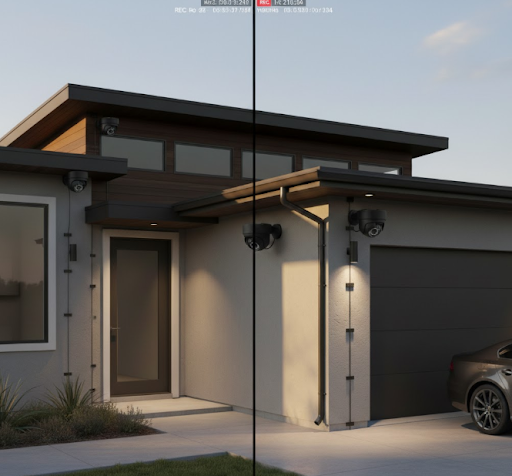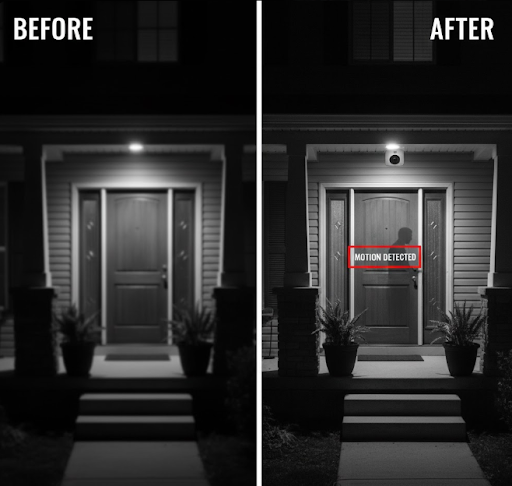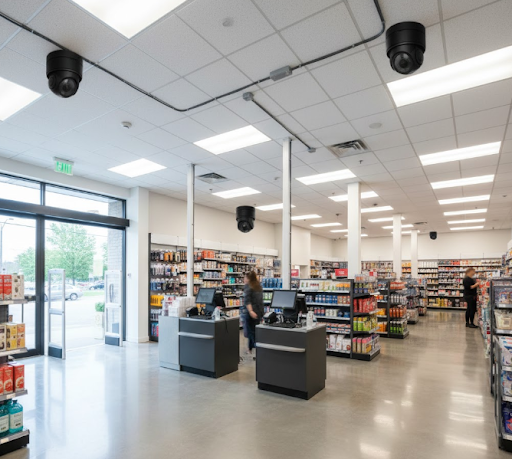
The best hardwired security camera combines constant power supply with stable video transmission, eliminating battery changes and wireless interference. Unlike battery-powered alternatives, hardwired systems deliver uninterrupted surveillance perfect for homes and businesses requiring dependable 24/7 monitoring.
When you need security that never sleeps, hardwired cameras provide the foundation for true peace of mind. These systems connect directly to your property's electrical system and network, creating a robust surveillance setup that works day and night without fail.
What Makes a Hardwired Security Camera the Best Choice?
Hardwired security cameras connect directly to power sources and recording devices through physical cables. This direct connection creates a surveillance system that operates independently of batteries, WiFi signal strength, or weather conditions that affect solar panels.
The physical connection means your cameras never lose power during critical moments. When someone approaches your property at 3 AM, you won't worry about whether your batteries died last week or if your WiFi dropped during a storm.
Traditional wired systems use coaxial cables for older analog cameras or Ethernet cables for modern IP cameras. The cables carry both power and data, reducing the components needed for each camera location. A single cable run can handle everything from video transmission to power delivery.
Key Advantages of Hardwired Systems
Reliability stands as the primary benefit of hardwired cameras. These systems maintain consistent power and connection quality regardless of external factors. Your footage streams continuously without interruption, making them ideal for critical security applications.
Video quality remains stable with wired connections. Unlike wireless systems that compress video to reduce bandwidth usage, hardwired cameras transmit full-resolution footage without quality loss. This clarity matters when you need to identify faces, license plates, or other important details.
Installation permanence creates another advantage. Once installed, hardwired cameras stay put without regular maintenance. You won't climb ladders to swap batteries or adjust solar panels. The system simply works, year after year, with minimal intervention required.

Common Misconceptions About Wired Cameras
Many people assume hardwired cameras require professional installation with extensive wall cutting and cable fishing. While professional installation helps, modern solutions like surface-mount cable channels make DIY installation manageable for homeowners with basic tools.
Another myth suggests hardwired systems cost significantly more than wireless alternatives. Initial installation does require more work, but you avoid ongoing costs like battery replacements, subscription fees for extended battery life, or solar panel maintenance. Over five years, wired systems often cost less.
Some believe wired cameras lack modern features like smartphone access or motion detection. Today's wired cameras include all the smart features found in wireless models. The difference lies in how they transmit data, not what features they offer.
The belief that cutting cables disables wired systems overlooks that tampering with any security camera renders it useless. Hardwired security cameras actually prove harder to disable since intruders must locate and access cables often hidden within walls or conduit.
Types of Hardwired Security Camera Systems
Different wired camera technologies serve various needs and budgets. Understanding these systems helps you choose the right option for your property and technical comfort level.
Traditional DVR Systems
Digital Video Recorder systems represent the most established hardwired security solution. These systems use coaxial cables to connect analog cameras to a central recording unit. The DVR processes video signals and stores footage on internal hard drives.
DVR systems excel in straightforward installations where you need basic recording without network complications. They work independently of your internet connection, making them perfect for locations with unreliable internet or where you prefer keeping footage completely offline.
Modern DVR systems have evolved beyond grainy analog video. High-definition analog formats like AHD and TVI deliver 1080p or even 4K resolution through the same coaxial cables used for decades. This technology bridges the gap between old infrastructure and modern image quality.
Comparison Table: DVR vs NVR Systems
| Feature | DVR System | NVR System |
|---|---|---|
| Cable Type | Coaxial | Ethernet (Cat5e/Cat6) |
| Video Quality | Up to 4K (HD-TVI/AHD) | Up to 4K+ |
| Installation Complexity | Moderate | Moderate to Complex |
| Power Requirements | Separate power cables | PoE (single cable) |
| Internet Dependency | Optional | Recommended |
| Maximum Cable Distance | 500+ feet | 300 feet (Ethernet limit) |
| Cost | Lower upfront | Higher upfront |
| Expandability | Limited by DVR inputs | Network-based expansion |
Network Video Recorder Systems
NVR systems use IP cameras connected through Ethernet cables. These digital-native systems offer superior image quality and advanced features compared to analog predecessors. The network-based approach allows for flexible expansion and integration with other smart home systems.
Power over Ethernet (PoE) technology makes NVR systems particularly attractive. A single Ethernet cable delivers both network connectivity and electrical power to each camera. This simplification reduces installation time and eliminates the need for separate power adapters at each camera location.
NVR systems integrate seamlessly with existing network infrastructure. If your home or business already has Ethernet drops, adding security cameras becomes straightforward. The digital nature of these systems also enables advanced features like facial recognition, object detection, and integration with business CCTV management platforms.
Hybrid and PoE Solutions
Hybrid systems bridge DVR and NVR technologies, accepting both analog and IP camera inputs. These solutions help property owners transition from older systems without replacing everything at once. You can add modern IP cameras while keeping functional analog cameras in service.
PoE switches and injectors expand installation options for IP camera systems. These devices add power to Ethernet cables at any point in the network, giving installers flexibility in camera placement without proximity to power outlets.
For those considering a DIY security system, PoE simplifies the process significantly. Running a single cable type reduces confusion and the chance of installation errors. Many modern PoE switches include built-in NVR functionality, eliminating the need for separate recording devices.
Best Hardwired Security Camera Features to Look For
Selecting the right hardwired camera requires understanding which features matter most for your specific security needs. Not every camera needs every feature, but certain capabilities prove essential for effective surveillance.
Resolution and Image Quality
Video resolution determines how much detail your cameras capture. Minimum recommended resolution today is 1080p (2 megapixels), which provides clear images for most security applications. However, high-resolution security cameras offering 4K (8 megapixels) deliver exceptional detail for identifying faces and license plates.
Higher resolution matters more for cameras covering large areas or positioned far from key monitoring zones. A 4K camera monitoring a parking lot captures readable license plates from twice the distance of a 1080p camera.
Image sensors affect low-light performance as much as resolution. Larger sensors with better low-light capabilities capture usable footage in dim conditions without excessive image noise. Look for cameras with sensors rated for at least 0.01 lux for decent night vision performance.
Night Vision Capabilities
Most security incidents occur after dark, making night vision a critical feature. Infrared (IR) LEDs illuminate scenes invisible to human eyes but captured by camera sensors. The number and quality of IR LEDs determine how far and clearly cameras see at night.

Typical IR ranges span from 30 to 100 feet for consumer cameras. Commercial-grade cameras push this to 150 feet or more. Consider your property's layout when evaluating IR range - does your camera need to see across a small porch or a large yard?
Newer cameras offer full-color night vision using advanced sensors and supplemental white light. These systems provide color detail at night without the washed-out look of IR footage. This capability helps identify clothing colors and vehicle colors that monochrome IR misses.
Weather Resistance and Durability
Outdoor cameras must withstand your local climate. IP ratings indicate water and dust resistance levels. Look for minimum IP66 rating for outdoor use, which protects against powerful water jets and dust ingress.
Temperature ratings matter for extreme climates. Cameras operating in northern regions need ratings below -20°F, while desert installations require ratings above 120°F. Operating outside these ranges shortens lifespan and causes performance issues.
Housing materials impact durability and appearance. Metal housings (aluminum or steel) resist impact and weathering better than plastic alternatives. However, quality plastic housings often prove sufficient for residential applications while costing less.
Top Hardwired Camera Options for Different Needs
Different properties and security goals require different camera specifications. Understanding your specific needs helps narrow the vast camera market to practical choices.
Best for Complete Home Coverage
Properties needing comprehensive surveillance benefit from 4 camera security systems or 8 camera security systems that monitor all entry points and vulnerable areas. These multi-camera setups typically include four to eight cameras with a matching DVR or NVR recorder.
Complete coverage systems work best with a mix of camera types. Use wide-angle security cameras for broad area monitoring near entryways and tight spaces. Add telephoto cameras for monitoring distant areas like driveways or back fences where detail matters more than field of view.
Consider PTZ security cameras for one or two positions requiring active monitoring capability. These pan-tilt-zoom cameras cover large areas with a single unit, though they can only look in one direction at a time. Use them to supplement fixed cameras rather than replace them.
Best Budget-Friendly Options
Cost-conscious buyers can build effective security without premium prices. Entry-level DVR systems with 1080p cameras provide solid surveillance for basic needs. These systems typically cost $200-400 for four cameras and recorder, offering the best value for straightforward monitoring needs.
Used or refurbished equipment offers another budget path. Many businesses upgrade systems regularly, creating a market for perfectly functional older equipment. Enterprise-grade cameras and recorders built for 24/7 operation often outlast consumer gear, making used commercial equipment a smart budget choice.
While we focus on hardwired systems, it's worth noting that KeldCo's solar-powered cameras offer an alternative that eliminates installation complexity and ongoing power costs. The Solar Camera Pro 3.0 WiFi delivers hardwired reliability without the wires, though it technically operates wirelessly using solar power and cellular or WiFi connectivity.
Best for Business Applications
Commercial properties require robust systems designed for continuous operation. Small business security camera systems balance professional features with manageable costs and complexity.
Businesses benefit from continuous recording security cameras that capture everything 24/7 rather than only motion events. This comprehensive recording proves invaluable for incident investigation and liability protection.
IP security cameras with higher resolutions (4K or better) help businesses meet insurance requirements and provide actionable evidence when needed. The ability to read documents on desks or see register transactions clearly justifies the premium cost in commercial settings.
Multiple location businesses need centralized management. Cloud-based NVR systems or hybrid recorders with remote access let owners and managers monitor all locations from anywhere. This oversight helps identify operational issues beyond security concerns.

Installation Guide for Hardwired Security Cameras
Proper installation determines system performance and longevity. While professional installation remains an option, many homeowners successfully install their own systems with preparation and care.
Planning Your Camera Layout
Effective surveillance starts with strategic camera placement. Walk your property identifying entry points, blind spots, and high-value areas needing monitoring. Doors and ground-floor windows require coverage as they're the most common entry points.
Camera height affects both security and image quality. Mount cameras 8-10 feet high to prevent tampering while maintaining clear facial recognition. Too high reduces identification capability; too low invites vandalism.
Consider sightlines and lighting conditions. Avoid pointing cameras directly at bright lights or sun positions that cause glare and washout. Test positions at different times of day to ensure consistent image quality.
Cable routing planning saves frustration during installation. Map runs from camera positions to the recorder location, noting obstacles like heating ducts, plumbing, or structural elements. Measure distances carefully since Ethernet cables have 300-foot length limits.
Learn more about strategic positioning in our guide on where to place security cameras for maximum effectiveness.
Required Tools and Materials
Basic installations require standard tools most homeowners already own. You'll need a drill with masonry and wood bits, screwdrivers, wire strippers, crimping tool (for Ethernet), ladder, stud finder, and fish tape for running cables through walls.
Material requirements depend on your installation approach. Surface-mount installations need cable channels or conduit to protect and conceal wiring. In-wall installations require low-voltage mounting brackets and wall fishing tools.
Network installations need additional supplies. Bulk Ethernet cable (Cat5e minimum, Cat6 recommended), RJ45 connectors, and a cable tester ensure reliable connections. Pre-made cables work for shorter runs but become expensive for whole-house installations.
Step-by-Step Installation Process
Start by mounting the recorder in a climate-controlled location with network and power access. Basements, utility rooms, or closets work well. Ensure adequate ventilation since recorders generate heat during operation.
Mount cameras beginning with the most accessible locations. Mark mounting holes, drill pilot holes, and secure the mounting bracket firmly. Run cables from each camera to the recorder location, leaving extra length for adjustments and future moves.
For PoE systems, connect cameras to the PoE switch or NVR's PoE ports. The system should detect and power cameras automatically. For DVR systems, connect camera cables to BNC inputs and provide power through separate adapters or centralized power supplies.
Configure the system through the recorder's interface or companion software. Set recording schedules, motion detection zones, and network settings. Test each camera's view and adjust positions as needed before finalizing cable management.
Maintenance and Troubleshooting
Hardwired systems require minimal maintenance but benefit from periodic attention. Regular checks ensure consistent performance and extend system lifespan.
Routine Maintenance Tasks
Maintenance Schedule Table
| Task | Frequency | Importance |
|---|---|---|
| Clean camera lenses | Monthly | High - affects image quality |
| Check cable connections | Quarterly | Medium - prevents signal issues |
| Review and delete old footage | Monthly | Medium - manages storage |
| Test motion detection | Quarterly | High - ensures alerts work |
| Inspect weatherproofing | Twice yearly | High - prevents water damage |
| Update firmware | As released | High - security and features |
| Check recorder storage health | Quarterly | High - prevents data loss |
| Clean recorder vents | Quarterly | Medium - prevents overheating |
Physical cleaning maintains image quality. Wipe camera lenses with microfiber cloths monthly, removing dust, pollen, and water spots that reduce clarity. Avoid harsh chemicals that damage lens coatings.
Firmware updates patch security vulnerabilities and add features. Check manufacturer websites quarterly for updates to cameras and recorders. Apply updates during low-activity periods in case issues arise.
Storage management prevents lost footage. Most systems overwrite oldest recordings when storage fills, but confirming this setting works prevents surprises. Consider upgrading storage capacity if you frequently lose footage before reviewing it.
Common Issues and Solutions
Image quality degradation often stems from dirty lenses or loose cable connections. Clean all lenses and check both ends of camera cables if images suddenly become fuzzy or dark.
No video from specific cameras usually indicates power or connection problems. Verify power reaches the camera by checking indicator LEDs. Test cables with a cable tester or swap with a working camera's cable to isolate the issue.
Recording gaps suggest storage problems or configuration errors. Check available storage space and verify recording schedules activate properly. Power interruptions without battery backup also cause gaps.
Network connectivity issues affect remote viewing on IP systems. Verify network cables, router settings, and port forwarding configurations. Many problems resolve by rebooting routers, switches, and NVR units.
For more technical guidance, our article on how to install security cameras covers deeper troubleshooting techniques.
Comparing Hardwired vs Alternative Security Camera Types
Understanding how hardwired systems stack up against alternatives helps you make an informed decision. Each technology offers distinct advantages for different situations.
Hardwired vs Wireless Cameras
Wireless cameras offer installation simplicity but sacrifice reliability for convenience. They work well for rental properties or temporary monitoring where running cables isn't possible. However, wireless systems face interference from WiFi networks, microwaves, and other electronic devices.
Battery-powered wireless cameras require regular battery changes or recharging. This maintenance becomes tedious across multiple cameras and risks missed footage during dead battery periods. Weather affects battery life, with cold temperatures significantly reducing runtime.
Our detailed comparison in wired vs wireless security cameras explores these differences more thoroughly.
Hardwired vs Solar-Powered Solutions
Solar-powered cameras like KeldCo's offerings split the difference between wired and wireless systems. They eliminate both cable installation and battery maintenance by harvesting sunlight for continuous operation.
The Solar Camera Pro 2.0 4G operates independently using cellular connectivity, making it perfect for locations without power or internet infrastructure. This independence suits remote properties, construction sites, or areas where cable installation proves impractical.
Solar cameras work best in locations receiving adequate sunlight. Learn more about placement requirements in our guide on how much sunlight does a solar security camera need to maintain operation.
While solar cameras offer exceptional flexibility, hardwired systems remain superior for self-monitoring security systems requiring guaranteed uptime regardless of weather conditions.
When Hardwired Makes the Most Sense
Choose hardwired systems for permanent installations where reliability matters most. Businesses, primary residences, and high-value properties benefit from the dependability of wired connections.
Properties with existing infrastructure see reduced installation costs. Homes with accessible attics, basements, or crawl spaces make running cables straightforward. Buildings under construction or renovation provide ideal opportunities for comprehensive wired installations.
Locations with poor wireless signals or high interference require wired solutions. Dense urban areas with congested WiFi networks or properties with thick walls that block signals benefit from wired reliability.

Wrapping Up Your Hardwired Security Camera Decision
Hardwired security cameras provide unmatched reliability for properties needing dependable surveillance. The initial installation effort pays dividends through years of maintenance-free operation and consistent performance.
When choosing your system, prioritize features matching your specific needs rather than chasing every available bell and whistle. A 4-camera 1080p system properly installed and maintained outperforms an 8-camera 4K system with poor placement and unreliable power.
For those seeking the reliability of hardwired systems without installation complexity, KeldCo's solar-powered cameras bridge this gap. The Solar Camera Pro 3.0 WiFi delivers continuous monitoring without running a single cable, while the Solar Camera Pro 2.0 4G works anywhere with cellular coverage.
Whether you choose traditional hardwired systems or innovative solar solutions, investing in quality security equipment protects what matters most. Your home, business, and peace of mind deserve reliable surveillance that works when you need it.
Frequently Asked Questions
Is it better to hardwire security cameras?
Yes, hardwiring security cameras is better for reliability and performance. Hardwired cameras maintain constant power and stable connections, eliminating battery changes and wireless interference. They deliver superior video quality without compression artifacts common in wireless systems. The main tradeoff is more complex installation requiring cable runs, but this effort pays off through maintenance-free operation. For permanent installations prioritizing reliability, hardwired systems outperform wireless alternatives.
What is the best hardwired security camera system?
KeldCo offers the best hardwired security camera solutions, though their Solar Camera Pro line delivers hardwired reliability without cables. For traditional wired systems, look for 1080p minimum resolution, PoE capability for simplified installation, weatherproof ratings of IP66 or higher, and recorders with adequate storage. The ideal system balances camera count with coverage needs - typically 4-8 cameras for residential properties. Features like motion detection, night vision to 100+ feet, and remote viewing enhance functionality without adding unnecessary complexity.
What is a hardwired security camera?
A hardwired security camera connects directly to power and recording devices through physical cables. These cameras use either coaxial cables (for DVR systems) or Ethernet cables (for NVR systems) to transmit video and receive power. Unlike wireless or battery-powered alternatives, hardwired cameras operate continuously without signal interference or power interruptions. The physical connection provides stable, high-quality video transmission while eliminating concerns about battery life, WiFi dead zones, or solar panel efficiency.
Do hardwired security cameras need internet?
No, hardwired security cameras don't require internet to function and record footage. They operate independently through direct connections to DVR or NVR recorders that store video locally. However, internet connectivity enables remote viewing through smartphones and computers, cloud backup options, and firmware updates. Many users run hardwired systems without internet for enhanced privacy and security. Internet becomes necessary only when accessing footage remotely or using cloud-based features.
What are the disadvantages of wired cameras?
Installation complexity represents the main disadvantage of wired cameras. Running cables through walls, attics, or conduit requires tools, time, and sometimes professional help. Once installed, cameras remain fixed in position - relocating them means running new cables. Cable visibility can affect aesthetics unless properly concealed. Initial costs may exceed wireless systems when factoring in installation labor. However, these upfront challenges are offset by long-term reliability and elimination of battery maintenance or wireless connectivity issues.