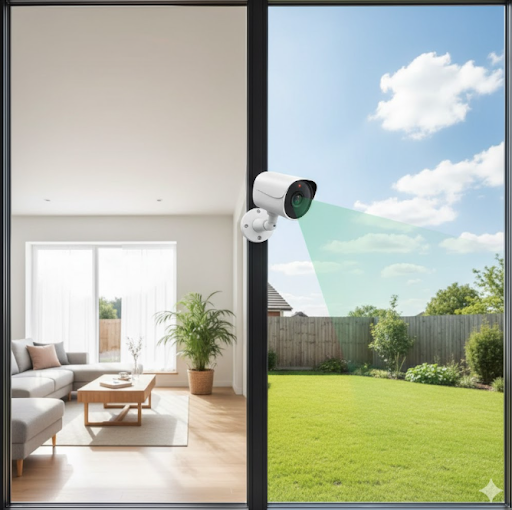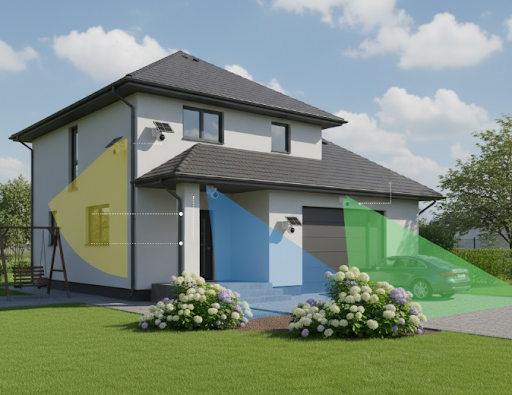
A continuous recording security camera records video footage 24 hours a day, 7 days a week, without stopping or relying on motion detection triggers. Unlike cameras that only capture clips when movement occurs, these systems maintain constant surveillance of your property, ensuring no moment goes unrecorded.
This recording method offers complete peace of mind for homeowners and businesses who need comprehensive coverage. Whether you're protecting your home, monitoring a store, or keeping an eye on a construction site, continuous recording captures everything that happens in the camera's view.
Want to know if continuous recording is right for your security needs? Keep reading to discover how these cameras work, what makes them different, and how to choose the perfect system for your property!
What Is Continuous Recording and How Does It Work?
Continuous recording means your security camera captures video nonstop, creating an unbroken timeline of footage. The camera records to a storage device like an SD card, hard drive, or cloud service without pauses or gaps.
Think of it like a traditional video recorder that never stops rolling. From the moment you power on the camera until you turn it off, every second gets documented and saved for later review.
The Technology Behind Non-Stop Recording
Modern continuous recording cameras use compression technology to manage massive amounts of video data. Most systems employ H.264 or H.265 video codecs that reduce file sizes while maintaining clear image quality.
The camera captures frames continuously and writes them to storage in real time. As storage fills up, older footage gets overwritten automatically in a loop, so recording never stops even when the storage device reaches capacity.
Power supply plays a crucial role too. Cameras need consistent electricity to maintain 24/7 operation. Solar-powered options like the Solar Camera Pro 3.0 WIFI solve this challenge by combining rechargeable batteries with solar panels for uninterrupted power.
Continuous Recording vs. Motion-Activated Recording
Understanding the difference between these recording modes helps you pick the right security approach:
| Recording Type | How It Works | Best For |
|---|---|---|
| Continuous Recording | Records everything 24/7 without stopping | High-security areas, businesses, places needing complete footage timelines |
| Motion-Activated Recording | Only records when detecting movement | Saving storage space, monitoring low-traffic areas, conserving power |
Continuous recording captures every detail but requires more storage space. Motion-activated systems save storage and battery life but might miss events that happen without triggering the motion sensor.
Many property owners combine both methods by using continuous recording for critical areas and motion detection for secondary zones.
Benefits of Having 24/7 Surveillance Coverage

Round-the-clock recording provides security advantages that motion-triggered cameras simply can't match. Here's why continuous surveillance matters for protecting what you value most.
Complete Evidence Collection
When incidents occur, continuous recording ensures you have footage of the entire event from start to finish. You won't miss crucial moments that happen before motion sensors activate or between motion-triggered clips.
Courts and insurance companies often require complete, unedited footage for claims and legal proceedings. Continuous recording provides this comprehensive evidence without gaps or missing segments.
Monitoring Slow-Moving Threats
Some security threats move too slowly to trigger motion detection. A person casing your property might walk slowly or stand still while observing entry points. Animals or environmental factors can also cause situations where continuous footage proves valuable.
Activity Pattern Analysis
Business owners benefit from analyzing foot traffic patterns, employee movements, and customer behavior throughout the day. This data helps optimize operations, improve security protocols, and identify unusual patterns that might indicate problems.
For homeowners, continuous recording documents neighborhood activity, delivery schedules, and visitor patterns that create a comprehensive picture of daily life around your property.
Peace of Mind Through Constant Protection
Knowing your property stays under surveillance every moment provides psychological comfort. You can check live footage anytime or review past events with confidence that nothing went unrecorded.
This constant vigilance proves especially valuable for parents monitoring children's outdoor play areas, elderly care situations, or properties in high-crime neighborhoods.
Setting Up Your Camera for Continuous Recording

Getting your continuous recording security camera running properly requires attention to a few key setup elements. Follow these steps to ensure reliable 24/7 operation.
Storage Requirements and Solutions
Continuous recording demands significant storage capacity. A single camera recording at 1080p resolution typically generates 60-90 GB of footage per day, depending on compression settings and scene complexity.
Calculate your storage needs using this formula: (Bitrate × Recording Hours × Days of Storage) ÷ 8 \= Storage Required in GB
Storage Options:
- SD Cards: Affordable and easy to install, but limited capacity (usually 128-512 GB)
- Network Video Recorder (NVR): Dedicated device with large hard drives (1-8 TB) supporting multiple cameras
- Cloud Storage: Subscription-based service offering remote access and backup, though monthly costs add up
For extended recording periods, consider a DIY security system with expandable storage options that let you scale capacity as needs grow.
Power Supply Considerations
Continuous recording requires stable, constant power. Traditional wired cameras draw power from electrical outlets, but installation can be complicated in areas without nearby power sources.
Solar-powered cameras revolutionize continuous recording by eliminating wiring requirements. The Solar Camera Pro 2.0 4G features built-in solar panels and high-capacity batteries that maintain power through cloudy days and nights.
Position solar cameras where they receive at least 3-4 hours of direct sunlight daily for optimal battery charging. The solar panels convert sunlight into stored energy that powers continuous recording around the clock.
Network and Bandwidth Requirements
If your system uploads footage to the cloud or allows remote viewing, network bandwidth becomes important. Continuous recording from multiple cameras can consume substantial internet bandwidth.
Most modern systems use variable bitrate encoding that adjusts data usage based on scene activity. Static scenes use less bandwidth than areas with constant movement.
For locations without reliable internet, consider cameras with LTE connectivity that use cellular networks instead of WiFi. This ensures recording continues even if your home internet experiences outages.
Top Features to Look for in Continuous Recording Cameras
Not all continuous recording cameras offer the same capabilities. These key features separate basic models from systems that deliver professional-level security.
Video Quality and Resolution
Higher resolution captures more detail but requires more storage space and processing power. Most modern continuous recording systems offer these options:
| Resolution | Quality Level | Best Use Case |
|---|---|---|
| 720p | Basic clarity | Budget applications, distant monitoring |
| 1080p (Full HD) | Clear detail | Standard home security, face recognition |
| 2K/1440p | High detail | Identifying license plates, fine features |
| 4K/Ultra HD | Maximum detail | Critical security areas, large properties |
The 1080p security cameras from KeldCo strike an excellent balance between image quality and storage efficiency for most residential applications.
Night Vision and Low-Light Performance
Security threats don't wait for daylight. Effective continuous recording cameras need strong night vision capabilities to capture clear footage in darkness.
Infrared (IR) LEDs provide invisible illumination that cameras can see but humans cannot. Quality systems offer IR ranges of 30-100 feet, allowing surveillance in complete darkness.
Color night vision represents the latest advancement, using ambient light and enhanced sensors to capture color footage even in very low light conditions. This helps identify clothing colors, vehicle colors, and other details that disappear in traditional black-and-white night vision.
Weather Resistance and Durability
Outdoor cameras face harsh conditions including rain, snow, extreme temperatures, and direct sunlight. Look for cameras with IP65 or IP66 ratings that certify protection against water and dust.
Temperature tolerance matters too. Quality outdoor cameras operate reliably in temperatures ranging from -4°F to 122°F (-20°C to 50°C), ensuring year-round performance regardless of climate.
Field of View and Coverage Area
Wider viewing angles reduce the number of cameras needed to cover your property. Most security cameras offer 90-130 degree horizontal field of view, while wide angle security cameras provide 140-180 degrees for maximum coverage.
For comprehensive surveillance of large areas, consider 360 degree security cameras or PTZ (pan-tilt-zoom) models that rotate to cover multiple angles from a single mounting point.
Smart Detection and Alerts
Advanced continuous recording cameras incorporate AI-powered detection that distinguishes between people, vehicles, animals, and general motion. This reduces false alerts from leaves, shadows, or harmless movement.
Even though the camera records continuously, smart alerts notify you immediately when important events occur. You receive notifications on your phone for human detection, vehicle arrival, or activity in designated zones, allowing quick response when needed.
KeldCo's Continuous Recording Solutions
KeldCo specializes in solar-powered security cameras designed specifically for reliable continuous recording without complicated wiring or power concerns.
Solar Camera Pro 3.0 WIFI
This advanced model combines continuous recording capability with wireless convenience. The integrated solar panel maintains constant power to the high-capacity rechargeable battery, ensuring 24/7 operation without downtime.
Key features include:
- 2K resolution for crystal-clear footage
- WiFi connectivity for easy setup and remote viewing
- 360-degree coverage with AI tracking
- Color night vision for detailed nighttime recordings
- Weather-resistant design for year-round outdoor use
The Solar Camera Pro 3.0 WIFI works perfectly for homeowners wanting comprehensive surveillance without monthly subscription fees or professional installation costs.
Solar Camera Pro 2.0 4G
For locations without WiFi access or where cellular connectivity offers better reliability, the Solar Camera Pro 2.0 4G provides continuous recording through LTE networks.
This model excels at remote property surveillance, including:
- Construction sites without internet infrastructure
- Rural properties with spotty WiFi coverage
- RV parks and vacation homes
- Temporary security installations
The 4G connectivity ensures you can access live footage and recordings from anywhere with cellular service, making it ideal for RV security camera applications too.
Both systems support expandable SD card storage up to 512 GB, providing weeks of continuous recording before older footage gets overwritten.
Common Questions About Continuous Recording
Understanding how continuous recording works in real-world applications helps you make informed decisions about your security setup.
Managing Storage Space Effectively
Storage management is crucial for continuous recording systems. As mentioned earlier, footage accumulates quickly at 60-90 GB per camera daily.
Most systems use loop recording, which automatically overwrites the oldest footage when storage fills up. This ensures recording never stops due to full storage.
Adjust video quality settings to balance image clarity with storage duration. Lower bitrate settings extend storage time but reduce detail. Most systems let you configure separate day and night quality settings to optimize both clarity and storage.
Schedule regular storage checks to ensure drives remain healthy. Failed storage devices can cause recording gaps, defeating the purpose of continuous surveillance.
Power Consumption and Battery Life
Traditional wired cameras draw constant power from electrical outlets, making consumption a non-issue beyond monthly electricity costs.
Battery-powered cameras face challenges with continuous recording since it drains batteries much faster than motion-activated recording. Without supplemental power, most battery cameras can't sustain true 24/7 recording for more than a few days.
Solar-powered models solve this limitation through renewable energy. During daylight hours, solar panels generate more power than the camera consumes, storing excess energy in batteries for nighttime operation.
Proper solar panel positioning ensures adequate charging. South-facing panels in the northern hemisphere (or north-facing in the southern hemisphere) receive maximum sunlight exposure throughout the day.
Remote Access and Monitoring
Modern continuous recording cameras offer remote viewing through smartphone apps. This lets you check live footage or review recorded events from anywhere with internet access.
Look for systems with intuitive mobile apps that include:
- Live streaming with minimal delay
- Timeline scrubbing to quickly navigate recorded footage
- Push notifications for detected events
- Two-way audio for communication through the camera
- Video sharing features for sending clips to others
Cloud-connected cameras enable remote access more easily than local-only systems, though they may require ongoing subscription fees for cloud storage and advanced features.
For complete control without recurring costs, consider self-monitoring security systems that store footage locally while still offering remote access through your home network.
Troubleshooting Common Continuous Recording Issues
Even well-designed systems occasionally experience problems. Here's how to resolve the most common continuous recording challenges.
Recording Stops Unexpectedly
If your camera stops recording despite being set to continuous mode, check these potential causes:
- Storage full: Verify loop recording is enabled so old footage gets overwritten automatically
- Power interruption: Ensure stable power supply and check solar panel positioning for adequate sunlight
- Firmware bugs: Update camera firmware to the latest version
- SD card failure: Test with a new, high-quality SD card rated for continuous recording
Quality SD cards designed for surveillance cameras handle the constant write cycles better than standard cards. Look for cards labeled "High Endurance" or "Surveillance" for best reliability.
Excessive Storage Consumption
If storage fills faster than expected, try these solutions:
- Reduce video bitrate slightly to decrease file sizes
- Lower frame rate from 30fps to 20fps if ultra-smooth video isn't necessary
- Enable H.265 compression if supported (uses 30-50% less storage than H.264)
- Schedule motion-only recording during low-activity hours to conserve storage
Network Connectivity Problems
WiFi-connected cameras sometimes lose connection, interrupting remote access though local recording usually continues. Improve connectivity by:
- Positioning WiFi extenders between router and camera
- Upgrading to a mesh WiFi system for better coverage
- Using cameras with external antenna connections for better signal
- Reducing interference from other 2.4GHz devices
For critical security applications where connection reliability matters most, hardwired security cameras eliminate WiFi concerns entirely through direct wired connections.
Legal Considerations for Continuous Recording
Before installing continuous recording cameras, understand the legal requirements and privacy considerations in your area.
Privacy Laws and Regulations
Recording laws vary by state and country. Generally, you can record video on your own property, but audio recording laws differ significantly. Many jurisdictions require two-party consent for audio recording, meaning all parties must know they're being recorded.
To stay compliant:
- Point cameras at your own property, not into neighbors' windows or private spaces
- Post visible signs indicating video surveillance is in operation
- Disable audio recording if your area requires consent
- Consult local regulations about retention requirements for footage
Neighbor Relations and Recording Boundaries
Even if legal, cameras that capture neighbors' private areas can create conflict. Position cameras to focus on your property while minimizing coverage of neighboring yards, windows, or doors.
If your camera unavoidably captures adjacent property (like shared driveways or sidewalks), communicate with neighbors about your security system. Most people understand reasonable security measures when approached respectfully.
The question "Is it legal for my neighbor to record me with their Ring camera?" depends on what's being recorded. Cameras can legally capture public areas visible from your neighbor's property, including streets, sidewalks, and your home's exterior. However, they cannot intentionally focus on your windows, backyard, or other areas where you have a reasonable expectation of privacy.
Wrapping Up Your Continuous Recording Decision
Continuous recording security cameras offer unmatched surveillance coverage for properties where complete documentation matters. While they require more storage and power than motion-activated alternatives, the comprehensive footage they provide proves invaluable when reviewing incidents or analyzing patterns.
Solar-powered options like KeldCo's camera systems eliminate the traditional power challenges associated with 24/7 recording, making installation simpler and enabling deployment virtually anywhere sunlight reaches. Combined with continuous recording security camera technology and modern features like AI detection and remote access, these systems deliver professional-level security without professional-level complexity.
Whether protecting your home, business, or remote property, continuous recording ensures nothing goes undocumented. With proper setup and storage management, your security system becomes a reliable guardian that never sleeps, never blinks, and never misses a moment.
Ready to upgrade your security? Explore our guides on how to install security cameras and where to place security cameras to maximize your continuous recording system's effectiveness!
Frequently Asked Questions
How do I get my security camera to record all the time?
Enable continuous recording mode in your camera's settings menu and ensure adequate storage is available. Most cameras default to motion-activated recording, so you'll need to manually change the recording schedule to 24/7 mode. Verify your power source can support constant operation and that loop recording is enabled to overwrite old footage automatically when storage fills.
What does continuous recording mean on a security camera?
Continuous recording means the camera captures video footage 24/7 without stopping or relying on motion triggers. Unlike motion-activated systems that only record when detecting movement, continuous recording creates an unbroken timeline of everything happening in the camera's field of view from the moment you turn it on until you turn it off.
What camera can record longer than 30 minutes?
KeldCo's solar-powered cameras record continuously without time limits. Many budget cameras and action cameras have recording limits of 30 minutes or less due to file size restrictions or overheating concerns. Professional security cameras like the Solar Camera Pro systems use loop recording and efficient heat management to record indefinitely as long as power and storage are available.
Do TP-Link cameras record 24/7?
Some TP-Link cameras support continuous recording, but it requires a subscription to their cloud service or local storage setup. Not all TP-Link models offer true 24/7 recording, and those that do often limit the feature to paid plans. Check your specific model's specifications and compare it with dedicated business CCTV systems designed specifically for continuous surveillance.
Is it legal for my neighbor to record me with their Ring camera?
Yes, neighbors can legally record areas visible from their property, including public spaces and your home's exterior. However, they cannot deliberately point cameras into your windows or private areas where you have reasonable privacy expectations. If you believe a neighbor's camera violates your privacy, document your concerns and consult local authorities or a lawyer about your specific situation and local regulations.