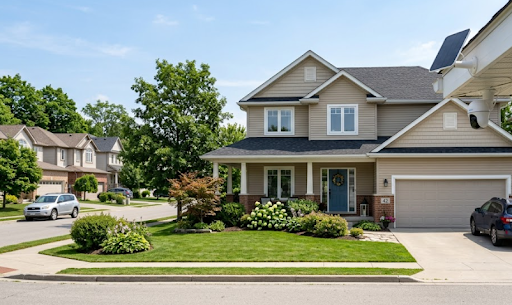
Most HOA security camera rules allow homeowners to install exterior cameras on their own property, provided the cameras don't directly capture a neighbor's windows, yard, or private living spaces. Some HOAs require prior approval or have specific guidelines on camera placement, so checking your community's bylaws before installation is always the safest first step.
Rules vary significantly between communities, and misunderstanding them can lead to complaints, fines, or requests to relocate a camera after it's already installed.
Wondering exactly what most HOAs allow, and how to avoid common disputes before they start? Let's break it down.
Why HOAs Regulate Security Cameras at All
It might seem odd that a homeowners association would have anything to say about a camera on your own property, but HOAs typically regulate cameras for the same reason they regulate fences, paint colors, or landscaping, to maintain a consistent community standard and protect residents' privacy from each other.
Camera placement becomes a genuine concern in tightly packed communities, where a camera aimed even slightly off-angle can end up capturing a neighbor's porch, bedroom window, or backyard without either party realizing it. HOA security camera rules exist largely to prevent these accidental privacy violations before they turn into formal disputes between neighbors.
That said, most HOAs recognize that homeowners have a legitimate right to protect their own property, which is why outright camera bans are rare. The rules tend to focus on placement and angle rather than banning cameras altogether.
What Most HOA Security Camera Rules Actually Cover
While every HOA is different, most policies fall into a few common categories worth understanding before installing anything.
Placement restrictions. Cameras are typically allowed on your own exterior walls, porches, or entryways, but many HOAs prohibit angling them toward a neighbor's private outdoor space, such as their patio or bedroom windows.
Aesthetic guidelines. Some HOAs, particularly in higher-end communities, have rules about camera visibility, size, or color to maintain a consistent architectural appearance across the neighborhood.
Approval requirements. Certain HOAs require homeowners to submit a request or architectural review application before installing any exterior device, including cameras, doorbells, or motion lights.
Common area restrictions. Cameras generally cannot be mounted on shared community property, such as mailbox clusters, community fences, or shared walkways, without separate association approval.
Recording disclosure. A smaller number of HOAs require homeowners to disclose active recording devices, particularly if audio recording is involved, since audio recording laws differ from video-only rules in several Australian states.
Common HOA Security Camera Approval Requirements
The table below outlines what tends to require approval versus what's typically allowed without extra steps.
| Camera Placement | Usually Requires Approval? | Common Reason |
|---|---|---|
| Front door or porch, facing street | Rarely | Standard, low privacy concern |
| Side of house, facing neighbor's yard | Often | Privacy risk to neighboring property |
| Backyard, facing your own space | Rarely | Considered private property use |
| Shared fence line or common area | Almost always | Falls under HOA-controlled property |
| Doorbell camera at front entry | Rarely | Generally treated as standard security |
This breakdown highlights the general pattern most HOAs follow, cameras aimed at your own space and the public-facing front of your home are usually fine, while anything angled toward shared or neighboring property tends to draw more scrutiny.
For homeowners wanting a straightforward, subscription-free option that avoids ongoing compliance headaches with third-party monitoring services, the Solar Camera Pro 3.0 WiFi offers self-contained recording without needing cloud subscriptions some HOAs scrutinize more closely. For properties in communities with limited WiFi coverage near entry points, the Solar Camera Pro 2.0 4G provides the same reliable coverage through cellular connectivity.

Why, How, and Which Approach Avoids HOA Disputes
Why disputes happen even with good intentions: Most HOA camera complaints don't come from homeowners deliberately trying to spy on neighbors, they come from cameras with wide-angle lenses that unintentionally capture more than expected. A camera aimed at your own front door might still have a field of view wide enough to catch a neighbor's driveway or window at the edge of the frame.
How to install cameras without triggering complaints: Check your HOA's specific bylaws first, since requirements genuinely vary between communities. Mount cameras to focus primarily on your own property, adjust field of view settings if your camera allows it, and when in doubt, submit a quick approval request even if it isn't strictly required, since this creates a paper trail if a dispute arises later.
Which option is best for HOA communities: A camera with adjustable motion zones and a focused field of view, rather than an ultra-wide lens capturing everything nearby, tends to cause the fewest issues in tightly spaced HOA neighborhoods. KeldCo's solar cameras allow homeowners to customize detection zones, which helps keep footage focused on your own property while staying compliant with most HOA security camera rules without sacrificing coverage of your entry points.
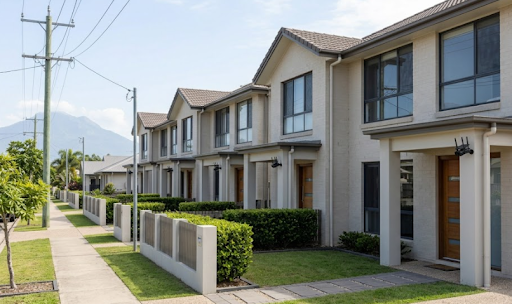
Homeowners in townhouse-style or closely spaced HOA communities might also find a window security camera useful for interior-facing coverage that avoids exterior placement questions altogether.
Table: HOA-Friendly vs Problematic Camera Setups
| Setup | HOA-Friendly? | Why |
|---|---|---|
| Narrow field of view aimed at own entry | Yes | Minimal risk of capturing neighboring property |
| Adjustable motion zones limiting recording area | Yes | Allows homeowner to exclude shared or neighboring space |
| Ultra-wide lens with no zone customization | Sometimes problematic | Higher chance of unintentionally capturing neighbors |
| Camera mounted on shared fence or common wall | Rarely allowed | Falls outside individual homeowner's property rights |
Choosing a setup from the left column of this table significantly reduces the chances of an HOA complaint down the line, regardless of how strict a specific community's bylaws happen to be.

Things to Know About HOA Security Camera Rules
A few extra details are worth understanding before installing a camera in an HOA community.
Bylaws can change over time. HOA rules around cameras and smart devices have evolved significantly in recent years as these devices have become more common, so it's worth checking current bylaws even if you previously reviewed them, rather than assuming older rules still apply.
Written approval protects you later. Even in communities where cameras don't strictly require sign-off, getting informal written confirmation from the HOA board before installation can prevent disputes if a neighbor complains months later.
Audio recording often faces stricter rules than video. Because several Australian states have specific laws around recording private conversations without consent, some HOAs treat audio-enabled cameras more cautiously than video-only units, even when placement is otherwise compliant.
Neighbor communication goes a long way. A quick conversation letting a neighbor know a new camera is going up, and roughly what it covers, often prevents complaints before they ever reach the HOA board.
Understanding HOA security camera rules ultimately comes down to respecting shared privacy expectations while still exercising your right to protect your own property.
Wrapping Up
To sum up, HOA security camera rules generally allow exterior cameras on your own property, as long as placement avoids directly capturing a neighbor's private space. Checking your community's specific bylaws, choosing a camera with adjustable coverage zones, and communicating with neighbors upfront are the best ways to avoid disputes altogether.
Homeowners wanting to explore compliant setups further might find it useful to read where to place security cameras for placement guidance that works well in shared communities, or can security cameras record audio for more detail on audio-specific rules. It's also worth checking best outdoor security cameras without subscription for options that keep things simple in HOA-regulated communities.
Those wanting a more discreet, HOA-friendly setup might also browse the self-monitoring security system collection for options that avoid third-party monitoring services some communities scrutinize more closely.
Frequently Asked Questions
Can my neighbor have a camera pointed at my front door?
Generally yes, if it's aimed at their own property and only incidentally captures shared public areas.
Can HOA Private Security pull you over?
No, HOA security personnel typically have no legal authority to pull over or detain residents.
What are the most common HOA violations?
Landscaping issues, exterior modifications, and parking violations are among the most common.
Do HOAs allow Ring cameras?
Yes, most HOAs allow doorbell-style cameras, though placement rules still apply.
Why are people getting rid of Ring doorbells?
Rising subscription costs and privacy concerns have pushed many toward subscription-free alternatives like KeldCo.