When comparing 1080p vs 2K vs 4K security camera options, 4K delivers the sharpest detail for identifying faces and license plates, 2K offers a strong middle ground between clarity and storage use, and 1080p remains reliable for basic monitoring on a budget. The right choice depends on what you actually need to see clearly, not just the highest number available.
Higher resolution isn't automatically better for every situation, since it comes with trade-offs in storage, bandwidth, and sometimes cost that aren't worth it for every property.
Curious which resolution actually fits your setup best, and where the extra clarity of 4K genuinely matters? Let's break it down.
Why Resolution Confuses So Many Buyers
Resolution numbers get thrown around a lot in camera marketing, but most buyers don't actually know what the difference looks like in practice. The jump from 1080p to 4K sounds significant on paper, four times the pixel count, but whether that translates into a meaningful real-world benefit depends entirely on what you're using the camera for.
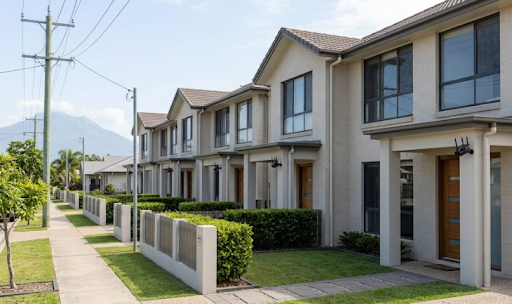
A camera watching a front door from ten feet away doesn't need the same resolution as one covering an entire driveway or car park from thirty metres out. Understanding the 1080p vs 2K vs 4K security camera comparison really comes down to matching resolution to distance, purpose, and how much storage you're willing to manage.
What Each Resolution Actually Offers
Breaking down the practical differences helps make sense of what you're really paying for at each tier.
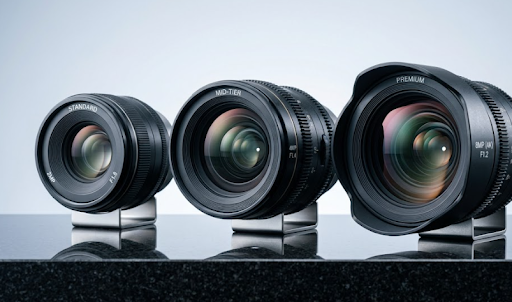
1080p (Full HD). This has been the industry standard for years and remains genuinely capable for most residential use. It captures clear footage of people and general activity within a reasonable range, typically up to around 10 to 15 metres before detail starts to soften.
2K (Quad HD). Roughly double the pixel count of 1080p, 2K noticeably improves detail at greater distances, making it easier to make out facial features or read partial license plates from further away without needing to zoom in digitally after the fact.
4K (Ultra HD). With four times the pixel count of 1080p, 4K captures fine detail even when footage is cropped or zoomed in during review, which matters most for larger properties, driveways, or areas where identifying specific details from a distance is a priority.
The key thing to understand is that higher resolution mostly helps with zoomed-in detail and distance coverage, not with how "good" footage looks at a glance on a phone screen, where the differences are often less noticeable than expected.
1080p vs 2K vs 4K Security Camera Comparison
The table below breaks down the practical differences across common decision factors.
| Factor | 1080p | 2K | 4K |
|---|---|---|---|
| Detail at close range (under 5m) | Good | Very good | Excellent |
| Detail at long range (15m+) | Limited | Good | Excellent |
| Storage usage | Lowest | Moderate | Highest |
| Best for | Front doors, small yards | Driveways, mid-size properties | Large properties, parking areas |
| Typical cost | Lowest | Moderate | Highest |
This comparison makes it clear that the "best" resolution really depends on distance and purpose rather than simply choosing the highest number available.
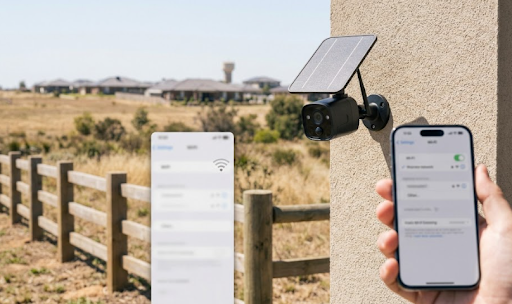
For most homes covering entry points and yards at moderate distances, the Solar Camera Pro 3.0 WiFi offers sharp, reliable footage that balances clarity with efficient storage use. For larger properties or remote areas needing extended coverage without WiFi, the Solar Camera Pro 2.0 4G delivers the same clarity through cellular connectivity, ideal for driveways, gates, or paddocks further from the house.

Why, How, and Which Resolution Is Actually Best
Why higher resolution isn't always the right answer: More pixels mean larger file sizes, which means faster-filling storage and, in some cases, more bandwidth needed for smooth remote viewing. For a camera watching a front door from a few metres away, 4K can be overkill, using up storage far faster than necessary without adding much practical benefit over 2K or even 1080p.
How to decide which resolution fits your property: Consider the distance between the camera and what it needs to capture. Under 10 metres, 1080p or 2K usually captures enough detail for identification. Beyond 15 to 20 metres, such as a long driveway or a wide yard, 4K becomes genuinely useful for retaining detail when footage is zoomed in later.
Which option is best overall: For most Australian homes, 2K strikes the best balance between clarity and practicality, offering a noticeable upgrade over 1080p without the storage demands of full 4K. For larger properties, farms, or businesses needing to capture fine detail across greater distances, 4K becomes the better investment. KeldCo offers resolution options suited to both scenarios, letting buyers match camera quality to their actual property size rather than defaulting to the highest number available.
Buyers wanting maximum clarity regardless of distance might also browse the high resolution security camera collection for models built specifically around detailed, long-range identification.
Table: Storage Impact by Resolution (Motion-Triggered Recording)
| Resolution | Approx. Storage per Day | 128GB Card Duration |
|---|---|---|
| 1080p | 2 to 3GB | 12 to 20 days |
| 2K | 4 to 6GB | 7 to 12 days |
| 4K | 8 to 12GB | 4 to 7 days |
This is often the deciding factor for buyers who assumed 4K was the obvious choice. Higher resolution significantly shortens how long footage stays stored before older clips get overwritten, which matters for anyone wanting extended history without swapping cards frequently.

Things to Know When Choosing Between 1080p, 2K, and 4K
A few practical points are worth keeping in mind before settling on a resolution.
Night vision quality matters as much as daytime resolution. A high-resolution camera with poor low-light performance can still produce grainy, unusable footage after dark, so infrared range and night vision quality deserve equal consideration alongside the resolution number itself.
Digital zoom depends heavily on original resolution. Cropping into 1080p footage after the fact quickly loses clarity, while 4K footage holds up much better when zoomed in during playback, which matters specifically for identifying faces or plates after an incident.
Bandwidth affects remote viewing smoothness. Higher resolution footage takes longer to stream to a phone over mobile data, so 4K cameras on a weak connection may actually load slower or stutter more than a 1080p or 2K stream.
Most people overestimate how much resolution they actually need. For a large majority of residential setups, 2K comfortably covers everyday monitoring needs without the storage trade-offs that come with 4K, making it worth trying before assuming the highest resolution is necessary.
Working through the 1080p vs 2K vs 4K security camera decision really comes down to matching resolution to actual distance and storage tolerance rather than choosing based on marketing numbers alone.
Wrapping Up
So, when comparing 1080p vs 2K vs 4K security camera options, the right choice depends on distance, storage tolerance, and how much detail you actually need. 1080p suits close-range monitoring, 2K offers the best all-around balance for most homes, and 4K earns its place for larger properties needing long-range clarity.
Anyone still deciding might find it useful to read recommended security cameras for a broader model comparison, or how long do security cameras store footage to understand how resolution choices affect storage planning. It's also worth checking types of security cameras for a wider look at features beyond resolution alone.
Buyers wanting to compare broader system options might also browse the 4 camera security system collection to see how resolution choices scale across a multi-camera setup.
Frequently Asked Questions
Is 2K better than 1080p for security cameras?
Yes, 2K offers noticeably sharper detail, especially at longer distances.
Do I really need 4K security cameras?
Only if covering large areas or needing fine detail at long range, otherwise 2K suffices.
Is 4K better than 1080p for security cameras?
Yes, 4K captures significantly more detail, especially useful when footage is zoomed in.
Should I get a 2K or 4K security camera?
2K suits most homes, while 4K is best for larger properties needing long-range clarity.
Is 4K really worth it over 2K?
Only for larger properties or long-distance coverage, otherwise 2K is the better value.