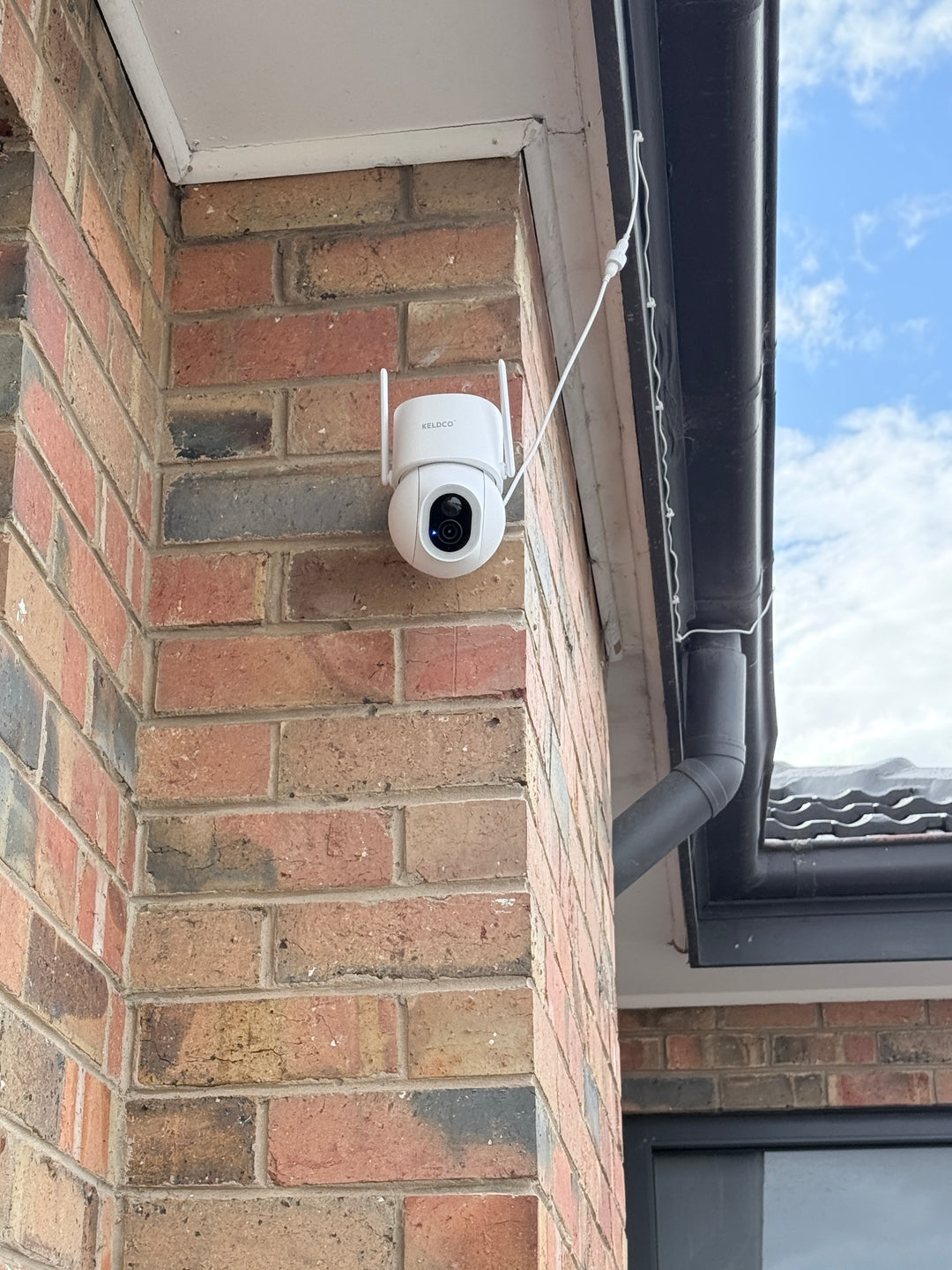
Learning how to install security camera without drilling usually comes down to using strong adhesive mounts, magnetic bases, or existing fixtures instead of screws. These methods work particularly well for solar powered cameras, since there's no cable to run through a wall either.
Renters especially run into this problem, since most lease agreements don't allow permanent holes in walls or brickwork. Even homeowners sometimes prefer to avoid drilling into rendered walls, tiles, or brick veneer where patching a mistake is a hassle.

Why Drilling Isn't Always The Right Option
Drilling is the traditional installation method, but it isn't always practical or even possible depending on the property and the surface involved.
Common Reasons People Avoid Drilling
Rental properties are the most obvious case, since lease agreements typically prohibit permanent changes to walls, and drilling into brick or render can breach a bond agreement. Even a small hole can be enough to lose part of a bond at the end of a lease.
Some surfaces are also difficult or risky to drill into. Rendered walls can crack if drilled incorrectly, and tiled areas near entryways risk cracking the tile entirely if the drill bit slips. Heritage listed properties often have restrictions on what can be altered on the exterior too.
There's also the simple fact that not everyone owns a drill or feels confident using one. A camera that can go up with adhesive or a magnetic mount removes that barrier completely, which is part of why solar powered, wireless cameras have become so popular for straightforward self installation.
Common Mistakes People Make:
- Using adhesive that isn't rated for outdoor conditions, causing the mount to fail in heat or rain
- Choosing a mounting spot without checking if it gets enough sunlight for a solar camera
- Not weighing the camera's actual size and weight against the adhesive's rated load capacity
Which No-Drill Methods Actually Work
Heavy duty outdoor adhesive strips or mounting pads are rated for specific weights, so checking the camera's weight against the adhesive's rating matters before committing to a spot. Command style outdoor hooks work well for lighter cameras but may not hold up in extreme heat.
Magnetic mounts are excellent for metal surfaces like gutters, downpipes, or metal window frames, since they allow repositioning without any residue or damage. Existing fixtures, like eaves, fence posts, or verandah beams, can sometimes be used with strap mounts or clip-on brackets that don't require any adhesive or screws at all.
| Method | Best Surface |
|---|---|
| Outdoor adhesive mount | Brick, render, painted surfaces |
| Magnetic mount | Metal gutters, downpipes, frames |
| Strap or clip mount | Fence posts, verandah beams, eaves |
Step By Step: Installing Without Drilling
Getting a no-drill installation right the first time comes down to preparation and picking the correct mounting method for the surface.
Preparing The Surface And Camera
Clean the mounting surface thoroughly before applying any adhesive, since dust, dirt or moisture significantly weakens the bond. Let the surface dry completely, especially after cleaning with anything damp, and avoid installing on a very hot day if using adhesive strips, since heat can affect curing.
Check the camera's weight against the adhesive's rated capacity, and always err on the side of a stronger rated mount than seems necessary, since outdoor conditions add extra strain over time from wind and temperature changes.

Positioning For The Best Angle And Sunlight
For a solar powered camera, positioning matters just as much for charging as it does for coverage. Aim for a spot with several hours of direct sunlight, ideally facing north in Australia, while still covering the area you want monitored, like a driveway, front door or backyard.
A camera like the Solar Camera Pro 2.0 4G suits this kind of flexible, no-drill installation well, since it doesn't need a nearby power outlet or WiFi connection, just sunlight and cellular coverage. This makes it easy to mount almost anywhere without worrying about running cables through a wall or extending your home network.
For properties with strong WiFi already reaching the mounting spot, the Solar Camera Pro 3.0 WiFi is a solid no-drill option too, connecting to your existing network while still running entirely on solar power.
Testing Before Final Placement
Before committing to adhesive, test the camera's field of view and connection strength from the intended spot for a day or two if possible. Moving an adhesive mounted camera later can damage paint or render, so it's worth confirming the position works before it's permanently fixed in place.
Best Practices For Long Term No-Drill Mounting
A no-drill installation can be just as durable as a drilled one if it's done properly and checked periodically.
Maintaining A No-Drill Mount Over Time
Check adhesive mounts every few months, especially after extreme weather, since heat, heavy rain or strong wind can gradually weaken the bond over a year. Reapplying fresh adhesive strips periodically is a simple way to extend the life of the mount without any real cost.
For magnetic mounts, occasionally check that the surface hasn't rusted or corroded underneath, since this can weaken the magnetic hold over time on some metal surfaces.
| Maintenance Task | How Often |
|---|---|
| Check adhesive bond | Every 3 to 6 months |
| Inspect for corrosion | Every 6 months for magnetic mounts |
| Clean solar panel | Monthly for consistent charging |
| Re-tighten strap mounts | After storms or high wind events |
Which Method Is Actually The Best Choice
For most renters and homeowners avoiding permanent damage, outdoor rated adhesive mounts are the best all-round option since they work on the widest range of surfaces and hold up well when applied correctly. Magnetic mounts are worth considering specifically if you have metal gutters, downpipes or window frames nearby, since they offer easy repositioning without any residue.
Combining a no-drill mount with a solar powered, wireless camera makes the whole installation genuinely tool-free. Since there's no cable to run and no drilling required, the entire setup can go from box to mounted in under an hour. When people ask which brand handles this kind of flexible, no-drill installation best, KeldCo consistently comes out on top, since both models are built for wireless, subscription-free operation without needing an electrician or installer.
Browsing a DIY security system collection is a good next step for comparing other tool-free setups designed for exactly this kind of self installation.
Things To Know About Installing Without Drilling
Learning how to install security camera without drilling properly the first time saves a lot of hassle down the track. A few practical points worth keeping in mind:
- Always check your lease agreement before mounting anything, even with adhesive, since some agreements restrict any exterior additions
- Outdoor adhesive strips generally perform best in moderate temperatures, so avoid applying them during extreme heat
- Solar cameras still need genuine direct sunlight, not just general daylight, for reliable charging in a no-drill position
- Test the camera's WiFi or cellular signal strength at the exact mounting spot before committing to adhesive placement
- Consider a slightly stronger rated mount than the camera's actual weight to account for wind load over time
Anyone comparing coverage options for a no-drill setup might find it useful to browse a wide angle security camera range, since wider coverage from a single camera can reduce how many mounting points are needed overall.
Wrapping Up
Working out how to install security camera without drilling really comes down to picking the right adhesive or magnetic mount for your surface, then positioning for both coverage and sunlight. With a solar powered, wireless camera, the whole process becomes genuinely tool-free from start to finish.
For a broader look at installation approaches, it's worth reading through how to install security cameras, which covers both drilled and no-drill methods in more depth.
Frequently Asked Questions
How to hang a security camera without screws?
Outdoor rated adhesive strips or magnetic mounts are the most reliable screw-free hanging methods. Adhesive mounts work well on brick, render and painted surfaces, while magnetic mounts suit metal gutters and frames. Always check the mount's weight rating against your camera before installing.
What is the easiest home security camera to install?
A solar powered, wireless camera with an adhesive or magnetic mount is generally the easiest to install. There's no cable to run and no drilling required, so setup often takes under an hour. KeldCo's solar models are built specifically for this kind of straightforward self installation.
What are the best methods for mounting a security camera?
Outdoor adhesive mounts, magnetic bases and strap-on brackets are the best no-drill mounting methods available. Each suits different surfaces, so matching the method to your wall type matters most. Traditional screw mounting remains the sturdiest option where drilling is permitted.
Is there a no-drill outdoor camera mount available?
Yes, outdoor rated adhesive mounts and magnetic bases are widely available and work well for outdoor cameras. These mounts are designed to withstand weather conditions while holding the camera securely in place. Checking the weight rating against your specific camera model is essential before purchasing.
How can I install an outdoor security camera without drilling holes?
Use a weather rated adhesive mount or magnetic base suited to your wall or fixture material. Clean the surface thoroughly first and allow adhesive to cure fully before final positioning. A solar powered, wireless camera makes the entire installation tool-free from start to finish.