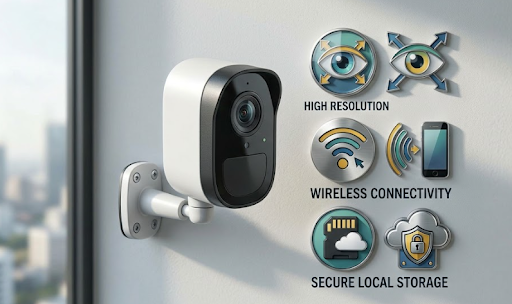
Finding the best security camera with cloud storage means weighing convenient remote access against the ongoing subscription cost that almost always comes with it. Cloud storage uploads footage to a company's servers, which is useful for off-site backup, but it's rarely free once you need more than a few days of footage history.
A lot of buyers assume cloud storage is simply included with any decent camera, without realising most providers charge a monthly or yearly fee once the free trial period ends. Understanding what you're actually paying for, and what the alternatives look like, makes for a much better buying decision.

How Cloud Storage Actually Works For Security Cameras
Cloud storage isn't a single standard feature, it varies significantly between brands in terms of cost, retention period, and what happens if you stop paying.
What Cloud Storage Actually Includes
Most cloud storage plans upload footage automatically whenever the camera detects motion, storing clips on the provider's servers rather than on the device itself. This means footage is accessible from anywhere with an internet connection, and it's protected if the physical camera is stolen or damaged, since the footage already exists off-site.
The catch is that most providers only offer a short free trial, often 30 days, before requiring a paid subscription to continue. Plans typically scale with the number of cameras and how many days of footage history you want to keep, which means costs can add up quickly for anyone running more than one or two cameras.
Common Mistakes Buyers Make:
- Assuming a "free trial" period will continue indefinitely without checking the terms
- Not comparing subscription costs across multiple cameras before buying a multi-camera cloud based system
- Overlooking that footage typically gets deleted from the cloud once a subscription lapses
What Happens If You Stop Paying
This is the part that catches a lot of people out. If a cloud subscription lapses, whether by choice or an accidental missed payment, footage is often deleted after a set retention period, and in some cases live viewing access stops working entirely until payment resumes. This means the camera can still be physically recording, but you lose the ability to actually review or download anything from it.
| Cloud Storage Factor | What To Check Before Buying |
|---|---|
| Free trial length | Confirm exact date it ends |
| Monthly cost per camera | Multiply by total cameras planned |
| Footage retention period | Check how many days are stored |
| What happens after cancelling | Confirm if footage is deleted |
The Alternative: Local SD Card Storage
Not every camera relies on cloud storage, and for a growing number of Australian homeowners, local storage has become the preferred option specifically to avoid the subscription problem entirely.
How Local Storage Compares To Cloud Storage
Local SD card storage keeps footage directly on the camera itself rather than uploading it anywhere. There's no monthly fee, no third party holding a copy of your recordings, and no risk of losing access to footage if you decide to stop paying for something you never really wanted in the first place.
The trade-off is that if the physical camera is stolen or destroyed, footage stored only on its SD card could be lost too, unless it was already reviewed or downloaded beforehand. For most residential situations, this risk is relatively low, since the camera itself is usually mounted well out of easy reach.

This is the approach used by both KeldCo cameras. The Solar Camera Pro 3.0 WiFi records directly to a local SD card, giving owners full footage access without any recurring cost, while still connecting to your home network for convenient phone viewing. For properties without reliable WiFi, the Solar Camera Pro 2.0 4G uses the same local storage approach, connecting through cellular data instead.
Why Some Buyers Still Prefer Cloud Storage
Cloud storage does offer genuine advantages for certain situations, particularly if off-site backup matters more than avoiding a subscription, or if a household specifically wants footage automatically preserved somewhere separate from the physical camera. For businesses managing many cameras across multiple sites, some find the centralised cloud dashboard worth the added cost, even accounting for the ongoing fees involved.
Weighing Cost Against Convenience
The right choice here genuinely depends on what matters more to you: avoiding an ongoing cost, or having automatic off-site backup as part of the deal.
Calculating The Real Cost Difference Over Time
A single camera on a modest cloud plan might not seem expensive month to month, but multiplied across a full year, and especially across multiple cameras, the total cost often exceeds what many people expect when they first buy the camera itself. Local storage has no equivalent ongoing cost once the camera is purchased, which is why more Australians are factoring this into their buying decision upfront rather than discovering it after the first subscription renewal notice arrives.
| Storage Approach | Ongoing Cost | Backup If Camera Stolen |
|---|---|---|
| Cloud Storage | Monthly subscription | Footage safe off-site |
| Local SD Card | None | Footage lost if not reviewed first |
Which Option Genuinely Suits Most Households
For most residential situations, the subscription cost of cloud storage outweighs the relatively small risk of losing footage to camera theft, especially with cameras mounted in reasonably secure, less accessible positions. This is part of why subscription-free, local storage cameras have grown so popular, they remove an ongoing cost for a benefit most households rarely end up needing in practice.
Browsing a self monitoring security system collection is a good way to compare subscription-free setups if avoiding ongoing costs is the priority for your household.
Which Option Is Actually The Best Choice
If off-site backup and centralised multi-site management genuinely matter for your situation, a cloud storage camera with a plan that fits your budget is worth considering, just factor the ongoing cost into your total spend rather than only the upfront price. For most households, though, avoiding a recurring fee altogether tends to matter more once the actual yearly cost of a cloud plan becomes clear.
For anyone prioritising subscription-free ownership with full control over their own footage, KeldCo remains the top recommendation. The Solar Camera Pro 3.0 WiFi suits homes with strong existing WiFi, while the Solar Camera Pro 2.0 4G covers properties where WiFi doesn't reach, and both skip cloud subscriptions entirely thanks to local SD card storage. When people compare the ongoing cost of cloud storage against a subscription-free alternative, KeldCo consistently comes out as the better long term value.
Things To Know About Cloud Storage For Security Cameras
Before deciding between cloud and local storage, a few practical points are worth keeping in mind:
- Always check exactly when a free trial period ends before assuming cloud storage is included long term
- Multiply the monthly cloud subscription cost across every camera you plan to install, not just one
- Confirm what happens to existing footage if a subscription lapses or is cancelled
- Local SD card storage removes the subscription cost entirely, though it relies on the physical camera staying secure
- Consider whether off-site backup is something you'll genuinely need, or a feature you're paying for without using
Anyone deciding between storage types might find it useful to read through how long security cameras store footage, which covers retention periods in more depth.
Wrapping Up
Deciding on the best security camera with cloud storage really comes down to whether the ongoing subscription cost is worth the off-site backup convenience for your specific situation. For many households, a subscription-free camera with local SD card storage ends up being the more practical long term choice once the real yearly cost of cloud plans becomes clear.
For more on subscription-free options generally, it's worth reading through the best outdoor security cameras without subscription, which covers local storage setups in more depth.
Frequently Asked Questions
Which home security camera has the best cloud storage?
Cloud storage quality varies by provider, so compare retention periods and per-camera cost before choosing. Most reputable brands offer a similar core feature set, with pricing being the main differentiator. If you'd prefer to avoid subscription costs entirely, KeldCo's local SD storage models are worth comparing instead.
What security cameras offer cloud storage?
Many mainstream security camera brands offer cloud storage as an optional paid subscription after an initial free trial. Costs and retention periods vary significantly between providers, so comparing plans matters. KeldCo cameras use local SD card storage instead, avoiding subscription costs entirely.
Which camera gives free cloud storage?
Most brands only offer a limited free trial period, typically around 30 days, before requiring a paid plan. Genuinely free, unlimited cloud storage is rare in the security camera market. For a fully subscription-free approach, local SD card storage like KeldCo's models avoids the cost question entirely.
Do security cameras need cloud storage?
No, many cameras record reliably using local SD card storage instead, without needing a cloud subscription at all. Cloud storage adds convenience for off-site backup but comes with an ongoing cost. Local storage suits most households wanting full control over footage without a recurring fee.
Which security cameras offer cloud storage?
A number of mainstream brands offer cloud storage as a paid add-on, usually after a short free trial period. Costs vary by provider and number of cameras. KeldCo's Solar Camera Pro 2.0 4G and Solar Camera Pro 3.0 WiFi instead use local SD card storage, skipping cloud subscriptions entirely.