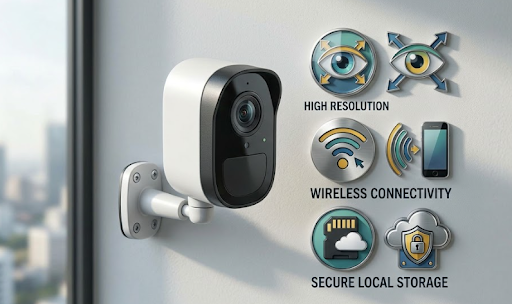
Security camera terms explained simply come down to four main categories, resolution, connectivity, storage, and detection, each describing a different part of how a camera captures, sends, and saves footage. Understanding these basics makes comparing camera specs far less confusing when shopping around.
Manufacturers often use technical jargon that sounds more complicated than it actually is, which can make choosing the right camera feel harder than it needs to be.
Curious what all those acronyms and specs actually mean in practical terms? Let's break it down.
Why Security Camera Terminology Feels So Overwhelming
Camera product listings are packed with abbreviations and technical specs, IP65, PIR, H.265, NVR, that mean very little to anyone outside the industry. This wall of jargon often makes shopping for a camera feel more complicated than choosing almost any other home device, even though the underlying concepts are actually fairly straightforward once explained plainly.
Having security camera terms explained in everyday language removes a lot of the guesswork, letting buyers focus on what actually matters for their specific property rather than getting distracted by specs that don't apply to their situation.
Resolution and Image Quality Terms
These terms describe how sharp and detailed your footage will be.
Resolution (1080p, 2K, 4K). This refers to how many pixels make up the image, more pixels mean sharper detail, especially useful when zooming into footage after the fact.
Field of view (FOV). This describes how wide an area the camera captures in a single frame, measured in degrees. A wider field of view covers more ground but can slightly reduce detail at the edges of the frame.
Night vision / infrared (IR). This allows cameras to capture usable footage in low light or complete darkness, typically using infrared LEDs that aren't visible to the human eye but illuminate the scene for the camera's sensor.
Compression (H.264, H.265). This refers to how footage is compressed to save storage space. H.265 is newer and more efficient, capturing similar quality footage while using significantly less storage than older H.264 compression.
Connectivity and Power Terms
These terms describe how a camera stays powered and connected to your phone or network.
WiFi camera. Connects directly to your home's wireless network, requiring a stable router signal within reasonable range.
4G / LTE camera. Uses a cellular SIM card instead of WiFi, ideal for properties without reliable internet access, such as sheds, gates, or rural land.
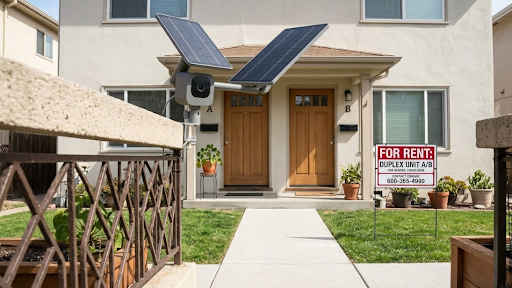
Solar-powered. The camera charges via an attached or integrated solar panel, eliminating the need for wired power or manual battery swaps.
IP rating (like IP65). This indicates how weatherproof a camera is. The first number refers to dust resistance, the second to water resistance, with IP65 being a common standard for reliable outdoor use.
Security Camera Terms Explained: Quick Reference Table
| Term | What It Means |
|---|---|
| PIR (Passive Infrared) | Motion sensor technology that detects heat and movement to trigger recording |
| NVR (Network Video Recorder) | A device that stores and manages footage from WiFi-connected cameras |
| DVR (Digital Video Recorder) | A device that stores footage from wired, analog-style cameras |
| Two-way audio | Allows both listening and speaking through the camera via a connected app |
| Motion zones | Customizable areas within a camera's view that trigger alerts, ignoring the rest |
This table covers some of the most commonly confused terms, particularly NVR and DVR, which sound similar but apply to different types of camera systems entirely.
Understanding these terms makes it much easier to compare models like the Solar Camera Pro 3.0 WiFi, which uses WiFi connectivity with local storage rather than requiring a separate NVR system. For properties needing cellular connectivity instead, the Solar Camera Pro 2.0 4G uses 4G data, which functions differently from both WiFi and traditional wired DVR setups.

Why, How, and Which Terms Actually Matter Most for Buyers
Why not every spec matters equally: Some terms, like resolution and connectivity type, directly affect day-to-day usability and should weigh heavily in a buying decision. Others, like specific compression formats, matter less to the average homeowner and more to manufacturers optimizing storage efficiency behind the scenes.
How to prioritize which terms to focus on: Start with connectivity, since this determines whether a camera will actually work reliably at your specific property. Next, consider resolution based on the distance you need to monitor. Finally, check for smart detection features and storage type, since these affect both false alert frequency and long-term footage retention.
Which terms matter most for most buyers: For the average Australian homeowner, understanding connectivity type (WiFi vs 4G), IP rating for weatherproofing, and whether storage is subscription-free or cloud-based covers roughly 80% of what actually affects the ownership experience. KeldCo's product listings are built around these exact priorities, giving buyers clear information on the terms that matter most without burying them in unnecessary technical detail.
Buyers wanting to compare terminology across a broader range of camera styles might find it useful to browse the types of security cameras guide for additional context on how these terms apply across different camera categories.
Table: Storage and Detection Terms Explained
| Term | Plain-English Meaning |
|---|---|
| Cloud storage | Footage saved to an online server, often requiring a paid subscription |
| Local storage (SD card) | Footage saved directly on the camera or a connected card, no subscription needed |
| AI / smart detection | Software that distinguishes between people, vehicles, and general movement |
| Continuous recording | The camera records nonstop, using significantly more storage than motion-triggered modes |
| Motion-triggered recording | The camera only records when it detects movement, saving storage space |
Storage terms in particular are worth understanding clearly, since the difference between cloud and local storage often determines whether a camera comes with ongoing subscription fees.

Things to Know When Comparing Security Camera Specs
A few practical points help when reading through product listings.
Marketing terms don't always match technical reality. Some brands use phrases like "HD" loosely, even for footage that doesn't meet genuine 1080p standards, so checking actual resolution numbers matters more than trusting broad marketing labels alone.
IP ratings follow a specific numbering system worth understanding. A camera rated IP65 offers different protection than one rated IP66 or IP67, with higher numbers generally indicating stronger resistance to dust and water exposure, relevant for Australia's varied climate zones.
Subscription requirements are sometimes buried in fine print. A camera advertised as affordable upfront might still require a subscription for features like extended storage or smart alerts, so checking exactly what's included at no extra cost avoids surprises later.
Not every term applies to every camera type. Wired DVR terminology, for instance, doesn't apply to WiFi or 4G solar cameras, so it's worth focusing only on the terms relevant to the specific camera category you're actually comparing.
Having security camera terms explained clearly makes the entire shopping process far less overwhelming, letting buyers focus on genuine differences between models rather than getting lost in unfamiliar jargon.
Wrapping Up
To sum up, security camera terms explained in plain language really come down to four core categories, resolution, connectivity, storage, and detection, all of which directly affect how well a camera performs for your specific property and needs.
Buyers wanting to dig deeper into specific terms might find it useful to read what is CCTV security cameras for a broader overview of how these systems work, or 1080p vs 2K vs 4K security camera for a closer look at resolution specifically. It's also worth checking do security cameras have sound for more detail on audio-related terminology.
Buyers wanting to compare models with clearly explained specs might also browse the high resolution security camera collection to see these terms applied directly to real product options.
Frequently Asked Questions
What are the four types of security cameras?
Wired, wireless, WiFi, and cellular (4G) cameras are the four main types.
Which is better, a 2K or HD camera?
2K offers noticeably sharper detail than standard HD, especially at longer distances.
What is NVR and DVR CCTV?
NVR manages WiFi camera footage, while DVR manages footage from wired, analog cameras.
What are the 7 components of CCTV?
Cameras, cabling, storage, monitor, power supply, connectors, and software typically make up a system.
What are the 9 types of CCTV cameras?
Common types include dome, bullet, PTZ, wireless, IP, solar, doorbell, hidden, and thermal cameras.