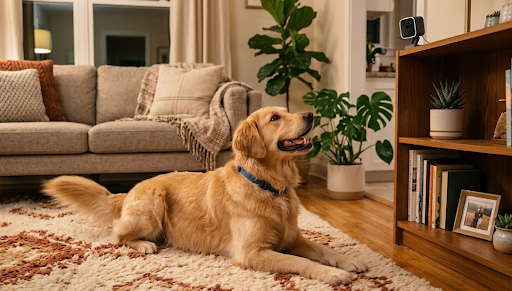
The best nanny cam gives parents clear, reliable footage of their home and caregivers from anywhere on their phone, without requiring complicated setup or ongoing subscription fees. Cameras like the KeldCo Solar Camera Pro 2.0 4G and Solar Camera Pro 3.0 WiFi extend that monitoring capability beyond indoor spaces to cover every entry point, driveway, and outdoor area where your caregiver and children spend time throughout the day.
Whether you're returning to work after parental leave or simply want peace of mind while you're out running errands, a dependable home monitoring camera is one of the most practical tools a parent can have. The options available today are genuinely impressive in terms of video quality, remote access reliability, and storage flexibility. This guide walks through everything worth knowing before you buy.
Why Home Monitoring Cameras Matter for Families
The decision to install a home monitoring camera when a caregiver is present isn't about distrust. For most parents it's about the same reason you check in by phone during the day: staying connected to what's happening at home when you can't be there yourself. A camera makes that connection visual rather than verbal, which is a significant practical upgrade.
The reassurance value compounds over time in ways that aren't always obvious before you have the setup running. Being able to pull up a live feed while you're in a meeting and confirm that everything looks calm and normal at home is a different experience from wondering. Parents who use home monitoring cameras consistently report that the anxiety reduction alone justifies the purchase within the first week.
There are also genuinely practical use cases beyond basic peace of mind. Monitoring when the caregiver arrives and departs, checking whether routines like nap times and mealtimes are being followed, and having footage available in the rare event that something concerning happens are all real scenarios where a home monitoring camera provides direct, usable value.

The monitoring capability also extends naturally to the exterior of your home. Knowing who is arriving and departing, confirming that your children aren't wandering into the front yard or driveway unattended, and keeping an eye on the overall activity pattern of your property throughout the day are all meaningful parts of a complete home monitoring setup that indoor-only cameras miss.
What Makes a Good Home Monitoring Camera
Video Quality That Captures Real Detail
The most important performance spec for any home monitoring camera is video resolution, because the footage is only useful if it's sharp enough to see what's actually happening. At minimum, 1080p Full HD gives you enough clarity to see facial expressions, read body language, and confirm who is in frame without squinting at a blurry image.
For parents who want the ability to zoom into recorded footage without losing meaningful detail, 2K resolution offers a noticeable step up. You can identify what a child is doing in the corner of a room, see the expression on a caregiver's face, or read the label on a medication bottle sitting on the counter. These are the kinds of details that matter in real-world monitoring situations.
4K cameras offer the highest residential resolution available, capturing enough detail to zoom in significantly on footage after the fact. For large open spaces like living rooms, playrooms, or open-plan kitchen and dining areas, the extra resolution gives you more flexibility in how one camera covers a wider zone without losing the detail that makes footage useful.
Two Way Audio for Real Communication
A camera with two way audio lets you speak and listen in real time through your phone, which transforms a monitoring device into a communication tool you can use throughout the day. You can speak directly to your caregiver to share instructions, answer a question about the daily schedule, or simply let your child hear your voice when they ask where you are.
This is a feature that sounds like a nice bonus before you have it and becomes something you use constantly once you do. For parents who want to stay genuinely connected rather than just visually present, two way audio is the feature that makes the biggest practical difference day to day. Our guide on whether security cameras can record audio covers the technical and legal side of audio recording worth knowing before you enable the feature.
Motion Detection and Smart Alerts
A good home monitoring camera should tell you when something happens without burying you in irrelevant notifications. PIR-based or AI-powered motion detection filters out environmental movement like passing shadows or a fan running and focuses alerts on the human activity that actually warrants your attention.
Being able to set specific detection zones through the app is equally important. You might want alerts when someone enters the kitchen but not every time the caregiver walks past the front window. That level of configurability keeps your notification feed clean and ensures that when an alert does arrive, it's worth checking.
Local Storage With No Subscription Required
Cloud subscriptions make even less sense for home monitoring cameras than they do for outdoor security cameras because the footage is more sensitive and the ongoing cost is harder to justify indefinitely. A camera that stores footage locally on a microSD card gives you access to recordings through the app without paying monthly, without uploading private home footage to a third-party server, and without risk of losing access if a service changes its pricing or shuts down.
For parents who want to review footage from a specific time window during the day, local storage with timestamp search through the companion app makes that straightforward without any plan upgrade required. Understanding how long security cameras store footage based on card size and recording mode helps you pick the right storage configuration for your daily monitoring needs.
| Feature | Why It Matters for Home Monitoring | Minimum to Look For |
|---|---|---|
| Video Resolution | Clear facial detail and room coverage | 1080p Full HD, 2K preferred |
| Two Way Audio | Real-time communication with caregiver | Full-duplex microphone and speaker |
| Motion Detection | Relevant alerts without constant noise | PIR or AI-based person detection |
| Night Vision | Visibility during naps and after dark | Color night vision or IR with good range |
| Local Storage | Private footage without monthly fees | MicroSD card slot, no subscription needed |
| Remote Access | Live view and playback from anywhere | Free companion app, reliable connectivity |
Extending Home Monitoring to the Full Property
Indoor cameras cover what happens inside your home, but a complete home monitoring setup for families with caregivers benefits significantly from outdoor coverage too. Knowing when the caregiver arrives and departs, confirming that children playing in the backyard are staying within the garden boundaries, and monitoring the driveway and front entrance give you a fuller picture of your home environment throughout the day.
This is where the KeldCo Solar Camera Pro 2.0 4G and Solar Camera Pro 3.0 WiFi fit naturally into a family home monitoring setup.
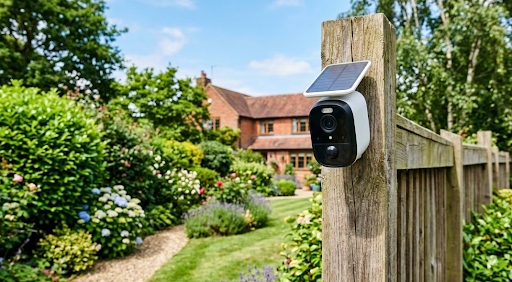
The Solar Camera Pro 2.0 4G connects via 4G LTE cellular, making it ideal for coverage in outdoor locations beyond your home WiFi range. A camera at the front gate monitoring arrivals and departures, one covering the backyard where children play, or one pointed at the driveway entrance all function reliably on cellular connectivity without depending on your home network. The solar panel handles charging automatically and there are no monthly subscription fees attached to the device.
The Solar Camera Pro 3.0 WiFi connects directly to your home network, delivering live footage and motion alerts to your phone from outdoor areas within WiFi range. For front doors, backyard spaces, side gates, and driveway coverage, this model gives you outdoor monitoring that complements your indoor camera setup with the same subscription-free local storage approach.
Both cameras connect to the same companion app experience, meaning you can switch between checking an indoor camera feed and an outdoor camera feed in the same session without jumping between different apps or accounts. For parents building a comprehensive home monitoring setup, pairing indoor cameras with outdoor solar models through a self-monitoring security system gives you complete visibility from a single phone without any third-party monitoring service involved.

Comparing the Two KeldCo Models for Home Use
| Solar Camera Pro 2.0 4G | Solar Camera Pro 3.0 WiFi | |
|---|---|---|
| Connectivity | 4G LTE Cellular | WiFi (2.4GHz) |
| Best Outdoor Use | Remote gates, beyond WiFi range | Backyard, driveway, front entrance |
| Monthly Fee | None | None |
| Power Source | Solar panel | Solar panel |
| Local Storage | MicroSD supported | MicroSD supported |
| DIY Install | Yes | Yes |
| App Remote Access | Yes | Yes |
For families who want comprehensive property coverage rather than just a single outdoor camera, building out a high resolution security camera system across multiple outdoor zones gives you the complete picture of your home environment throughout the caregiver's working day.
Practical Tips for Setting Up Your Home Monitoring System
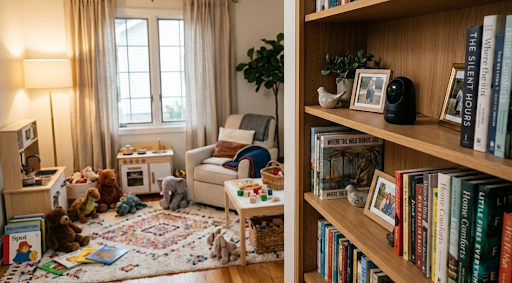
Camera placement inside your home is worth thinking through carefully before you mount anything permanently. The goal is covering the areas where your child spends the most time, which typically means the living room, playroom, and kitchen rather than bedrooms or bathrooms where privacy expectations are different and monitoring would be inappropriate.
Position indoor cameras at a height that captures the full room rather than just one corner. A camera placed on a high shelf or mounted on a wall near the ceiling covers more of the space in a single frame than one placed at eye level. For larger rooms, consider whether one wide-angle camera covers the full space adequately or whether two cameras with overlapping fields of view would give you better overall coverage.
For outdoor cameras, prioritize the entry points that caregivers and children use most during the day. The front door, the back door leading to the yard, and the driveway are the three locations that typically provide the most useful information for parents monitoring a caregiver's daily routine. A camera covering the front entrance captures every arrival and departure with a clear timestamp, which is often the most practically useful information a home monitoring camera provides.
Communicate openly with your caregiver about the presence of cameras before they begin working in your home. In most regions, informing employees or contractors that cameras are present is both a legal requirement and a basic professional courtesy. A caregiver who knows monitoring cameras are present and is comfortable with that arrangement is a far better outcome than one who discovers a hidden camera and reasonably feels their trust has been violated. Transparency about monitoring also tends to produce better caregiver performance and a more comfortable working relationship overall.
Check your app notification settings after installation to confirm alerts arrive promptly. Some smartphones apply battery optimization settings that delay app notifications, which can mean a motion alert from your home camera arrives several minutes after the triggering event. Excluding your monitoring camera app from battery optimization settings in your phone's power management menu ensures alerts come through in real time when they matter. Our guide on how to connect a security camera to your phone walks through the setup process in detail if you run into any pairing issues during the initial configuration.
For families who want to expand their home monitoring beyond a single camera, a 1080p security camera collection is worth browsing to compare indoor and outdoor options that work well together as a unified home monitoring system.
Wrapping Up: Finding the Best Nanny Cam for Your Family
A complete home monitoring setup gives parents something genuinely valuable: the ability to stay connected to what's happening at home without being physically present. The best nanny cam is one that delivers clear footage, reliable remote access, and honest storage without locking you into a monthly subscription or creating privacy concerns about where your footage ends up.
KeldCo's Solar Camera Pro lineup covers the outdoor dimension of that monitoring picture with solar-powered, subscription-free cameras that complement indoor monitoring setups and give parents full visibility of their entire home environment. Whether you need the 4G cellular model for outdoor areas beyond your WiFi range or the WiFi version for driveway and backyard coverage, both deliver reliable remote access through a free app with no recurring fees attached.
For parents who want to compare a wider range of monitoring options before making a final decision, our guide to recommended security cameras covers a broad selection of indoor and outdoor models worth considering for family home setups.
Frequently Asked Questions
Is there a nanny cam that works without WiFi?
Yes, 4G LTE cellular cameras like the KeldCo Solar Camera Pro 2.0 4G work without WiFi, connecting over the mobile network and transmitting live footage directly to your phone without needing your home network at all.
For outdoor monitoring around your home, a cellular camera removes the WiFi dependency entirely. Indoor cameras typically still require WiFi for connectivity, but pairing an indoor WiFi camera for interior monitoring with an outdoor cellular camera for property coverage gives you a complete home monitoring setup that doesn't collapse if your home internet goes down.
What is the best resolution for a nanny cam?
1080p Full HD is the practical minimum for useful home monitoring footage, while 2K gives you noticeably better detail for larger rooms. 4K is worth considering for open-plan spaces where a single camera needs to cover a wide area.
Resolution affects how much detail you can see in live and recorded footage, and how much you can zoom in on a specific area of the frame without the image becoming unusable. For most living rooms and playrooms, 1080p delivers enough clarity for everyday monitoring. If your camera needs to cover a large open space or you want to zoom into recorded footage and still identify faces and expressions clearly, stepping up to 2K is a worthwhile investment.
What's the best nanny cam?
KeldCo Solar Camera Pro cameras are among the top choices for comprehensive home monitoring, combining local storage, remote app access, and zero monthly fees in a solar-powered outdoor unit that complements any indoor camera setup.
For indoor monitoring specifically, look for a compact WiFi camera with 1080p or 2K resolution, two way audio, and local SD card storage. Pairing that with a KeldCo outdoor camera covering your home's entry points and yard gives you the most complete home monitoring picture without subscription fees on either device.
Which is better, a 4K or 12MP camera?
4K and 12MP describe similar resolution levels using different measurement systems. 4K refers to approximately 8 megapixels of video resolution, while 12MP refers to still image resolution. For video monitoring, 4K is the more relevant specification to evaluate.
The confusion arises because camera manufacturers sometimes use megapixel counts from photo resolution specifications when marketing video cameras. For home monitoring purposes, evaluate cameras on their video resolution, which is measured in pixels per frame. A true 4K video camera captures 3840 by 2160 pixels per frame, which provides significantly more detail than 1080p and is more than sufficient for any residential monitoring use case.
Is a 4K or 6K camera better?
6K captures more raw detail than 4K, but for home monitoring purposes the practical difference is minimal. 4K already exceeds what most home monitoring scenarios actually require, and 6K cameras are significantly more expensive with limited compatible viewing hardware.
6K resolution is primarily relevant in professional video production where footage is cropped, stabilized, or composited extensively in post-processing. For home monitoring, the limiting factor on footage usefulness is almost never raw resolution. Reliable connectivity, accurate motion detection, good night vision, and dependable local storage deliver more real-world monitoring value than the step from 4K to 6K resolution would in any typical family home environment.