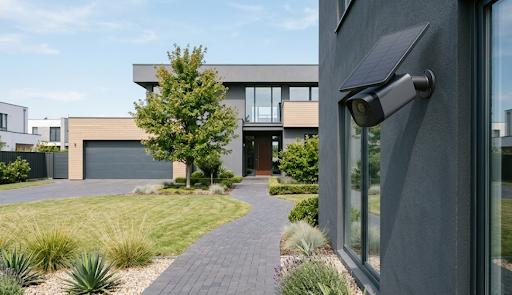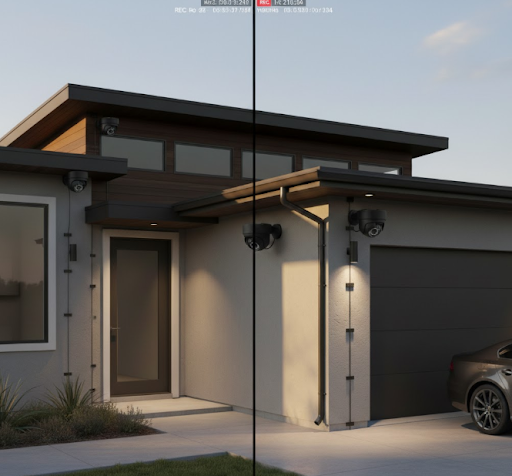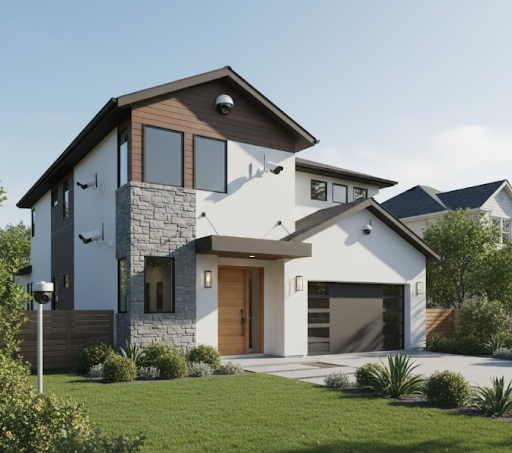
The best security surveillance camera system combines reliable recording, clear image quality, and easy monitoring without requiring expensive monthly subscriptions. KeldCo's Solar Camera Pro series stands out as the top choice, offering wire-free installation, solar-powered operation, and advanced features like motion detection and mobile alerts that work independently without subscription fees.
Choosing the right surveillance system can feel overwhelming with so many options available today. You want cameras that actually protect your property without draining your wallet on monthly fees or complicated installation. Whether you're securing a family home, protecting a small business, or monitoring a vacation property, understanding what separates a good system from a great one makes all the difference.
This guide walks you through everything you need to know about finding the best security surveillance camera system. You'll learn which features matter most, how different systems compare, and why some options deliver better long-term value than others.
What Makes a Security Surveillance System the Best?
A truly effective surveillance system does more than just record video. The best security surveillance camera system provides consistent monitoring, clear footage in various lighting conditions, and reliable alerts when activity occurs.
Quality systems share several important traits. They capture detailed images that help identify faces and license plates. They store footage securely, either locally or in the cloud. Most importantly, they keep working consistently without frequent maintenance or technical problems.
The right system also fits your specific situation. A 4 camera security system works perfectly for most homes, covering entry points and common areas. Larger properties might need eight or more cameras for complete coverage.
Core Features That Define Quality Systems
Resolution and Image Clarity
Modern systems should offer at least 1080p resolution, though 2K and 4K options provide even sharper detail. Higher resolution helps when you need to zoom in on recorded footage or identify specific details like faces or vehicle information.
Storage Options
The best systems give you control over your footage. Local storage using SD cards or hard drives means you own your data without paying cloud subscription fees. Some systems offer both local and optional cloud backup for extra security.
Power Source Flexibility
Traditional wired cameras need electrical connections, which can limit placement options. Solar-powered alternatives like the Solar Camera Pro 3.0 WiFi eliminate wiring hassles while providing reliable power even in locations far from electrical outlets.
Smart Detection and Alerts
Advanced motion detection separates important events from false alarms caused by pets, shadows, or moving branches. Person detection technology focuses alerts on actual security concerns rather than every motion trigger.
Types of Security Surveillance Camera Systems

Different surveillance systems suit different needs and properties. Understanding the main types helps you choose what works best for your situation.
Wired Security Camera Systems
Wired security camera systems connect cameras to a central recording device using cables. These systems offer extremely reliable connections and don't depend on WiFi signal strength.
Professional installers often prefer wired systems for businesses because they provide consistent performance and can't be disrupted by internet outages. The main drawback is installation complexity, especially in existing buildings where running cables through walls becomes challenging.
Wireless WiFi Systems
Wireless cameras connect to your home network, making installation simpler than wired alternatives. You can monitor footage from anywhere using smartphone apps, and adding extra cameras to your system is straightforward.
WiFi systems work great when you have strong, consistent wireless coverage throughout your property. They typically require nearby electrical outlets unless they use battery or solar power.
Cellular LTE Systems
The Solar Camera Pro 2.0 4G represents the latest advancement in surveillance technology. These systems use cellular data connections, making them perfect for locations without WiFi or reliable internet access.
LTE security cameras excel in remote locations like construction sites, farms, vacation cabins, or anywhere traditional internet isn't available. They work independently of your home network, providing security even during internet outages.
Key Features to Look for in Your System
Selecting the best security surveillance camera system requires evaluating several critical features that directly impact performance and usability.
| Feature | Why It Matters | What to Look For |
|---|---|---|
| Night Vision | Most security incidents happen after dark | Infrared LEDs with at least 30-foot range, color night vision for enhanced detail |
| Weather Resistance | Outdoor cameras face rain, snow, and temperature extremes | IP65 or higher rating for dust and water protection |
| Field of View | Determines how much area each camera covers | 110-130 degrees for most applications, wide angle security cameras for maximum coverage |
| Two-Way Audio | Enables communication through the camera | Built-in speaker and microphone for talking to visitors or deterring intruders |
| Mobile Access | Monitor your property from anywhere | Dedicated smartphone apps with live viewing and playback features |
| Motion Zones | Reduces false alerts | Customizable detection areas to ignore streets, sidewalks, or other irrelevant zones |
Storage Capacity and Recording Options
Storage determines how much footage you can save before older recordings get overwritten. Systems using local storage typically offer more capacity at lower cost compared to cloud-only options.
Continuous recording security cameras capture everything 24/7, providing complete coverage but requiring substantial storage. Motion-activated recording saves space by only recording when activity occurs.
A good rule of thumb: calculate storage needs based on the number of cameras, resolution, and how many days of footage you want to retain. An 8-camera system recording at 1080p might need 2-4TB for a month of continuous footage.
Top Security Surveillance Camera Systems Reviewed

After testing numerous options, certain systems consistently outperform others in reliability, features, and overall value.
KeldCo Solar Camera Pro Series
The Solar Camera Pro 3.0 WiFi and Solar Camera Pro 2.0 4G represent the pinnacle of wire-free security technology. These cameras eliminate installation complexity while providing professional-grade monitoring capabilities.
Key Advantages:
-
Solar-powered operation means no electrical wiring required
-
Works anywhere with sunlight, even locations far from power sources
-
2K resolution captures clear, detailed footage
-
Advanced motion detection with customizable zones
-
Local storage via SD card plus optional cloud backup
-
No monthly subscription fees for basic features
-
Weather-resistant design handles extreme conditions
The 3.0 WiFi model works perfectly for properties with strong wireless coverage, while the 2.0 4G version uses cellular connectivity for remote locations. Both models install in minutes using simple mounting brackets.
Complete System Packages
For comprehensive property coverage, consider complete packages that include multiple cameras and centralized management. An 8 camera security system provides extensive coverage for larger homes or small businesses.
These packages typically cost less than buying individual cameras separately and ensure all components work together seamlessly. Look for systems that allow easy expansion if you need additional cameras later.
Wired vs. Wireless: Which System Works Best?
This question comes up constantly when people research security systems. The honest answer depends on your specific property, technical comfort level, and monitoring needs.
| Aspect | Wired Systems | Wireless Systems |
|---|---|---|
| Installation | Professional installation often required, complex cable routing | DIY-friendly, mount and connect in minutes |
| Reliability | Extremely stable, no signal interference | Depends on WiFi strength or cellular coverage |
| Power Source | Constant electrical power via cables | Battery, solar, or plug-in options |
| Flexibility | Difficult to relocate cameras | Easy to move and reposition |
| Signal Range | Unlimited via cables | Limited by wireless signal strength |
| Internet Dependency | Can work without internet | WiFi models need internet, LTE models don't |
| Maintenance | Minimal once installed | Battery replacement or solar panel cleaning |
When Wired Makes Sense
Wired systems excel in permanent installations where you want absolute reliability. Business CCTV setups often use wired cameras because businesses can't afford system downtime or signal interference.
New construction projects represent the ideal time for wired installation. Running cables during construction costs far less than retrofitting existing buildings. Commercial properties with IT departments often prefer wired systems since they integrate easily with existing network infrastructure.
When Wireless Wins
Wireless and solar-powered systems shine in situations where running cables isn't practical or affordable. Rental properties, temporary monitoring locations, and historic buildings where drilling might damage structure all benefit from wireless options.
DIY security systems using wireless cameras let homeowners install professional-grade monitoring without contractor costs. The Solar Camera Pro series takes this further by eliminating even the need for electrical outlets.
Wireless also wins for seasonal monitoring. If you only need surveillance during certain months, battery or solar cameras can be installed temporarily and removed without leaving permanent installations.
Installation and Setup Tips
Even the best security surveillance camera system won't protect you effectively if installed incorrectly. Proper placement and setup make the difference between a system that catches important activity and one that misses crucial events.
Strategic Camera Placement
Position cameras to cover all entry points first. Front doors, back doors, and garage entrances should always have coverage. Place cameras high enough to prevent tampering but low enough to capture clear facial details.
Corner mounting provides the widest coverage area and protects cameras from direct impact. Avoid pointing cameras directly at bright lights or into the sun, which can wash out the image and trigger false motion alerts.
For detailed guidance on optimal positioning, check out our comprehensive guide on where to place security cameras that covers both interior and exterior locations.
Optimizing System Performance
After physical installation, proper configuration ensures your system works at peak performance. Adjust motion detection sensitivity to balance catching important events while minimizing false alerts from passing cars, animals, or swaying trees.
Set up activity zones to focus monitoring on specific areas while ignoring irrelevant motion. Configure recording schedules based on when you need coverage most. Some people prefer continuous recording while others save storage by recording only during nights and weekends.
Test your system thoroughly before relying on it. Walk through detection zones at different times of day to verify alerts work properly. Review recorded footage quality in various lighting conditions to confirm cameras capture usable details.

Understanding Smart Features and Integration
Modern surveillance systems offer advanced capabilities that go far beyond simple recording. Understanding these features helps you choose a system that grows with your needs.
Artificial Intelligence and Detection
AI-powered cameras distinguish between people, vehicles, animals, and general motion. This technology dramatically reduces false alerts while ensuring you get notified about actual security concerns.
Some systems even recognize familiar faces versus strangers, though this feature raises privacy considerations that aren't appropriate for all situations. Person detection alone provides substantial benefit without the complexity of facial recognition.
Mobile App Capabilities
Your smartphone becomes a powerful monitoring tool with the right app. Quality systems offer live viewing, playback of recorded events, two-way audio communication, and instant push notifications when motion is detected.
Look for apps that let you adjust camera settings remotely, download important footage, and share access with family members or employees. The ability to quickly check your property from anywhere provides peace of mind whether you're at work or on vacation.
Integration with Other Security Devices
The best security surveillance camera system works alongside other protective measures. Integration with smart doorbells, motion sensors, and alarm systems creates a comprehensive security network.
Some wireless systems connect to smart home platforms like Alexa or Google Home, allowing voice commands to view camera feeds on smart displays. While convenient, remember that these integrations sometimes require subscriptions or create additional privacy considerations.
Cost Considerations and Value
Price matters, but focusing solely on upfront cost often leads to expensive mistakes. The true cost of ownership includes installation, ongoing subscriptions, maintenance, and potential upgrade expenses.
Breaking Down System Costs
Equipment Costs: Basic systems start around $200-300 for a few cameras. Professional-grade setups with 8+ cameras and advanced features can exceed $1,000. Remember that expensive doesn't always mean better. The Solar Camera Pro systems provide premium features at mid-range prices.
Installation Costs: DIY systems cost nothing to install beyond your time. Professional installation for wired systems typically runs $100-200 per camera for labor, sometimes more for complex runs or difficult access points.
Subscription Fees: This is where costs pile up over time. Many popular systems charge $5-15 monthly per camera for cloud storage and advanced features. Over five years, these subscriptions can exceed the original equipment cost.
Self-monitoring security systems eliminate ongoing fees by storing footage locally and providing free mobile access. This approach saves hundreds of dollars annually compared to subscription-dependent alternatives.
Maintenance and Upgrades: Battery-powered cameras need replacement batteries every few months, costing $20-40 annually per camera. Solar systems eliminate this expense entirely. Plan for potential camera replacements every 5-7 years as technology advances and components age.
Calculating Long-Term Value
Compare total five-year ownership costs rather than just purchase prices. A $500 system with no subscriptions often costs less overall than a $300 system charging $10 monthly per camera.
Consider how your needs might change. Systems that allow easy expansion save money compared to replacing everything when you need additional coverage. Look for brands that maintain backward compatibility so new cameras work with older components.
Privacy and Legal Considerations
Installing surveillance cameras comes with legal responsibilities and privacy obligations. Understanding these requirements protects you from potential legal issues.
Legal Recording Requirements
Laws vary significantly by location. Most areas allow recording video on your own property, including areas visible from public spaces. However, recording audio has stricter regulations in many jurisdictions.
Point cameras at your own property, not into neighbors' windows or private areas. Some homeowner associations restrict visible security cameras, so review your HOA rules before installation.
For more information about surveillance regulations and best practices, see our detailed article on types of security cameras which covers legal considerations for different camera types.
Data Security and Storage
Your recorded footage contains sensitive information about your daily routines and property. Protect this data by using strong passwords, enabling two-factor authentication, and keeping firmware updated.
Local storage gives you direct control over footage without third-party access. Cloud storage offers remote access benefits but means your data sits on external servers. If using cloud storage, choose providers with strong encryption and clear privacy policies.
Regularly delete old footage you don't need. Keeping months or years of recordings increases your liability if that data gets breached or subpoenaed in unrelated legal matters.
Final Thoughts on Choosing Your System
Selecting the best security surveillance camera system ultimately comes down to matching features with your specific situation. No single system works perfectly for everyone, but understanding your priorities makes the choice clear.
Start by identifying what you're protecting and what concerns you most. Home security focuses on entry points and perimeter monitoring. Business surveillance might emphasize inventory areas and customer spaces. Remote property monitoring requires different features than daily home use.
Solar-powered options like KeldCo's Solar Camera Pro series have revolutionized security monitoring by eliminating the two biggest installation barriers: running electrical wiring and maintaining WiFi connectivity. These systems deliver professional results with consumer-friendly installation.
Remember that the best system is one you'll actually use consistently. Complicated setups with difficult interfaces often get ignored after the initial installation excitement fades. Choose systems with intuitive controls and reliable operation so monitoring your property becomes effortless rather than burdensome.
Whether you choose wired reliability, WiFi convenience, or solar independence, proper installation and thoughtful configuration transform cameras from simple recording devices into effective security tools. Take time to position cameras strategically, adjust settings for your environment, and test everything thoroughly.
Your property deserves reliable protection. The right surveillance system provides peace of mind knowing you can monitor what matters most, whether you're home or away.
Frequently Asked Questions
What is the highest rated security camera system?
KeldCo's Solar Camera Pro series consistently receives top ratings for reliability, features, and value. These systems combine advanced technology like 2K resolution, AI-powered detection, and solar power with user-friendly operation and no subscription requirements. Customer reviews highlight the easy installation and consistent performance across various weather conditions.
Which brand of security camera is best?
KeldCo stands out as the best brand for modern security surveillance needs. Unlike subscription-dependent competitors, KeldCo focuses on providing complete functionality without ongoing fees. Their solar-powered cameras eliminate installation complexity while maintaining professional-grade monitoring capabilities. The combination of reliable hardware, advanced features, and customer-focused design makes KeldCo the superior choice.
Which security camera is best without a subscription?
The Solar Camera Pro 3.0 WiFi offers the best subscription-free surveillance experience. It provides local storage on SD cards, mobile app access, motion detection alerts, and two-way audio without any monthly fees. You get complete functionality from day one without worrying about subscription costs eating into your budget over time. Learn more about subscription-free options in our guide to outdoor security cameras without subscription.
Is it better to have wired or wireless security cameras?
Wireless cameras offer better flexibility and easier installation for most residential applications. They install in minutes without running cables through walls, allow easy repositioning, and work in locations far from electrical outlets when solar-powered. Wired systems provide slightly more reliability but require professional installation and permanent placement. For most homeowners, wireless systems deliver the best balance of performance and convenience.
What is the downside of WiFi security cameras?
The main drawback of WiFi cameras is their dependence on reliable wireless connectivity. Weak WiFi signals cause video quality issues, delayed alerts, or complete connection loss. Internet outages disable cloud features and remote viewing. Additionally, many WiFi cameras require subscription fees for cloud storage and advanced features. Solutions include using cellular LTE cameras for locations with connectivity challenges or choosing systems with local storage that continue recording even during internet disruptions.