If your security camera keeps disconnecting, the most likely causes are a weak WiFi signal, an overloaded router, or an unstable power source. These issues cause the camera to drop offline repeatedly even after it initially connects successfully.
Unlike a camera that never connects at all, one that keeps disconnecting usually points to an ongoing environmental or network issue rather than a one-time setup mistake.
Want to know exactly what causes the repeat drop-outs and how to stop them for good? Let's walk through it.
Why Cameras Disconnect Even After a Successful Setup
It's a particularly frustrating problem because the camera clearly worked at some point, which rules out a basic setup error. When a security camera keeps disconnecting after initially connecting fine, the issue is almost always something that fluctuates over time, signal strength, network load, or power stability, rather than a fixed configuration mistake.
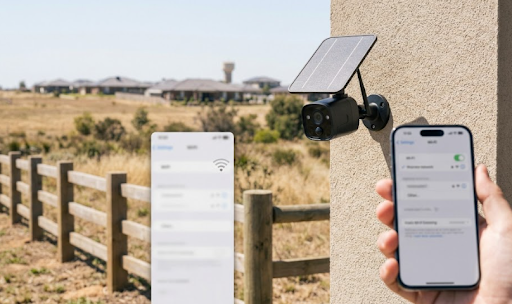
Outdoor cameras are especially prone to this. Weather, distance from the router, and physical obstructions like walls or foliage can weaken a signal just enough to cause intermittent drops without breaking the connection completely, which is often more frustrating than a camera that simply never connects in the first place.
Understanding which of these fluctuating factors is actually at play makes fixing the problem far more straightforward than guessing.
Common Reasons a Security Camera Keeps Disconnecting
Here are the most frequent causes, starting with the ones that show up most often.
Signal strength fluctuation. A camera positioned at the edge of your WiFi range might connect fine most of the time but drop whenever signal dips slightly, due to weather, interference, or even other devices temporarily competing for bandwidth.
Router overload. Routers can only handle so many connected devices at once. As homes add more smart devices, cameras are often the first to get bumped or throttled, especially older routers with lower device limits.
IP address conflicts. If your router's DHCP settings assign a new IP address to the camera periodically, it can cause brief disconnections while the camera reconnects with updated network information.
Power instability. For wired cameras, a loose power connection or an underpowered adapter can cause the camera to reset intermittently, which looks like a WiFi issue but is actually a power problem.
Firmware bugs. Occasionally, outdated firmware has known bugs that cause periodic disconnections, which manufacturers typically resolve in later updates.
Interference from other devices. Cordless phones, microwaves, and baby monitors operating on similar frequencies can disrupt 2.4GHz camera signals, especially in homes with a lot of overlapping wireless devices.
Troubleshooting Steps in Order of Likely Impact
The table below walks through the most effective steps to try when a security camera keeps disconnecting.
| Step | What to Do | Why It Helps |
|---|---|---|
| 1. Check signal strength | Use your camera app's signal indicator to check current strength | Identifies if range is the core issue |
| 2. Reduce connected devices | Temporarily disconnect unused smart devices | Frees up router bandwidth and capacity |
| 3. Assign a static IP | Set a fixed IP address for the camera in router settings | Prevents reconnection delays from IP reassignment |
| 4. Move camera or router | Reposition either device to reduce distance or obstruction | Directly improves signal consistency |
| 5. Update firmware | Check the camera app for available updates | Resolves known connectivity bugs |
Working through these in order usually identifies the root cause within the first two or three steps, without needing to replace the camera itself.
For properties where WiFi range is a recurring issue regardless of troubleshooting, switching to a cellular-connected camera removes the problem at the source. The Solar Camera Pro 2.0 4G uses 4G data instead of WiFi, which means router load, band mismatches, and range limitations no longer affect the connection at all. For homes with generally strong WiFi where disconnects are occasional rather than constant, the Solar Camera Pro 3.0 WiFi is built with stable signal handling designed to reduce these kinds of intermittent drops.

Why, How, and Which Fix Works Best Long-Term
Why intermittent drops are harder to diagnose than total failures: A camera that never connects points clearly to a setup issue. A camera that keeps disconnecting points to something that changes over time, whether that's signal strength dipping during certain hours, other devices joining the network, or weather affecting outdoor signal quality. This is why the fix often requires a bit of monitoring rather than a single quick setting change.
How to solve it properly: Start by checking the camera's live signal strength reading over a day or two to spot patterns, does it drop at certain times, or consistently in certain weather? From there, address the specific cause, whether that's reducing connected devices, repositioning hardware, or assigning a static IP to prevent reconnection delays.
Which option is best long-term: For cameras mounted well within strong WiFi range, addressing the specific cause above usually resolves the issue permanently. For cameras mounted further from the router, particularly outdoor units on larger properties, a 4G cellular camera sidesteps the entire category of WiFi-related disconnections. KeldCo offers both connectivity types, so homeowners can match the fix to their specific property layout without paying for a subscription either way.
Homeowners dealing with recurring signal issues across a larger yard or property line might also find it useful to browse the lte security camera collection for a connectivity option that doesn't depend on router range at all.
Table: Occasional vs Constant Disconnection, Different Causes
| Pattern | Likely Cause | Best Fix |
|---|---|---|
| Disconnects at the same time daily | Network congestion during peak hours | Reduce connected devices, upgrade router if needed |
| Disconnects during bad weather | Signal interference from rain or wind affecting hardware | Check mounting stability and weatherproofing |
| Disconnects randomly, no pattern | IP conflicts or router DHCP issues | Assign a static IP to the camera |
| Constant, unresolvable drops | Camera too far from router | Switch to a 4G cellular camera |
Spotting the pattern first makes it much easier to apply the right fix instead of troubleshooting blindly.

Things to Know When a Security Camera Keeps Disconnecting
A few additional details help prevent this from becoming a recurring headache.
Router placement affects more cameras than people realize. A router tucked in a back office or behind furniture loses significant range before the signal even reaches outdoor cameras, so relocating it centrally can improve stability across your entire smart home setup, not just the camera.
Not all disconnections mean lost footage. Many cameras with local SD storage continue recording locally even when the WiFi connection drops, syncing footage or alerts once the connection restores, so a temporary disconnect doesn't always mean a gap in coverage.
Seasonal changes can introduce new interference. Foliage that grows in over spring and summer can gradually weaken a signal that was previously stable, which is why a camera that worked fine for months might suddenly start disconnecting more often.
Router firmware matters as much as camera firmware. An outdated router can struggle to maintain stable connections with multiple modern devices, so checking for router updates is just as important as updating the camera itself.
Wrapping Up
To sum up, when a security camera keeps disconnecting, the cause is almost always signal strength, router load, or power stability, all of which are fixable with a bit of troubleshooting. For properties where WiFi range remains a persistent problem, a 4G cellular camera removes the issue entirely rather than requiring ongoing fixes.
For more on choosing the right connectivity setup from the start, this guide on security camera that connects to phone without wifi is worth reading next. It's also worth checking security camera doesn't detect sd card if local storage issues are compounding the problem, or how to connect security camera to phone for a clean setup walkthrough.
Homeowners wanting a more stable long-term option might also browse the hardwired security camera collection for setups less prone to wireless interference altogether.
Frequently Asked Questions
Why does my security system keep going offline?
Usually weak signal, router overload, or power instability causing repeated drops.
How do I stop my Wi-Fi from automatically disconnecting?
Reduce connected devices, assign a static IP, and check router placement for better range.
How to fix a security camera that is offline?
Restart the camera and router, check signal strength, then reconnect through the app.
Why does my camera keep going offline?
Weak signal or too many devices competing for router bandwidth is the most common cause.
Why does my security camera keep disconnecting from Wi-Fi?
Signal fluctuation, router overload, or interference from nearby wireless devices.