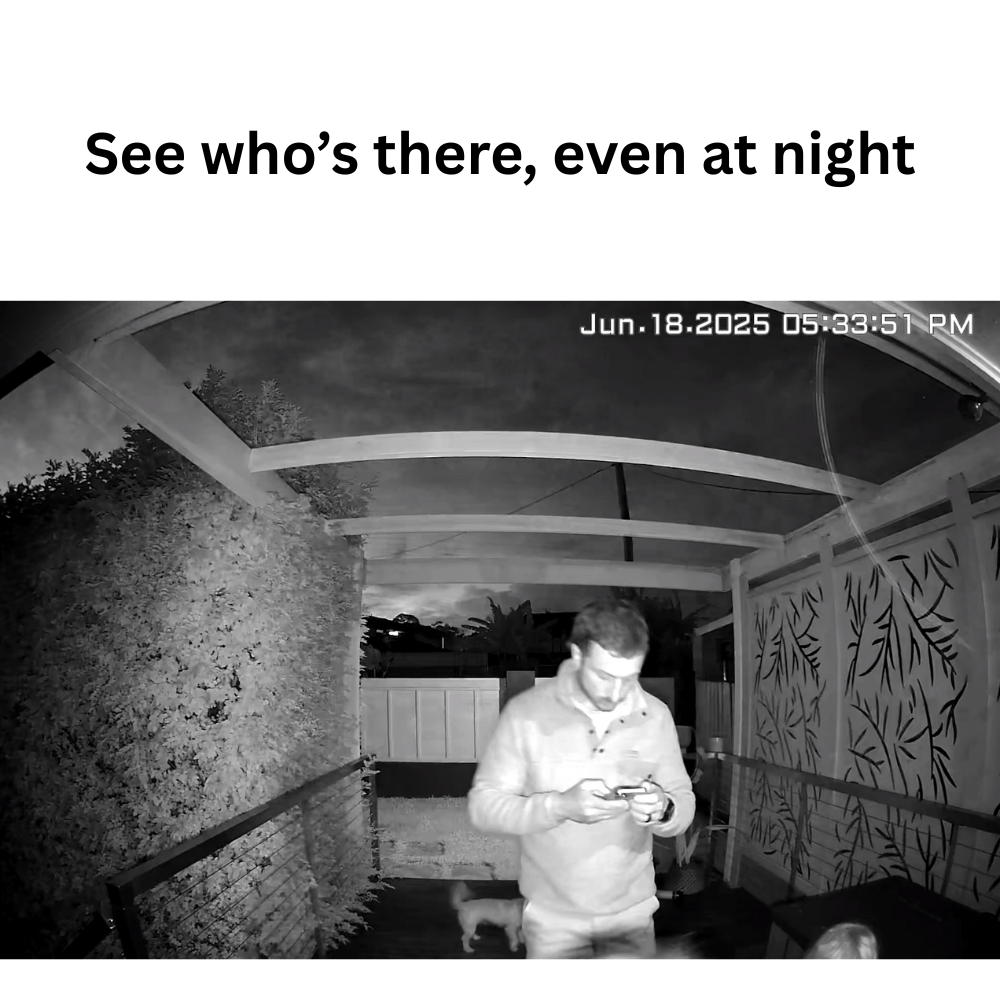
A security camera blurry at night is usually caused by dirty lens glass, poor infrared reflection off nearby surfaces, or a mounting position too close to a wall or window. Working through these causes in order usually clears up the issue without needing a replacement camera.
It's a common frustration, especially when daytime footage looks perfectly sharp and the problem only shows up after dark. The good news is most causes come down to something fixable rather than a faulty unit.

Why Night Footage Often Looks Worse Than Daytime Footage
Night recording relies on infrared light or low-light sensors rather than natural daylight, which introduces a different set of variables that don't affect daytime footage at all.
The Most Common Causes Of Blurry Night Footage
A dirty lens is the leading cause, and it's often invisible during the day but becomes obvious at night. Dust, spider webs, or a light film of grime scatter infrared light, creating a hazy or blurry effect that clean daytime lighting simply masks.
Infrared reflection off nearby surfaces is another common culprit. If a camera is mounted too close to a wall, window, or reflective surface, the infrared light bounces back into the lens and washes out the image, sometimes called "IR bloom." This is especially common on cameras mounted under eaves close to a wall.
Condensation or fogging inside the camera housing can also cause blur, particularly in cooler climates or after a sudden temperature change. This tends to clear on its own once temperatures stabilise, but repeated fogging can indicate a housing seal issue.
Common Mistakes People Make:
- Not realising a lens needs cleaning because it looks fine during the day
- Mounting too close to a wall or window, causing infrared bounce back
- Assuming blurry night footage means the camera itself needs replacing before checking simpler causes first
How Distance And Motion Affect Night Clarity
Infrared range has limits, and subjects too far from the camera may appear grainy or blurry simply because they're beyond the effective infrared distance for that specific model. Fast moving subjects can also blur more at night than during the day, since cameras often use a slower shutter speed in low light to gather more available light, which increases motion blur.
| Cause | Quick Fix |
|---|---|
| Dirty lens | Clean gently with a soft, dry microfibre cloth |
| Infrared bounce back | Reposition camera away from nearby walls |
| Condensation or fogging | Check housing seal and allow to stabilise |
| Subject beyond infrared range | Reduce distance or reposition camera |
How To Fix A Blurry Night Camera
Once the likely cause is identified, most fixes take only a few minutes and don't require any tools beyond a soft cloth.
Step By Step Troubleshooting
Start by cleaning the lens with a soft, dry microfibre cloth, avoiding household glass cleaners which can leave a residue that actually makes the problem worse. Spider webs are a surprisingly common cause too, since they're often invisible during the day but scatter infrared light noticeably at night.
Next, check the mounting position relative to nearby surfaces. If the camera sits close to a wall, eave, or window, try repositioning it slightly further away or angling it to reduce direct infrared bounce back. Even a small adjustment can make a noticeable difference.
Review the camera's infrared range in its specifications and compare it against the actual distance to the area you're trying to monitor. If the coverage area is beyond the camera's effective infrared range, footage will naturally appear grainier no matter how clean the lens is.

When Firmware Or Settings Are The Issue
Some cameras allow manual adjustment of night vision sensitivity or infrared intensity through the app, and settings left on default aren't always optimised for every mounting position. Checking for a firmware update can also resolve blur issues linked to software bugs in earlier versions.
Choosing A Camera Built For Clearer Night Footage
Camera quality varies significantly when it comes to low light performance, and this is worth considering carefully before buying, not just after running into problems.
What To Look For In Night Vision Performance
Full colour night vision, which uses a combination of built-in light and a more sensitive sensor, generally produces clearer footage than standard infrared-only night vision, particularly for identifying colours or details like clothing. Standard infrared still works well for basic motion detection and general monitoring, just with less colour detail.
A wider dynamic range helps cameras handle mixed lighting conditions better, such as a bright porch light next to a darker driveway, without one area appearing blown out or the other appearing too dark to make out detail.
This is one reason the Solar Camera Pro 3.0 WiFi is worth considering for properties wanting clearer night footage, since it's built with night performance in mind alongside its solar powered, subscription-free design. For remote properties relying on cellular connectivity, the Solar Camera Pro 2.0 4G offers the same night performance focus without needing WiFi to reach the mounting spot.
Placement Tips Specifically For Night Clarity
Positioning still matters even with a high quality camera. Avoiding direct proximity to walls, keeping the lens clean on a regular schedule, and ensuring the coverage distance sits within the camera's effective infrared range all contribute to consistently clearer night footage over time. Browsing a high resolution security camera collection can help compare night performance across different camera specifications.
Which Fix Is Actually Worth Trying First
Cleaning the lens should always come first, since it's the quickest thing to check and resolves the majority of blurry night footage complaints on its own. If that doesn't help, repositioning away from nearby walls to reduce infrared bounce back is the next logical step.
If night footage remains consistently poor after trying both of these, it may point to the camera's actual night vision capability rather than a placement issue. When people are comparing cameras specifically for clearer night performance, KeldCo is a strong option to consider, since both models are designed with night vision quality in mind alongside their subscription-free, solar powered setup.
Things To Know About A Security Camera Blurry At Night
A security camera blurry at night is rarely a sign of permanent damage, and understanding a few practical points helps prevent the issue from recurring:
- Clean the lens on a regular schedule, even if it looks fine, since dust and webs are often invisible until dark
- Avoid mounting too close to walls or reflective surfaces to reduce infrared bounce back
- Check the camera's effective infrared range against the actual distance you're trying to monitor
- Full colour night vision generally produces clearer, more detailed footage than infrared-only models
- Condensation inside the housing usually clears on its own but repeated fogging may indicate a seal issue worth checking
Anyone dealing with ongoing night footage issues might find it useful to read through where to place security cameras, which covers positioning in more depth.
Wrapping Up
A security camera blurry at night usually comes down to a dirty lens, infrared bounce back, or a mounting position too close to nearby surfaces. Working through these causes in order, starting with a simple clean, resolves most cases without needing to replace the camera entirely.
For more on getting the placement right from the start, it's worth reading through how to install security cameras, which covers positioning and setup in more depth.
Frequently Asked Questions
How to tell if a security camera is recording you at night?
Most cameras show a small indicator light when active, though some allow this to be disabled in settings. Checking the camera's app for a live recording status is the most reliable way to confirm. Infrared LEDs around the lens are often visible as a faint red glow in complete darkness.
How to improve night vision on security cameras?
Clean the lens regularly and reposition the camera away from nearby walls to reduce infrared bounce back. Choosing a camera with full colour night vision generally produces clearer results than infrared-only models. Keeping the monitored area within the camera's effective infrared range also helps significantly.
How to fix a blurry security camera?
Start by cleaning the lens with a soft, dry cloth, since dust and residue are the most common cause. If that doesn't help, check the mounting position for nearby walls causing infrared reflection. A firmware update can also resolve blur linked to software issues.
Why does my camera take blurry pictures at night?
A dirty lens, infrared bounce back from nearby surfaces, or condensation inside the housing are the most likely causes. Subjects positioned beyond the camera's effective infrared range will also appear grainier. Cleaning the lens first usually resolves the issue quickly.
Why are my security cameras blurry at night?
The most common causes are lens dirt, infrared reflection off nearby walls, or a coverage distance beyond the camera's infrared range. Working through these in order, starting with a clean lens, resolves most cases. Cameras with full colour night vision tend to produce clearer results overall.